Modul: Berichte (Stundenzettel)
OverviewÜbersicht
TheDas TimesheetModul Report„Stundenzettel-Bericht“ Modulebietet provideseine azentrale centralizedÜbersicht viewüber ofdie employeeArbeitszeitaufzeichnungen workingder timeMitarbeiter recordsund andmonatliche monthly summaries.Zusammenfassungen.
ItEs supportsunterstützt bothsowohl individualdie employeeNachverfolgung trackingeinzelner andMitarbeiter consolidatedals reporting,auch allowingkonsolidierte Berichte, sodass der Admin toStundenzettel-Berichte revieweffizient andprüfen downloadund timesheet reports inals PDF efficiently.herunterladen kann.
TimesheetArten Typesvon Stundenzetteln
SingleEinzelnerTimesheet -StundenzettelDisplays–detailedZeigttimesheetdetaillierterecordsStundenzettel-AufzeichnungenforfüraeinenspecificbestimmtenemployeeMitarbeiterwithininnerhalbaeinesselectedausgewähltenmonth.Monats an.MultiMehrereTimesheet -StundenzettelCompiles–timesheetFasstrecordsdieofStundenzettel-AufzeichnungenallalleremployeesMitarbeiterforfüraeinenselectedausgewähltenmonthMonatintoinaeinemsingleeinzigenreport.Bericht zusammen.
1. SingleEinzelner TimesheetStundenzettel
ByStandardmäßig default,zeigt thedie listingÜbersicht alwaysimmer displaydie TimesheetStundenzettel-Aufzeichnungen Recorddes ofaktuellen theMonats current month. an.
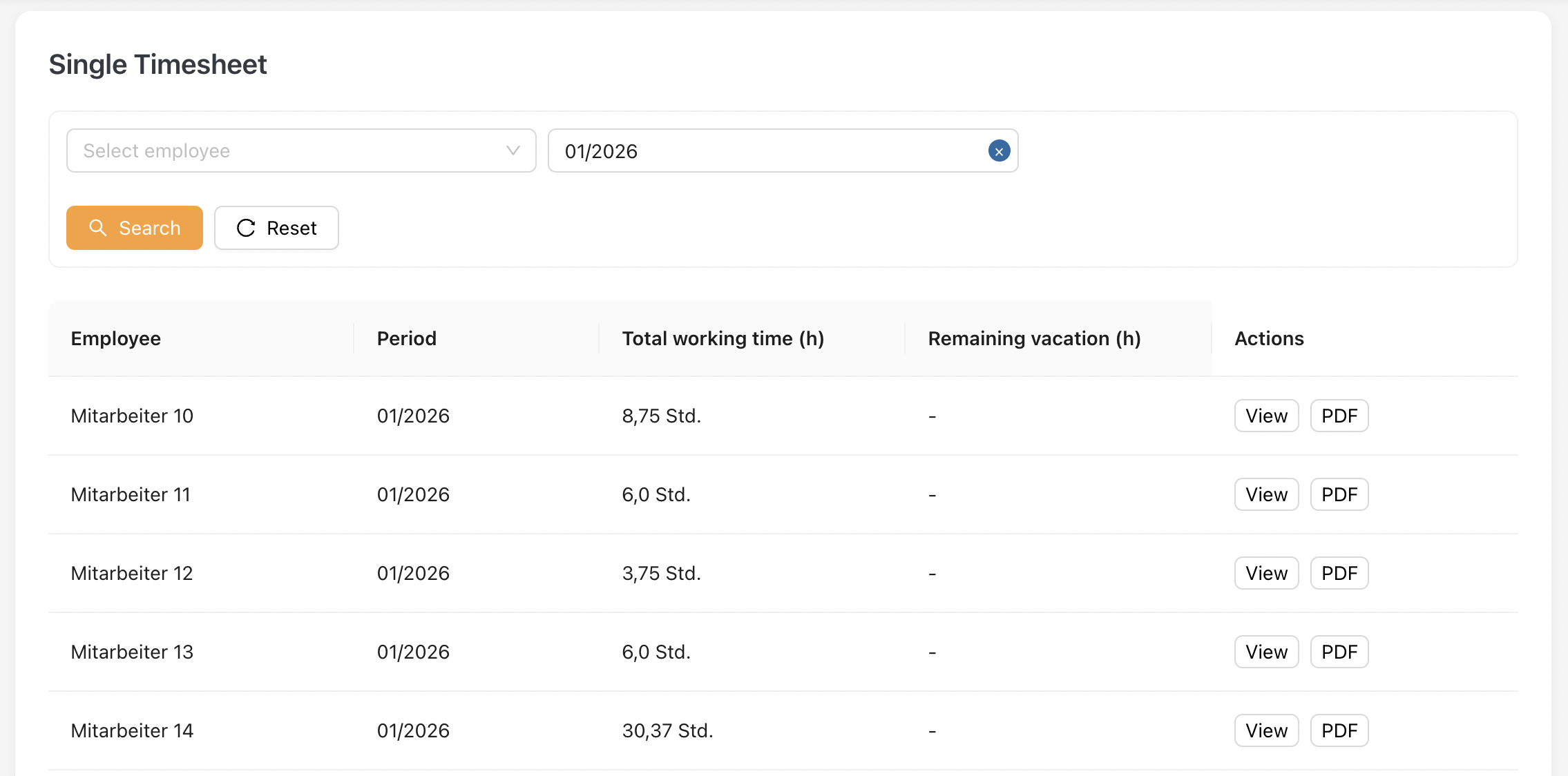
KeyErklärung fieldsder explanation:wichtigsten Felder:
1.1 TimesheetFormat formatdes Stundenzettels
WhenBeim clickKlick View,auf the„Anzeigen“ employee'swird timesheetder willStundenzettel bedes displayed.Mitarbeiters angezeigt.
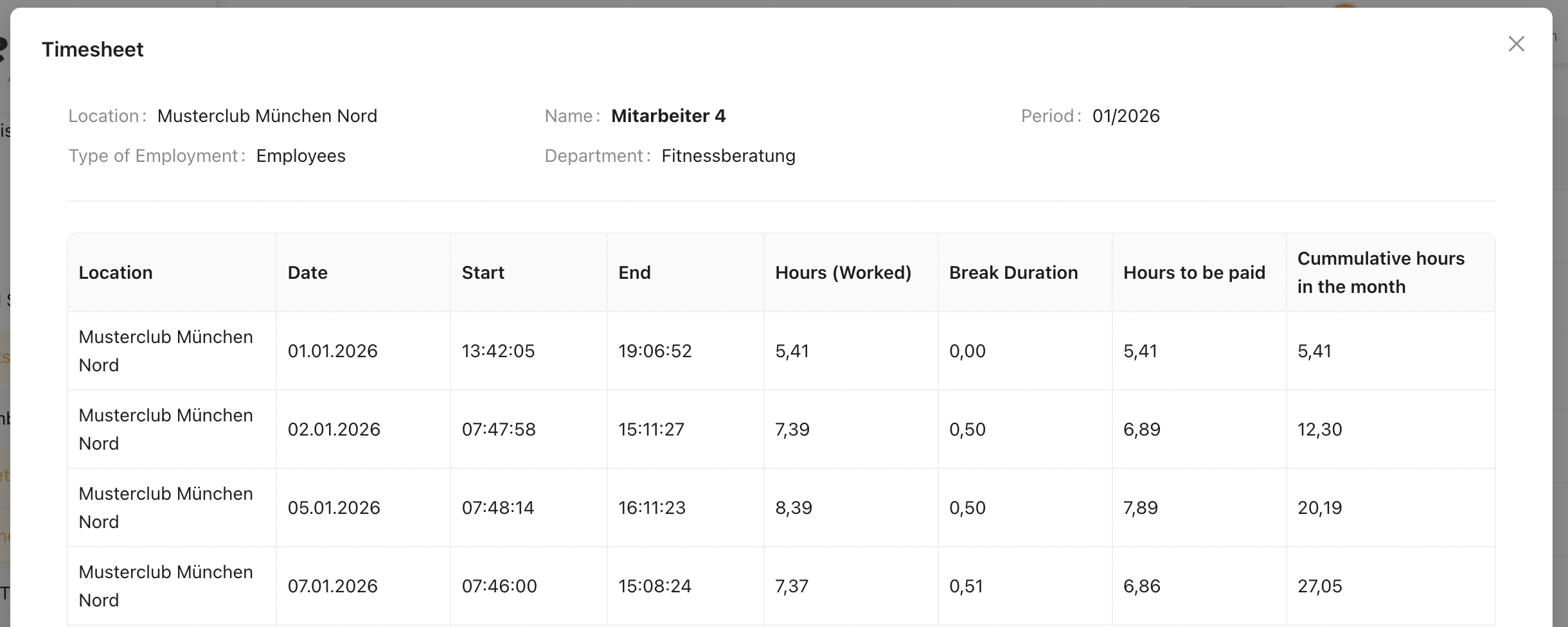
FromDiese thisStundenzettelansicht timesheetbesteht view, there areaus 3 sections : Bereichen:
HeaderKopfbereich
TheDer headerKopfbereich sectionzeigt displaysdie thegrundlegenden basicInformationen informationdes ofausgewählten theMitarbeiters selectedund employeedes andStundenzettel-Zeitraums timesheetan.
| Feld | Beschreibung |
|---|---|
| Standort | Zeigt den vertraglichen (primären) Standort des Mitarbeiters an. |
| Name | Zeigt den vollständigen Namen des Mitarbeiters an. |
| Zeitraum | Zeigt den ausgewählten Monat und das Jahr des Stundenzettels an. |
| Beschäftigungsart | Zeigt die Beschäftigungsart des Mitarbeiters an (Angestellter, Minijobber, Stundenmitarbeiter, Trainer). |
| Abteilung | Zeigt die dem Mitarbeiter zugewiesene Abteilung an. |
Stundenzettel-Tabelle
Die Stundenzettel-Tabelle zeigt alle erfassten Arbeitszeiteinträge für den ausgewählten Mitarbeiter und Zeitraum an.
| Field | Description |
|---|---|
| Pausendauer | Gesamte für den Eintrag erfasste Pausenzeit. |
| Zu vergütende Stunden | Nettoarbeitsstunden nach Abzug der Pausenzeit. |
| Kumulierte Stunden im Monat | Laufende Summe der im Monat angesammelten vergüteten Stunden. |
TimesheetÜbersicht Tableder manuellen Zeiten
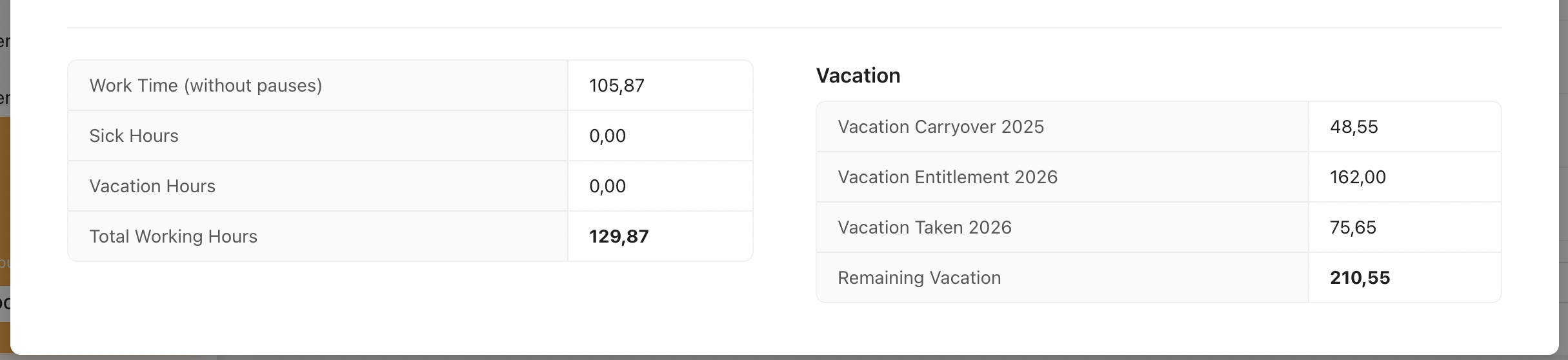
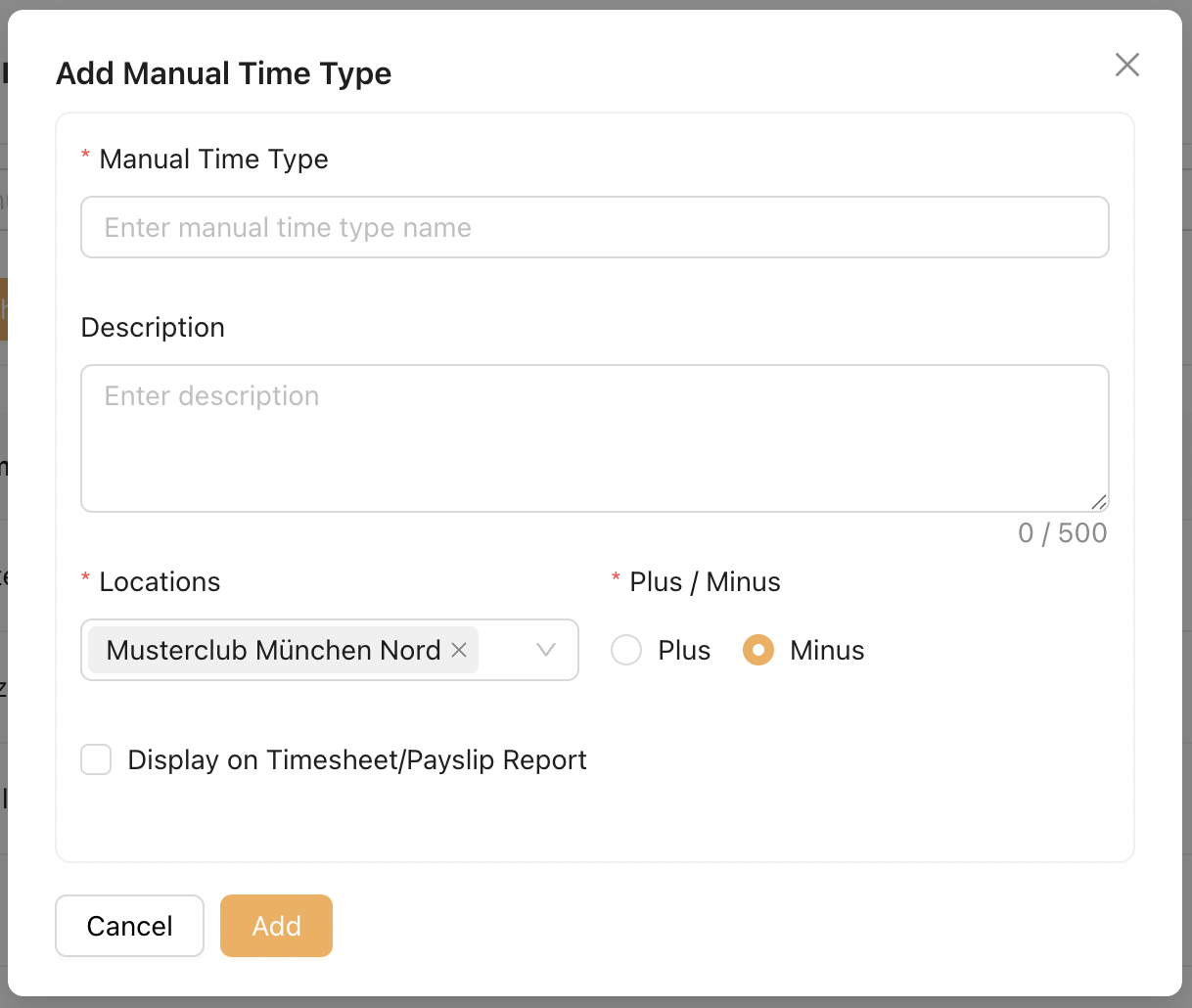
TheZeigt timesheetalle tablevom displaysAdmin allkonfigurierten recordedmanuellen workingZeiteinträge timean, entriesdie forauf theden selectedMitarbeiter employeeangewendet andwurden.
- Enthält Einträge wie Krankheitsstunden, Urlaubsstunden oder andere konfigurierte manuelle Zeittypen
- Werte werden angezeigt, wenn der Mitarbeiter erfasste oder zugewiesene Einträge für den ausgewählten Zeitraum hat
Die Anzeige der manuellen Zeittypen in diesem Bereich kann vom Admin über Stammdaten > Manuelle Zeiten konfiguriert werden
Übersicht der Urlaubsstunden
Zeigt die Urlaubszusammenfassung des Mitarbeiters für das Jahr an.
Manual Times Breakdown
Displays all Admin-configured manual time entries applied to the employee.
Includes entries such asSick Hours, Vacation Hours, or other configured manual time typesValues will appear when the employee has recorded or assigned entries for the selected period
The display of Manual Time Types in this section is configurable by Admin via Masterdata > Manual Times
Vacation Hours Summary
Displays the employee’s vacation summary for the year.
Note :Hinweis:
ThisDiesestimesheetStundenzettel-Formatformatgiltapplies tofür 3typesBeschäftigungsarten:ofAngestellte,employmentMinijobber:undEmployee, Mini-Jobber and Hourly Employee.Stundenmitarbeiter.Mini-Jobber and Hourly Employee do not have vacation entitlement. Therefore, the Vacation Hours Summary section will not be displayed for these employment types.
Minijobber und Stundenmitarbeiter haben keinen Urlaubsanspruch. Daher wird der Abschnitt „Übersicht der Urlaubsstunden“ für diese Beschäftigungsarten nicht angezeigt.
2. Multi-Timesheet
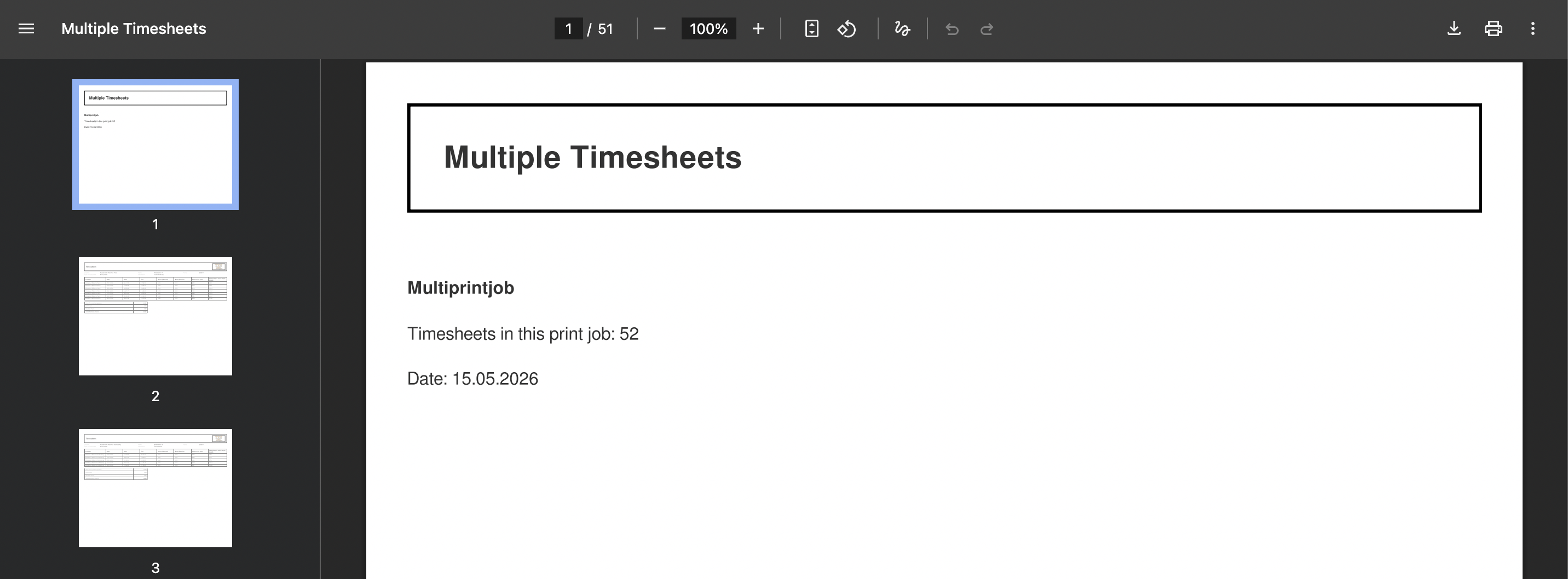
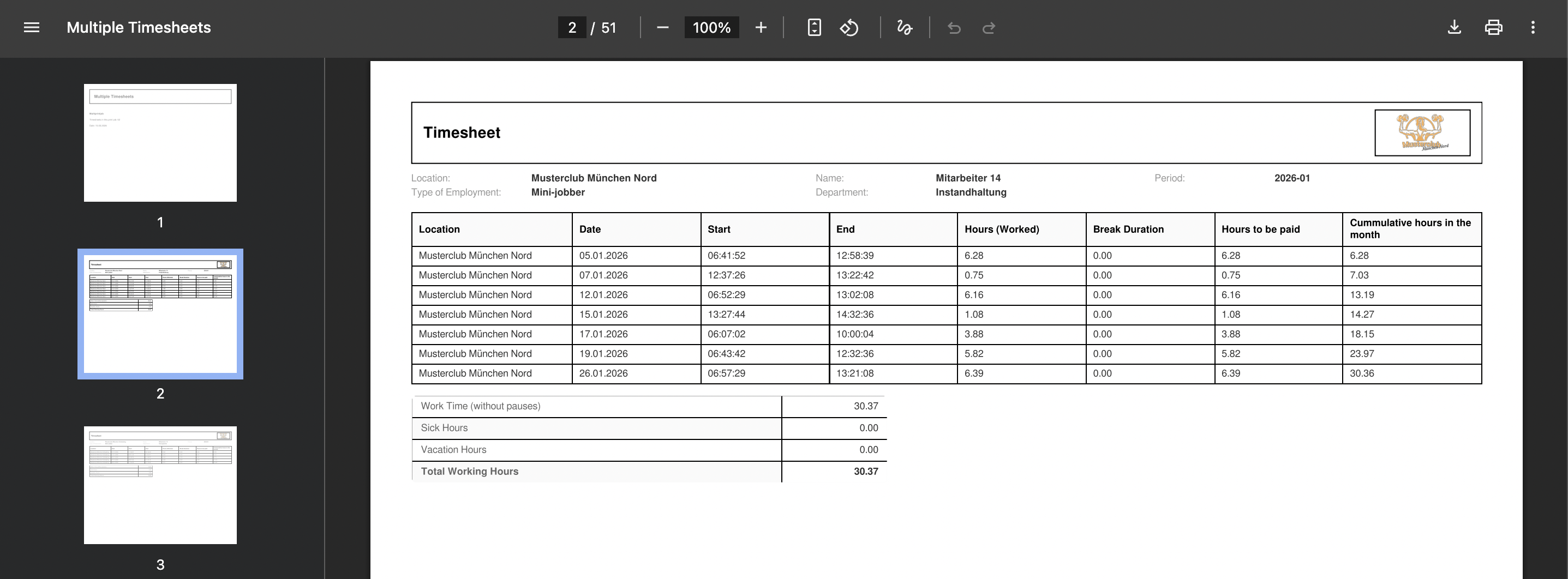
The Multi Timesheet is a compilation of all individual employee timesheets into a single document.
Only employees with the "Multi Timesheet" checkbox enabled in Masterdata are included in this document.

2.1 Multi-Timesheet Listing
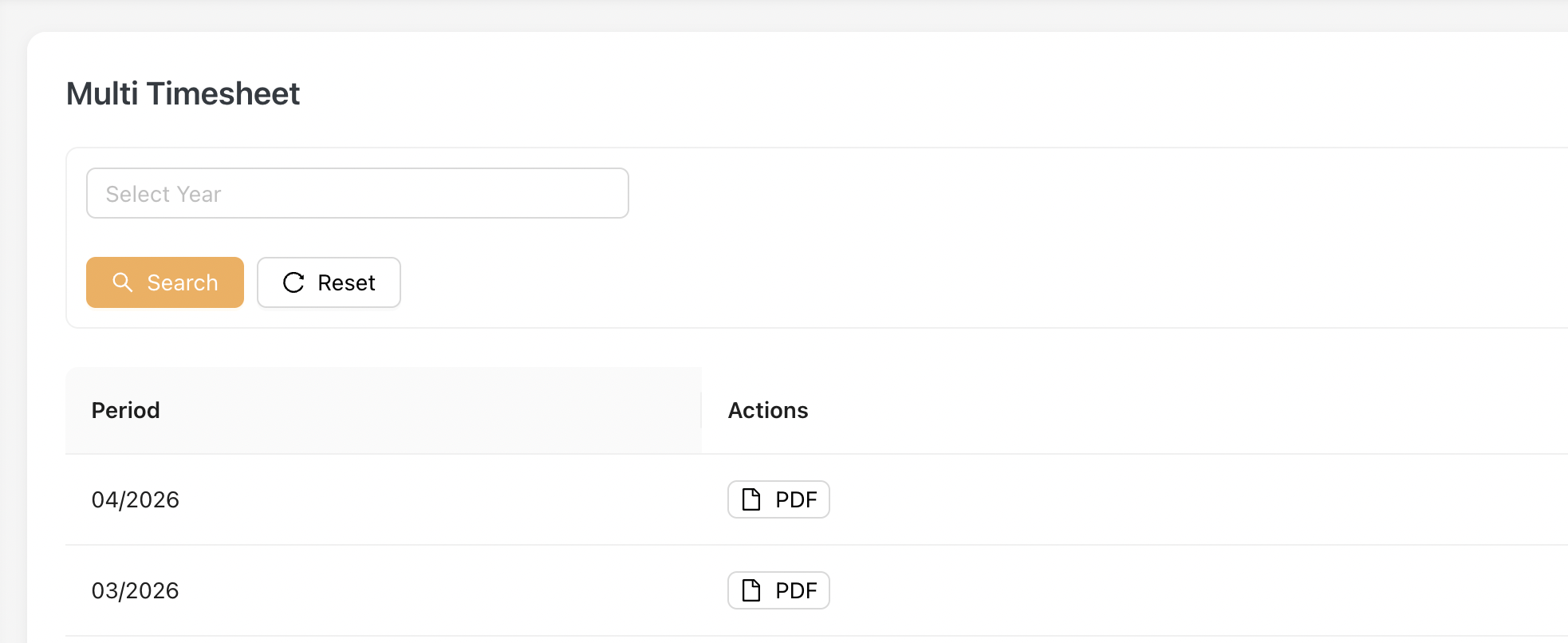
To download PDF, Admin clicks on the [ PDF ] button.
An Example of downloaded PDF:
3. Trainer Timesheet
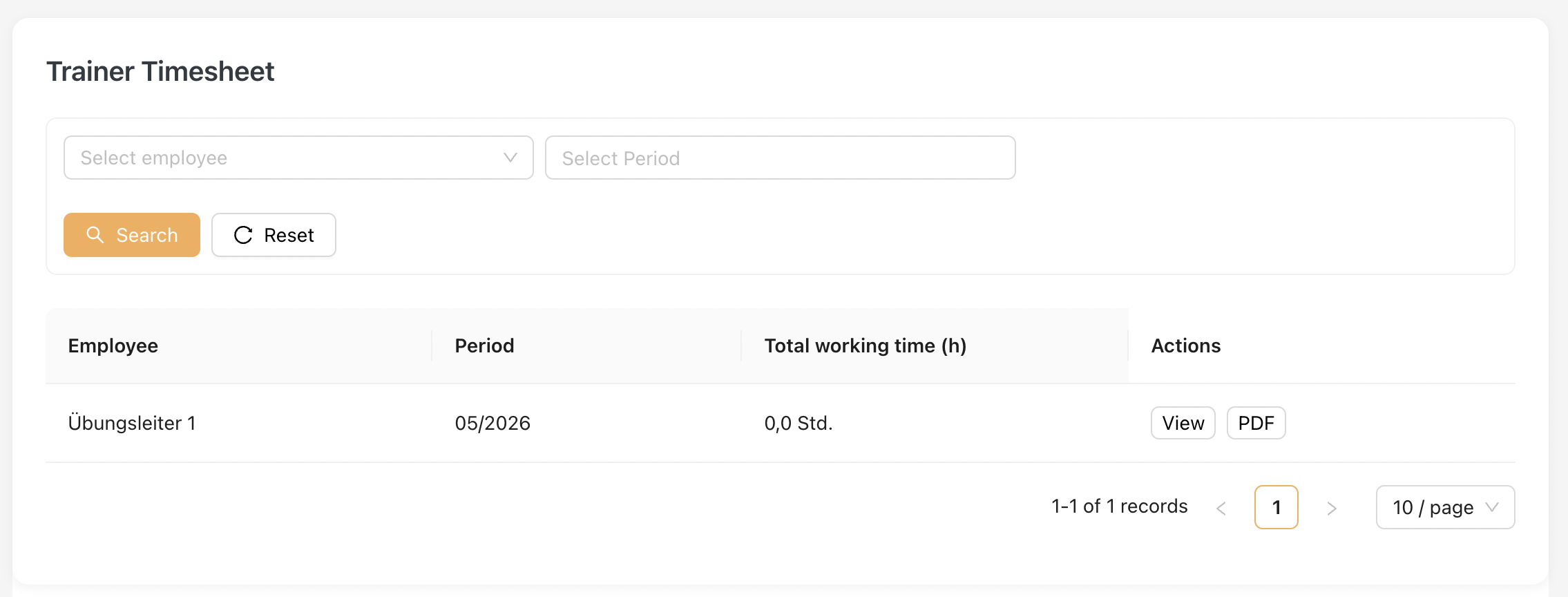
This page is dedicated to the Trainer employment type only.
Similar to the Single Timesheet, this listing displays all trainers contracted by the company along with their monthly time-booking records.
3.1 Trainer Timesheet Listing
3.2 Timesheet format
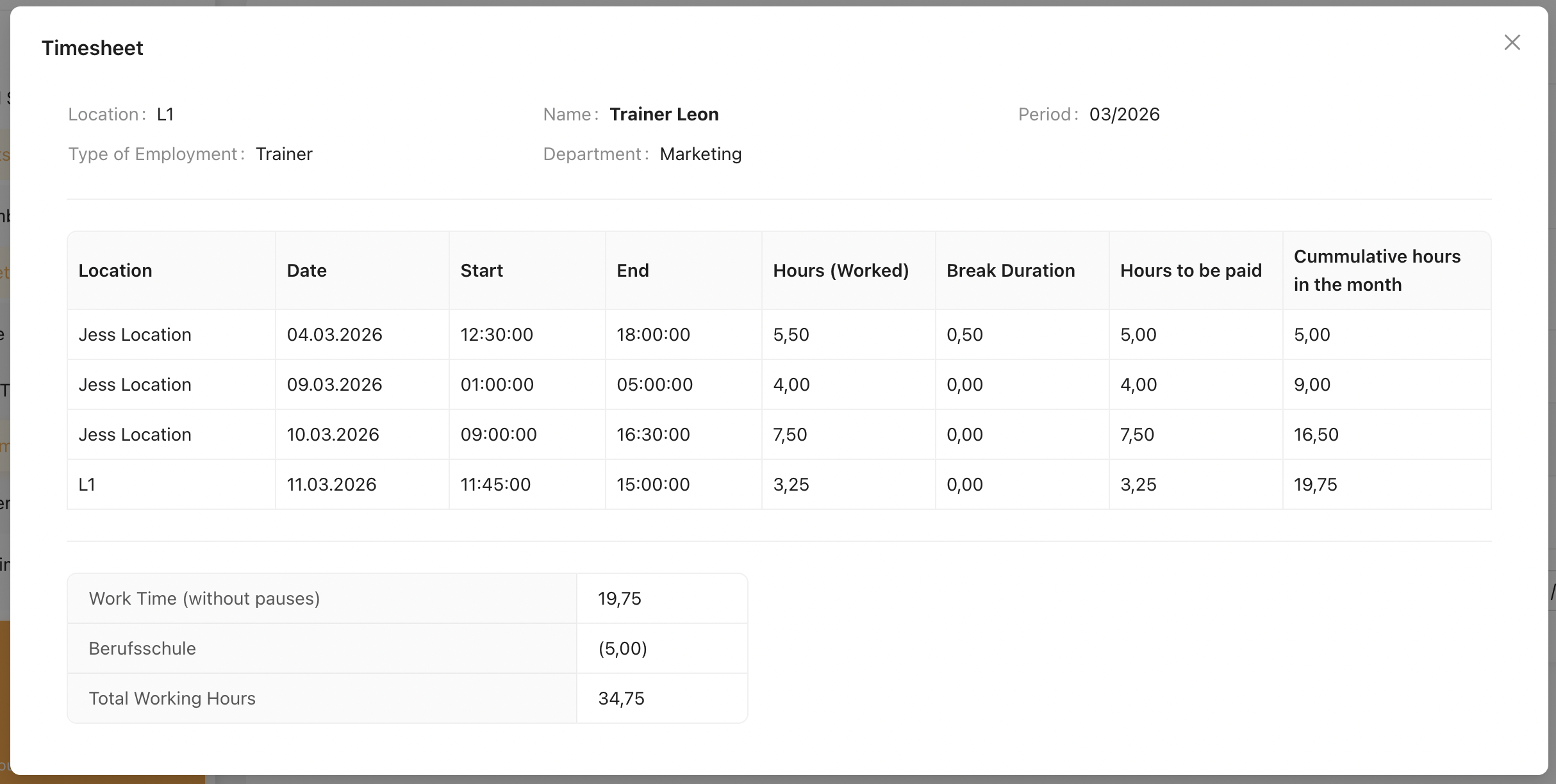
Please view here on the full explanation of Timesheet Format.
An example of Trainer's Timesheet
Note
Trainers are not entitled to sick leave or vacation hours. Therefore, the Vacation Hours Breakdown is not displayed.
However, other configured Manual Time Types are still applicable and will appear in the Manual Times Breakdown.
4. Trainer Multi Timesheet
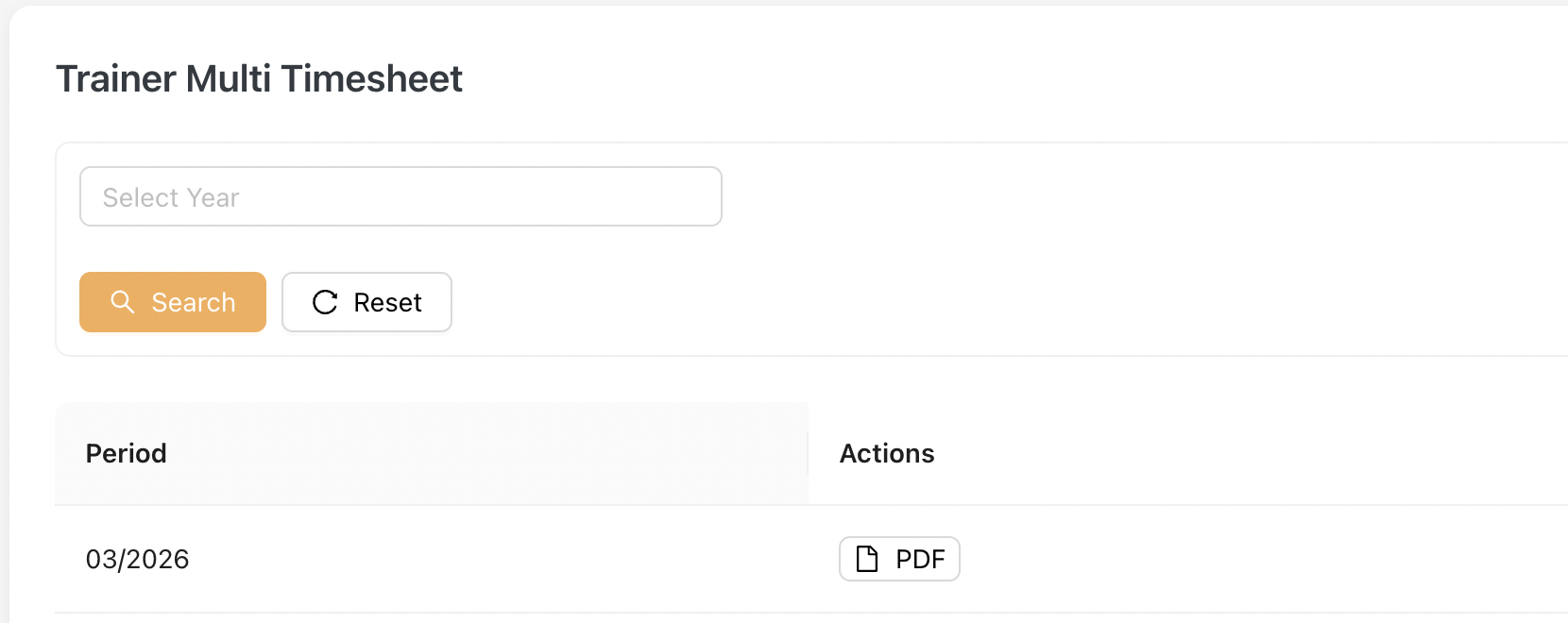
Similar to the Multi Timesheet, the Trainer Multi Timesheet is a compilation of all individual trainer timesheets into a single document.
Admin can download the PDF by clicking on the [PDF] button.
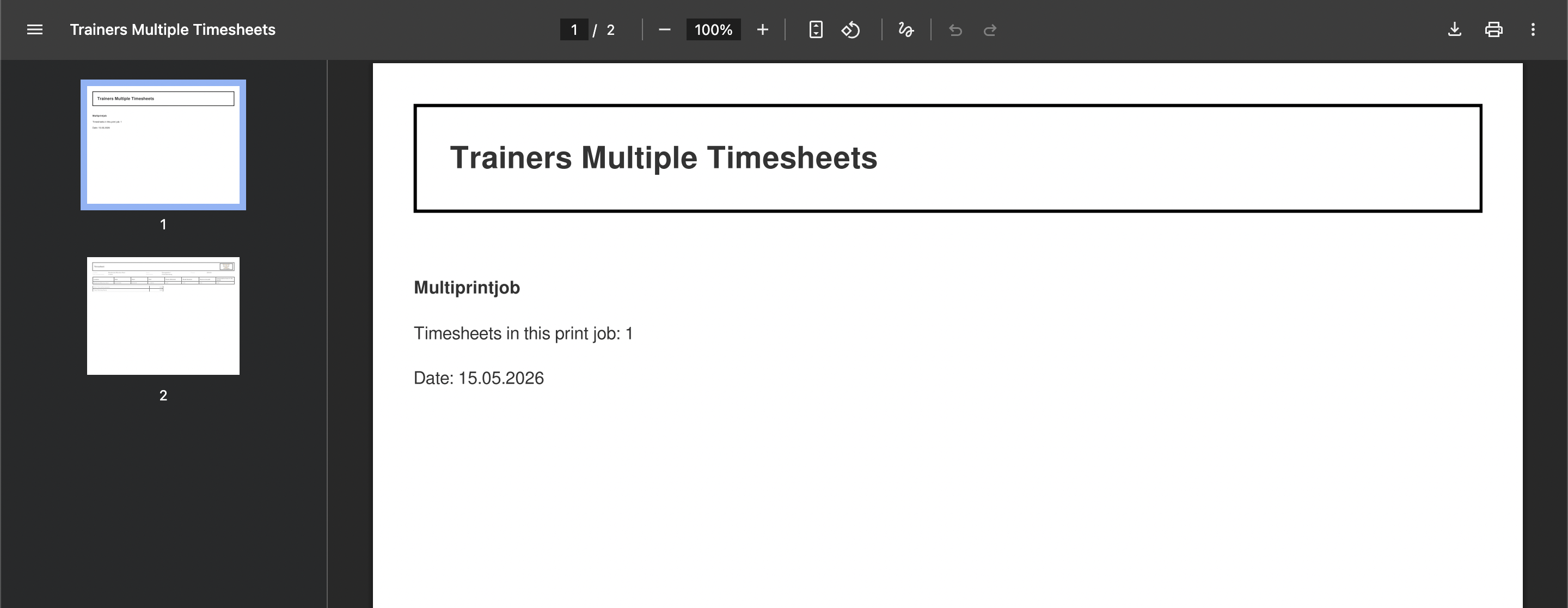
An Example of downloaded PDF:
5. Annual Timesheet
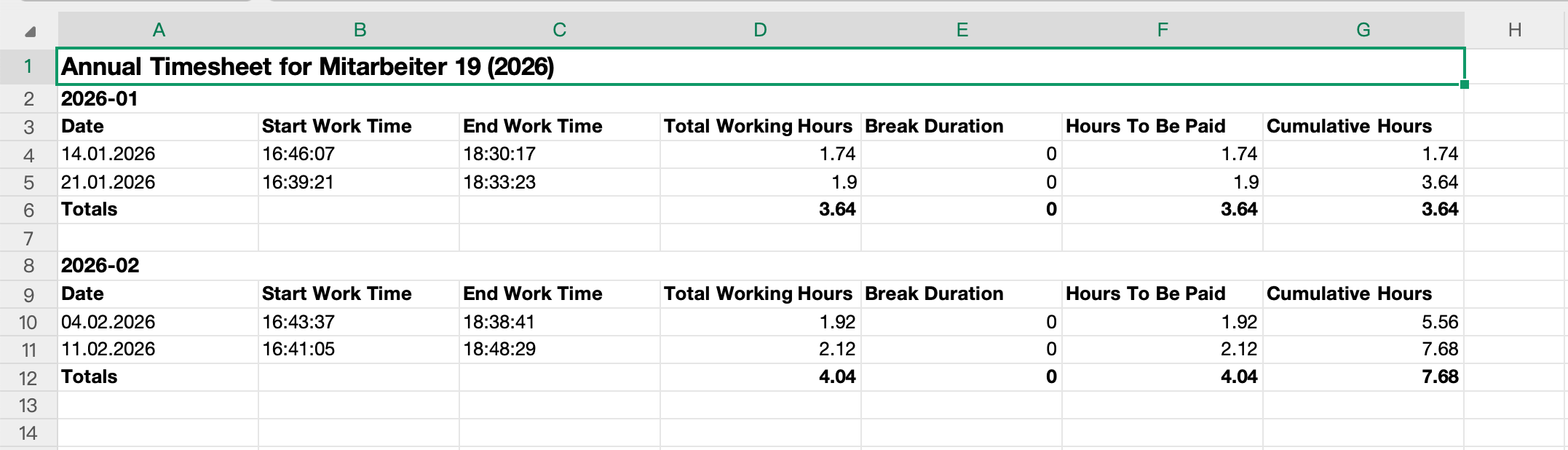
The Annual Timesheet provides a yearly overview of an employee’s timesheet records in Jeydoo.
The report displays daily timestamp records together with calculated working hours, break durations, payable hours, and cumulative working hours across the selected year.
Administrators may generate and download the Annual Timesheet report in Excel format for individual employees.
5.1 Listing Overview
The Annual Timesheet listing displays employees based on the selected reporting year.
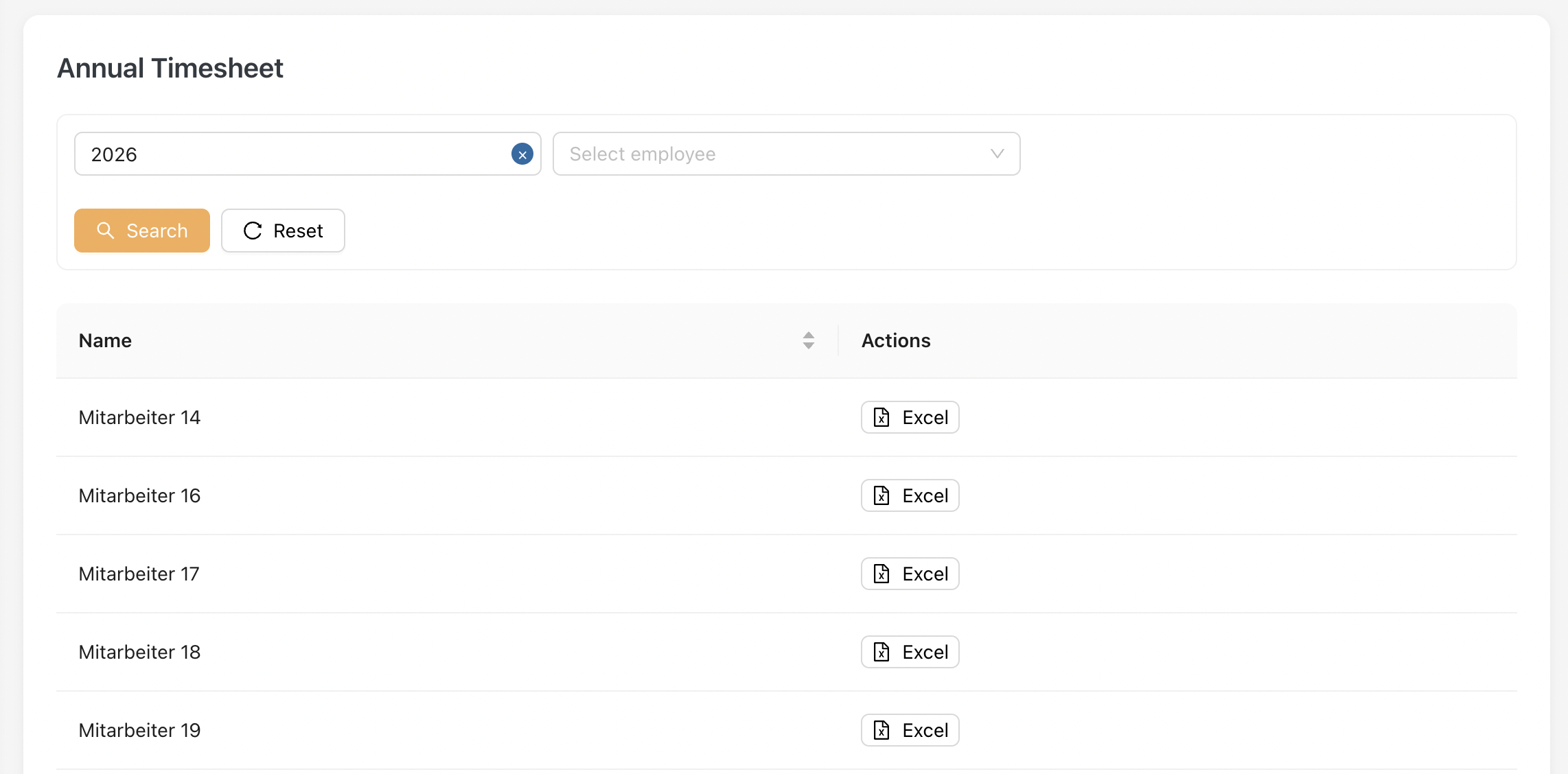
Administrators can click [ Excel ] to download the Annual Timesheet report for the selected employee.
5.2 Annual Timesheet Report
The Annual Timesheet Report displays detailed yearly timesheet records for the selected employee.
The report is grouped by month and includes:
- Daily work timestamps
- Total working hours
- Break durations
- Hours to be paid
- Cumulative working hours
Monthly totals are automatically calculated within the report.
Example of the Timesheet Report