
Module : Announcement
Overview
The Announcements module allows Admin to create and manage announcements that are displayed to selected target audiences within the system.
Announcements are shown in the Time Booking Panel (TBP) and are only visible when employees log in. Each announcement can be configured with a display period and target audience to ensure relevance.
Screenshot of Announcement displaying on TBP
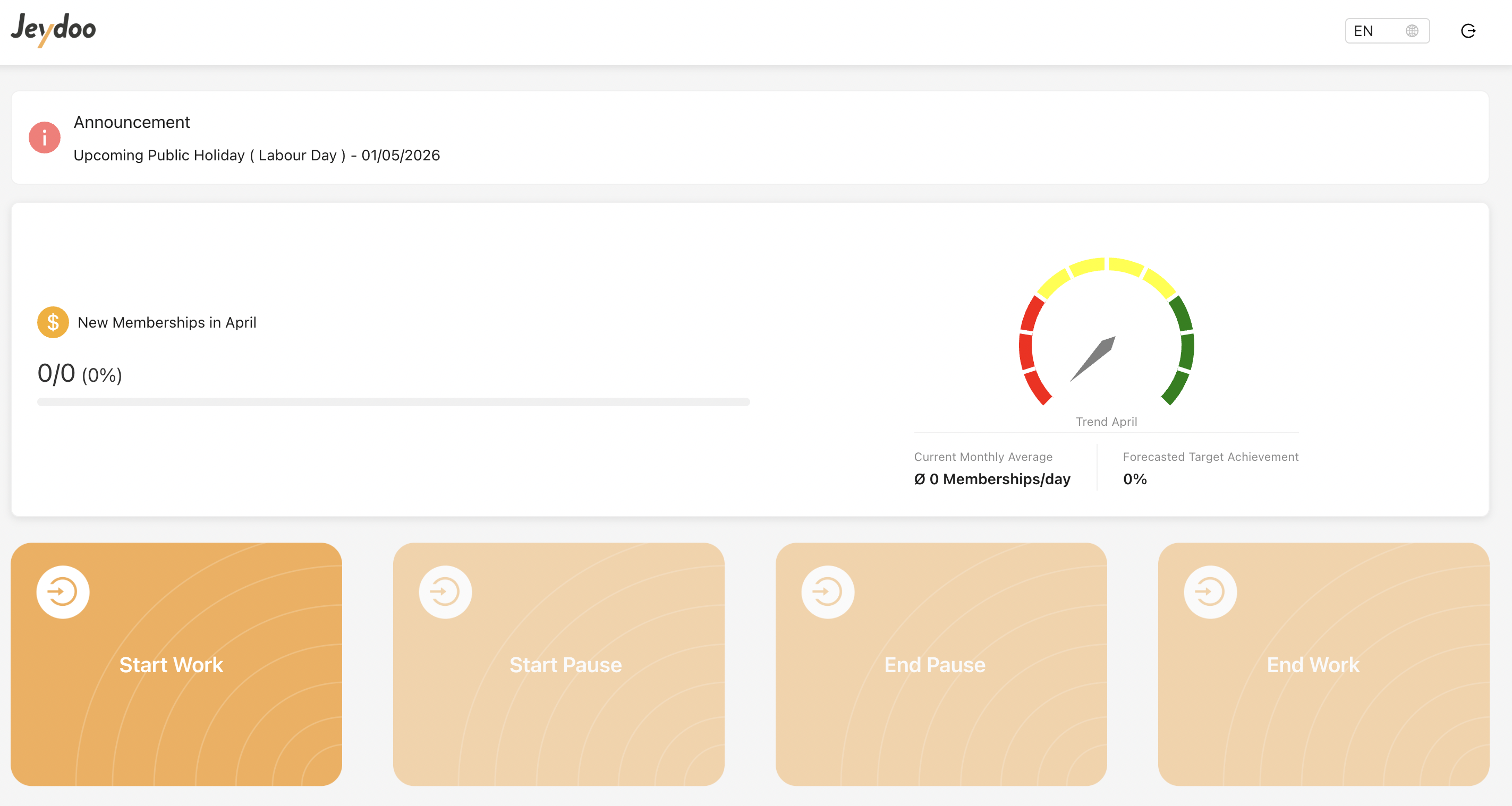
1. Add a New Announcement
To add a new announcement, Admin clicks on "Add" button:
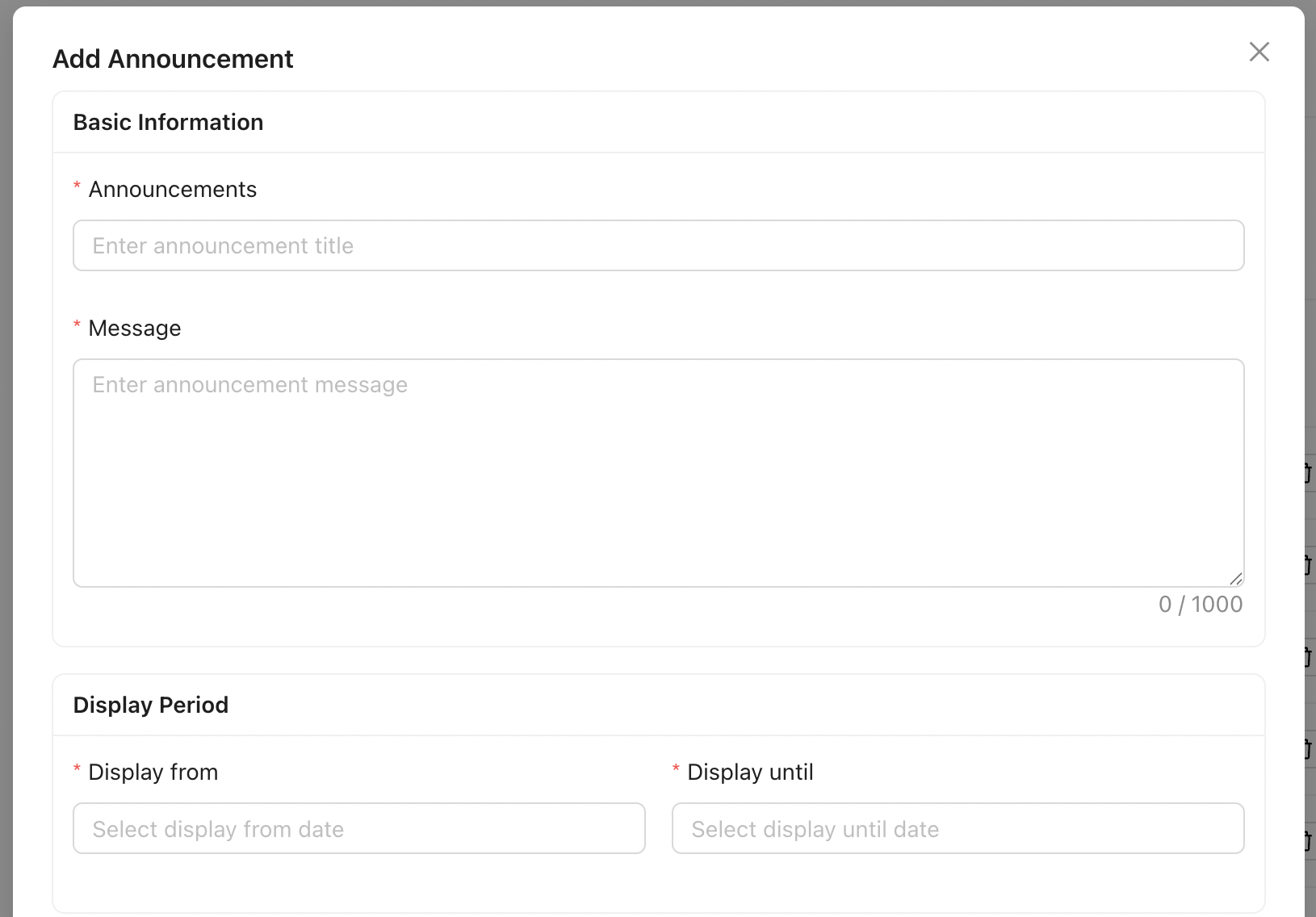
- Basic Information
Admin can create announcements by defining a title and message content. - Display Period
Each announcement must have a start date and end date, controlling when the announcement is visible. -
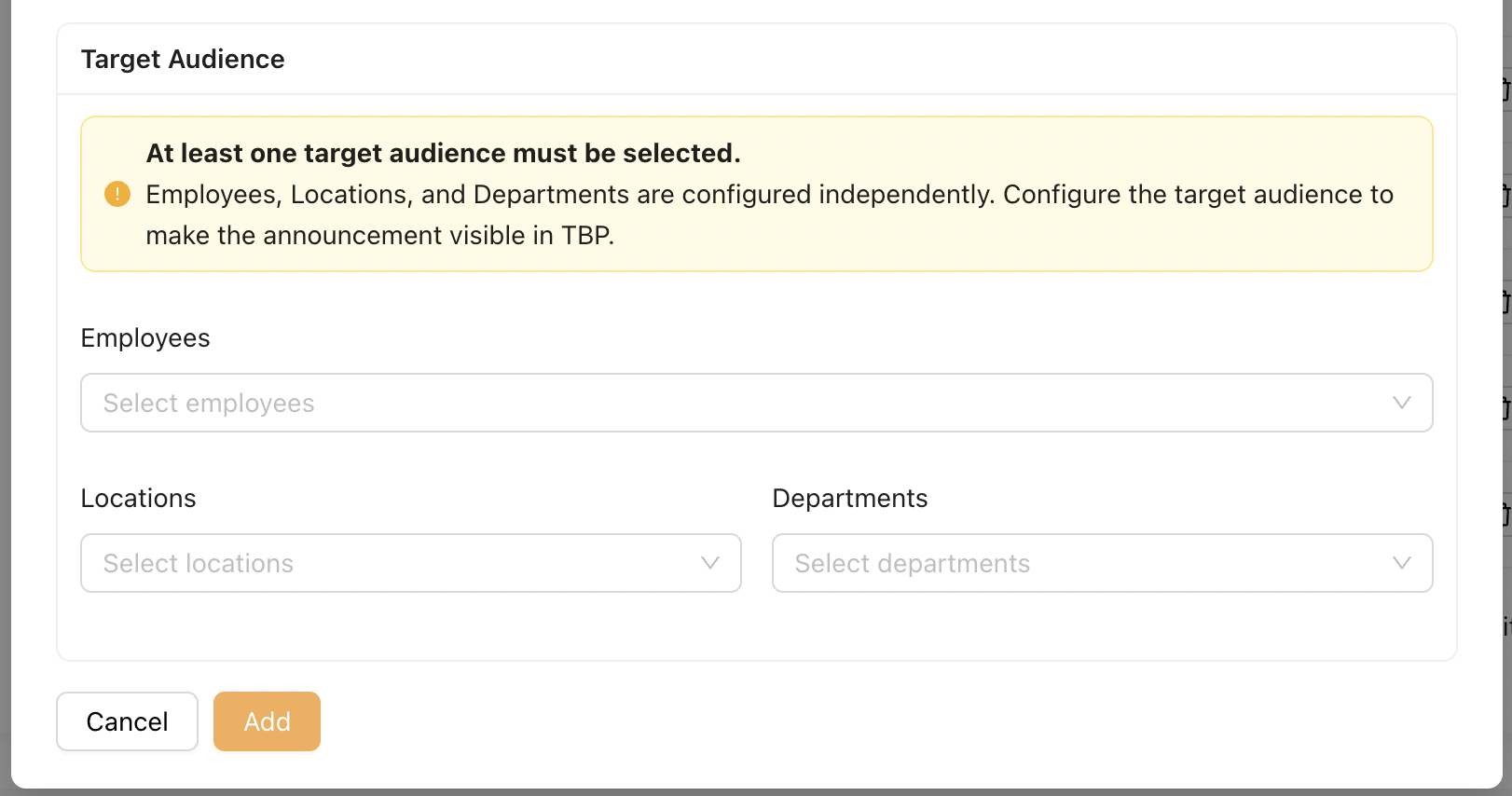
Target Audience Configuration
Announcements can be assigned to:- Employees
- Locations
- Departments
- At least one target audience must be selected.
2. Target Audience Logic
Employees, Locations, and Departments are configured independently.
The system applies an inclusive (OR-based) targeting logic, where users only need to match any one of the selected criteria to receive the announcement.
Examples:
- Employee only selected
→ Only the selected employee will see the announcement - Employee + Location selected
→ The selected employee and all employees in the selected location will see the announcement -
Employee + Location + Department selected
→ The announcement will be visible to:- The selected employee
- All employees in the selected location
- All employees in the selected departments
- Departments are applied regardless of location (no dependency between Location and Department)
Notes
- Announcements are displayed upon login to TBP. Newly created announcements will be visible on the next login.
- Multiple announcements may be displayed if a user matches more than one active announcement.
- At least one target audience must be selected for the announcement to be valid.
- Admin can edit or delete announcements at any time.