Module: Commission & Bonuses
This section allows the Admin to configure commission and bonus settings and also monthly target. The values defined here will be used for calculating commission and bonus payouts during payroll processing.
1. PT Bonus
PT Bonus refers to Personal Training Bonus. Sales employee that successfully sold Personal Training sessions will receive additional bonuses according to Sales Threshold configured here.
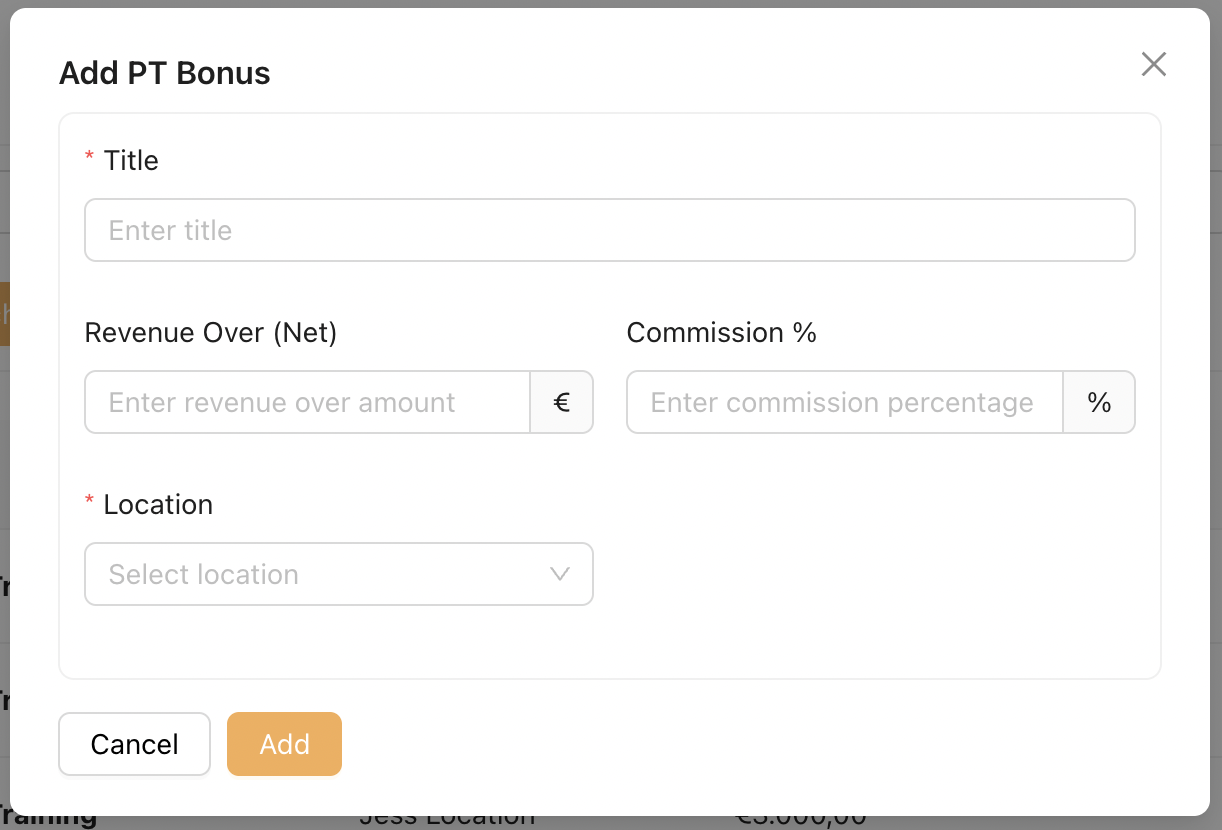
Title : Enter a name for this PT bonus tier or range (e.g. PT Bonus – Level 1).
Revenue Over (Net) : The minimum sales amount required to qualify for this bonus tier.
Net refers to the amount after tax deduction.
Commission % : The percentage of commission awarded when the sales amount exceeds the defined revenue threshold.
Location : Select the location(s) where this PT bonus structure applies.
Employees assigned to these locations will follow this bonus rule.
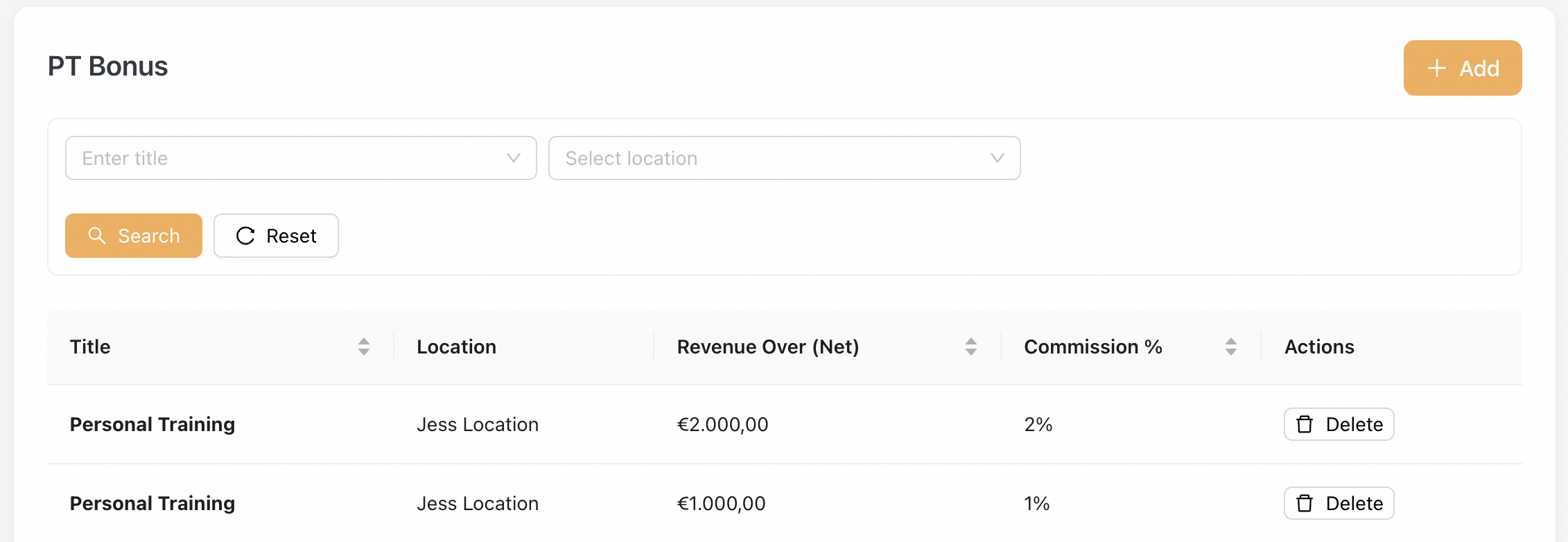
Below shows how the bonus threshold is displayed on listing :
An example of PT Bonus Calculation
Gross Sale = €2,300
Tax = 19%
Net Sale = €2,300 - 19% = €1,863
Step 1: Determine threshold → €1,863 ≥ €1,000, so 1% commission applies.
Step 2: Apply formula →PT Bonus = 1,863 × 1% = €18.63PT Bonus : €18.63
2. Mini-Jobber Bonus
This section defines how Mini-Jobber bonuses are applied based on Target Achievement %. Only Mini-Jobbers who belong to a Department assigned to the selected Location will be considered for this bonus.

To configure, click "Add" :
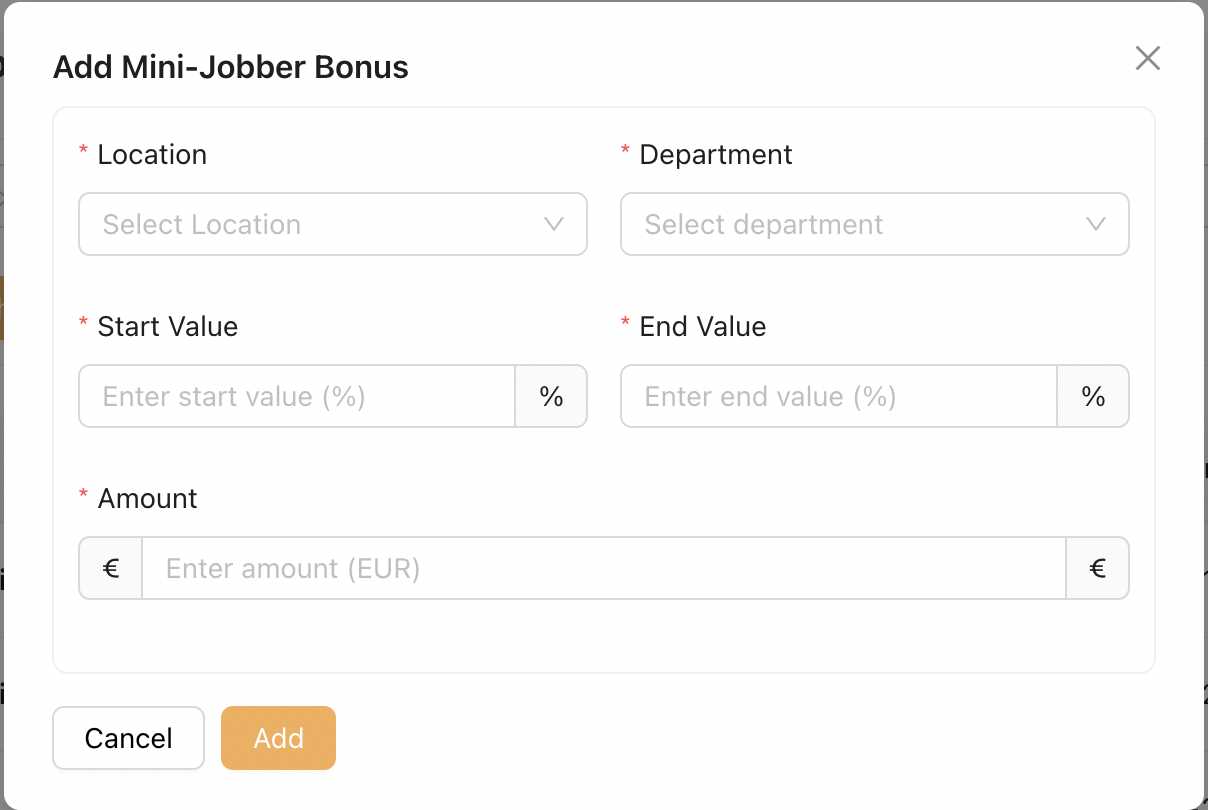
Location
Select the Location where this bonus rule applies.
Department
Select the Department(s) under this Location that are eligible for the Mini-Jobber bonus.
Start / End Value (%)
Defines the target achievement range required to qualify for this bonus.
Example: 80% – 100%
Amount
The bonus amount that will be added to the Mini-Jobber’s hourly rate.
Example :
Location: Penang Branch
Department: Sales
Target Achievement Range: 80% – 100%
Bonus Amount: €2.00 per hour
✅ If the Location achieves 85% of its sales target,
→ Mini-Jobbers in the assigned department at this location will receive +€2 per hour as a bonus.❌ If the department achieves 75%:
→ No bonus is applied
If the Mini-Jobber bonus master data is updated, the payslip will also be updated after clicking Recreate on the Mini-Jobber payslip.
3. Monthly Target
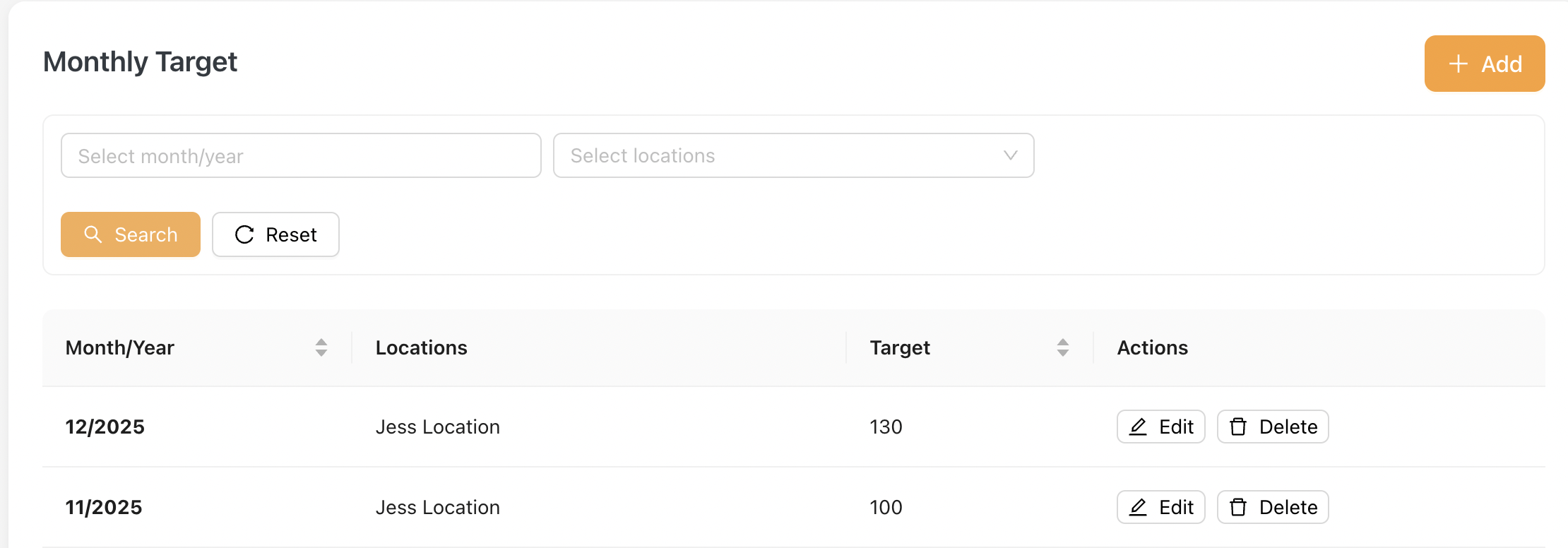
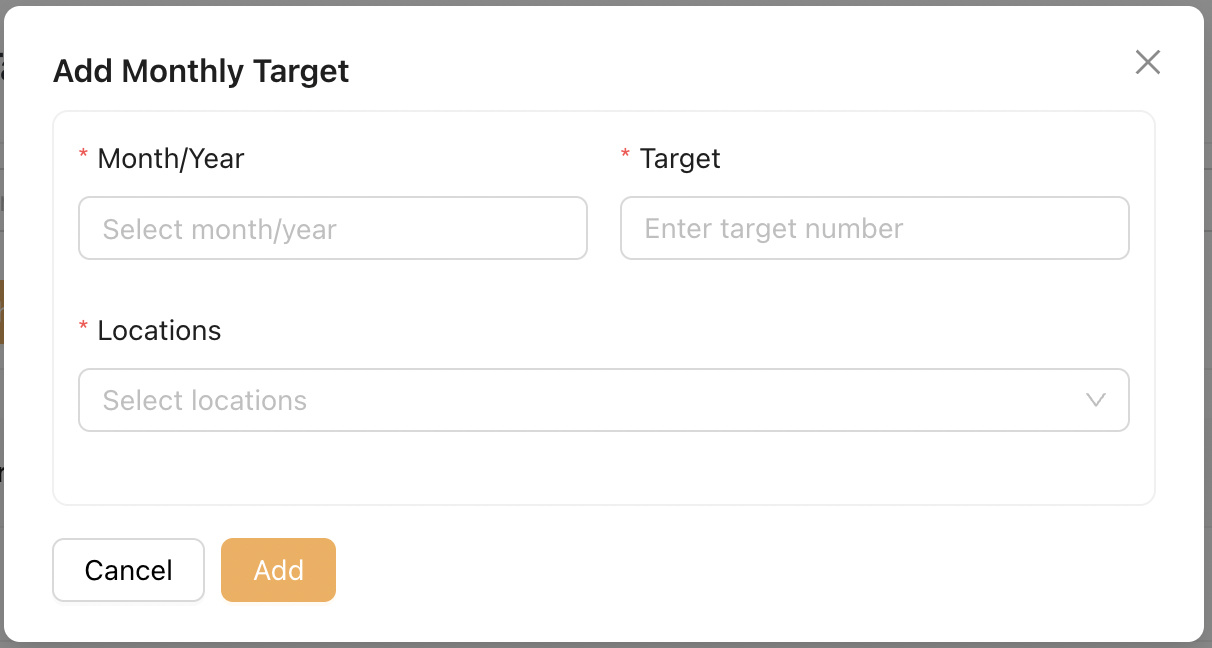
This section allows the Admin to configure monthly sales targets for one or more Locations.
To create a new monthly target:
-
Click [Add].
-
Select the target month and year.
-
Enter the target value (integer only).
-
Select the Location(s) that will share this target.
The configured monthly target is used in the calculation of the Target Achievement %.
The configured targets are displayed on the Listing accordingly.