
Module : Report ( Manual Times )
Overview
The Manual Times Report provides a yearly overview of all manual time entries booked for each employee.
Manual Time Types include items such as Vacation Hours, Sick Leave, and other Admin-configured Manual Time Types. These values form part of the total working time calculation.
1. Listing
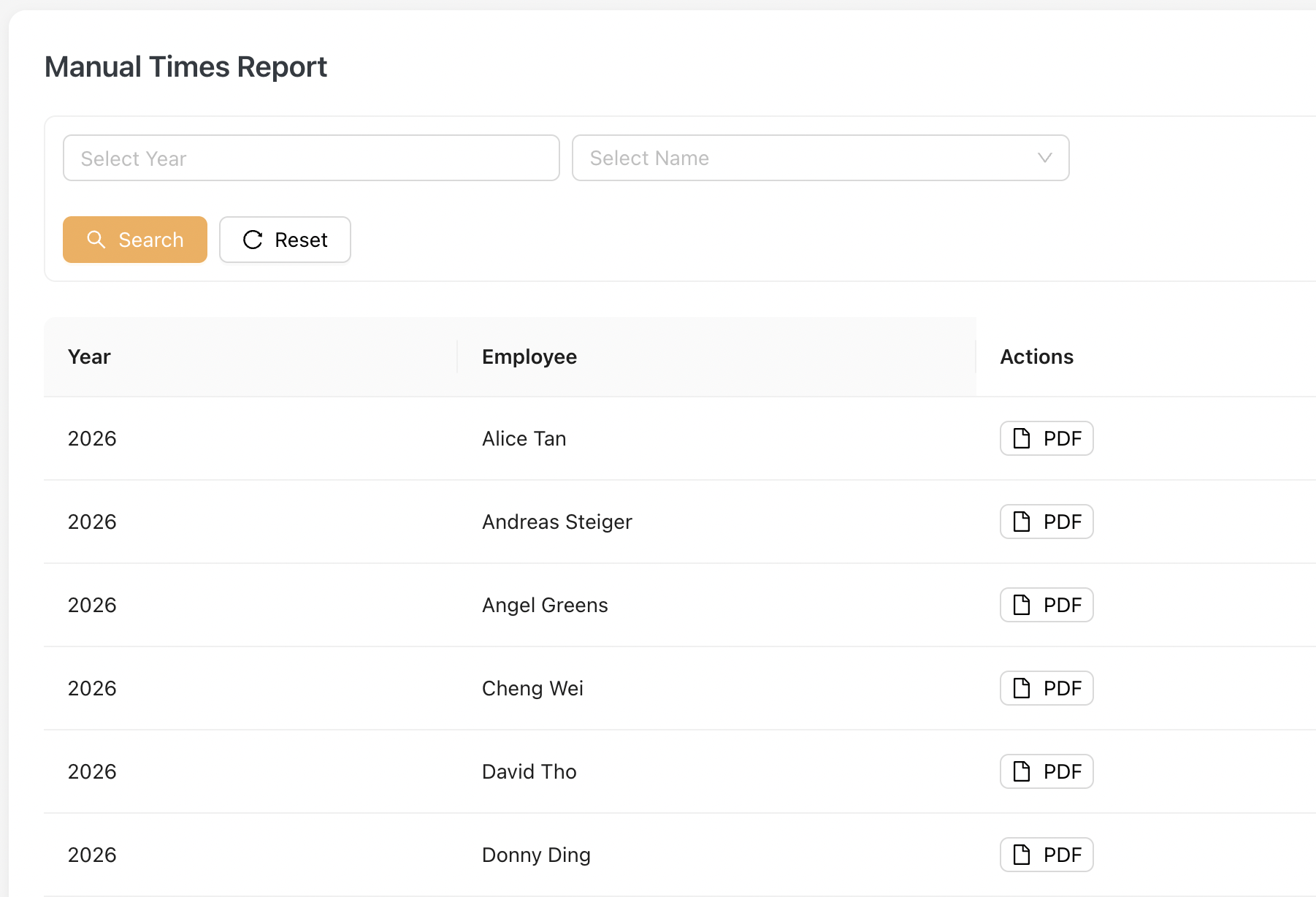
The listing includes all Active and Inactive employees for the current year.
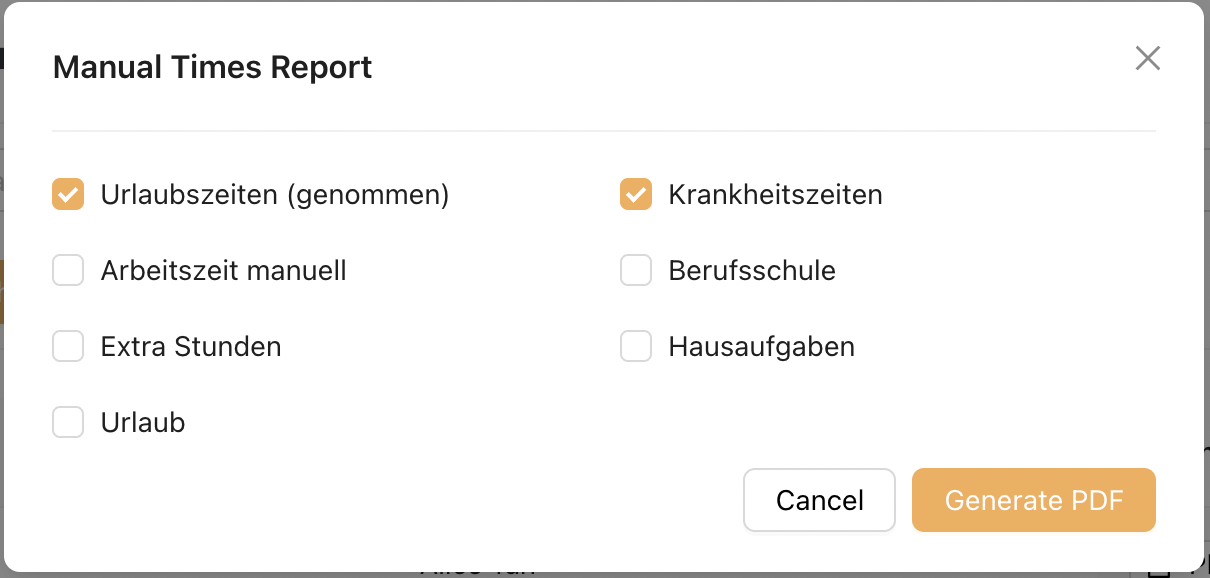
To download the report, Admin clicks on the [PDF] button and selects the Manual Time Types to be displayed in the report.
Step 1 : Clicks [ PDF ] button
Step 2 : Select Manual Times Type
2. Report Format
Report Header
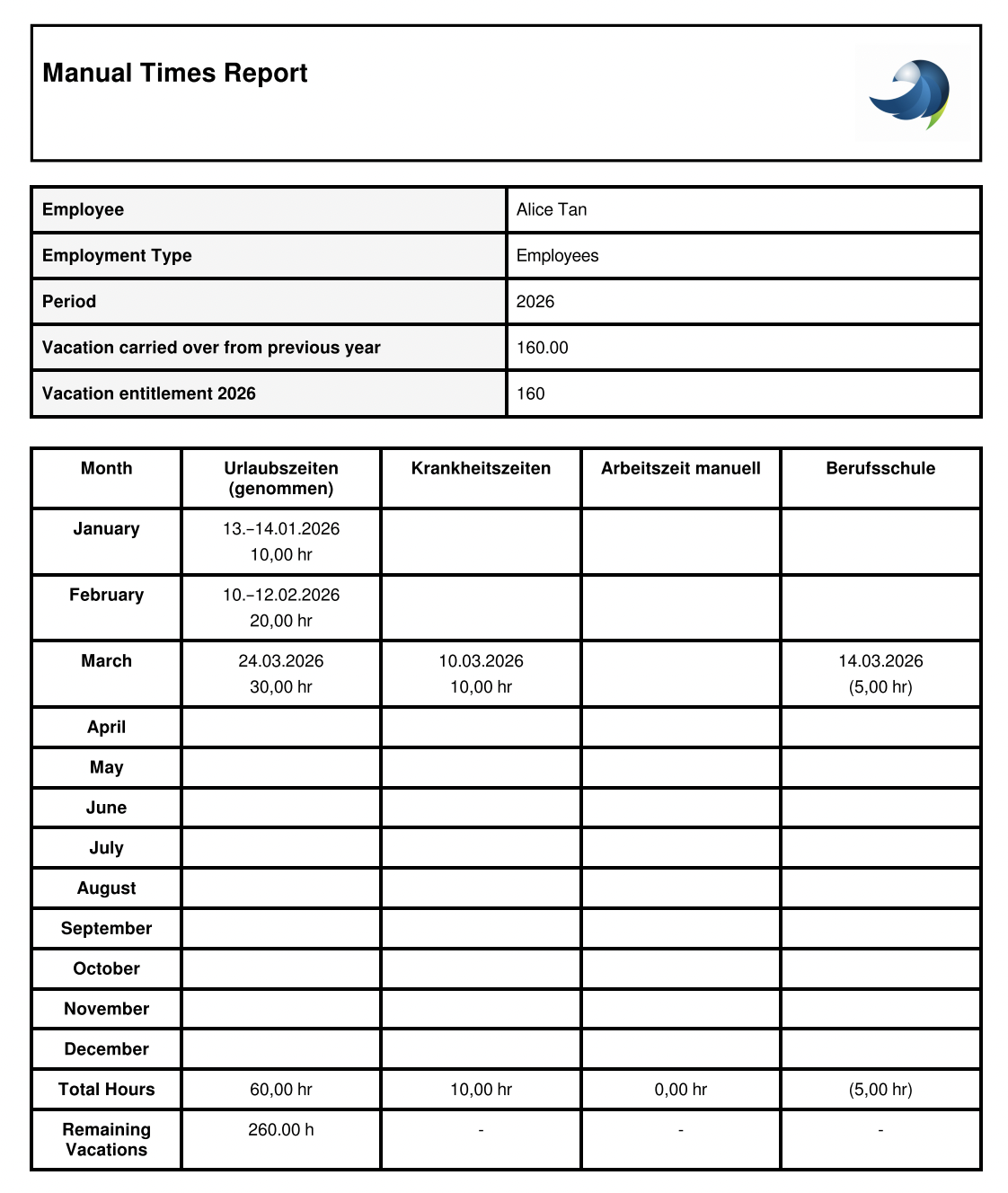
The report header displays key employee and yearly information.
| Field | Description |
|---|---|
| Employee | Displays the employee’s name. |
| Employment Type | Shows the employee’s employment type. |
| Period (Year) | Indicates the selected reporting year. |
| Vacation Carryover (Previous Year) | Displays unused vacation hours brought forward from the previous year. |
| Vacation Entitlement (Current Year) | Shows the total vacation hours allocated for the current year. |
Monthly Overview Table
The table displays manual time entries by month.
- Each row represents a month (January – December)
- Each column represents a Manual Time Type (e.g. Vacation, Sick Leave, Manual Work Time, Extra Hours)
- Data is displayed only when records exist for the selected month
Note: The Manual Time Type columns are defined based on the selection made when clicking the [PDF] button
Note
Employee, Mini-Jobber and Hourly Employee can book Vacation Hours and Sick Leave as Manual Time Types.
Trainer is not allowed to book these types but may book other configured Manual Time Types.
Only Employee has vacation entitlement. Therefore, Remaining Vacation Hours are not displayed for Mini-Jobber, Hourly Employee, and Trainer.