
Module : Report (New Members List)
Overview
The New Member List Report shows the number of new memberships sold by employees. It is used to monitor employee sales performance and track new member sales in the system.
The listing always displays latest New Members for the current month.
The report is available in two views:
- Single Employee
- Multi Employee
Screenshot of New Members List
1. Single Employee
Displays sales data per employee for current month and before.
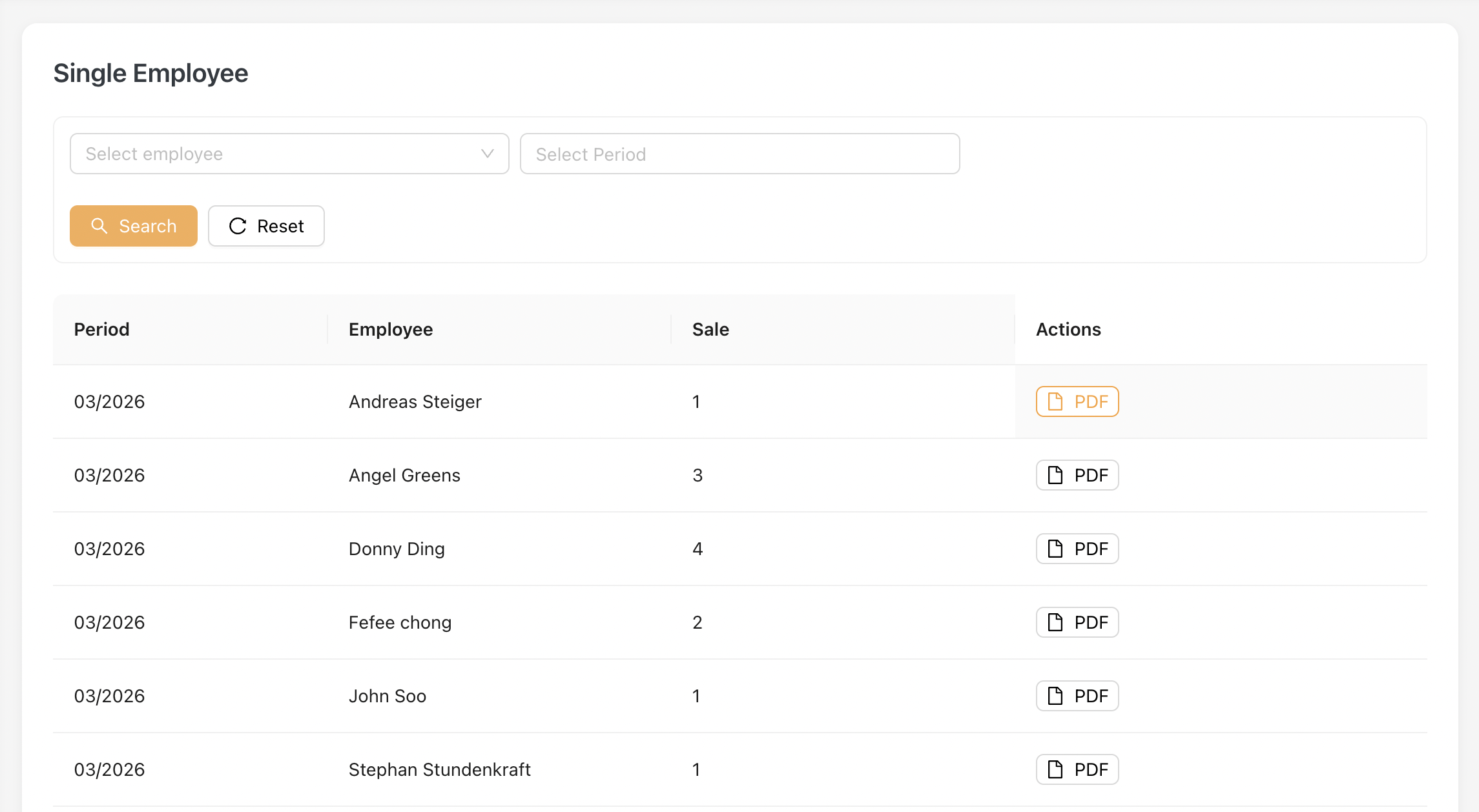
1.1 Key Fields
| Field | Description |
|---|---|
| Period | Reporting month |
| Employee | Employee name |
| Total Sale | Total number of new memberships sold |
| Actions (PDF) | Download detailed report |
1.2 PDF Report
Below is an example of the reports.
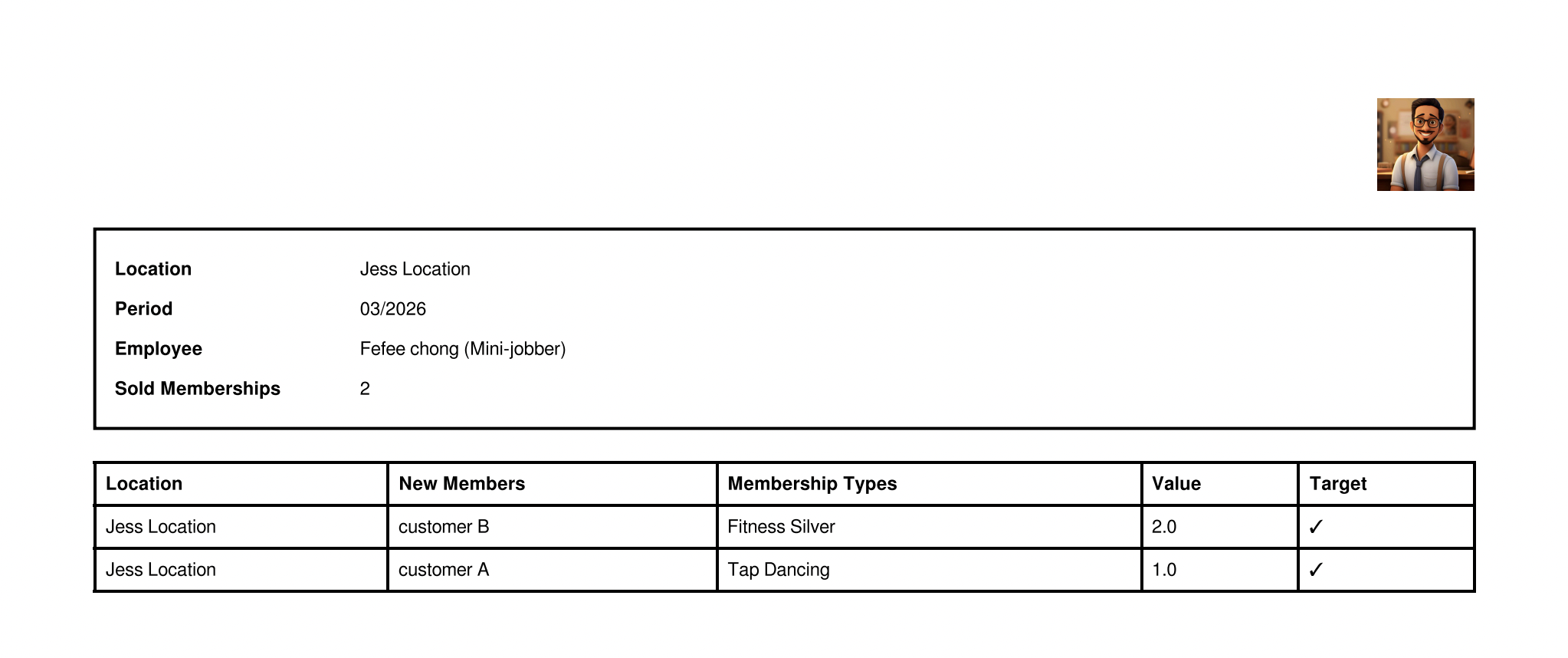
PDF Field Explanation:
| Field | Description |
|---|---|
| Location | The employee’s primary (contract) location. This value is derived from the employee’s assigned location in their contract, not from where the sale was performed |
| New Members | Name of the new customer who purchased the membership |
| Membership Types | The type of membership purchased |
| Value | A predefined value configured in the Membership Type settings (e.g. 1.0, 2.0). This value is used for Single Bonus calculation |
| Target | Indicates whether the sale is counted towards target achievement |
2. Mutli-Employee
Displays sales data for multiple employees for current month and before.
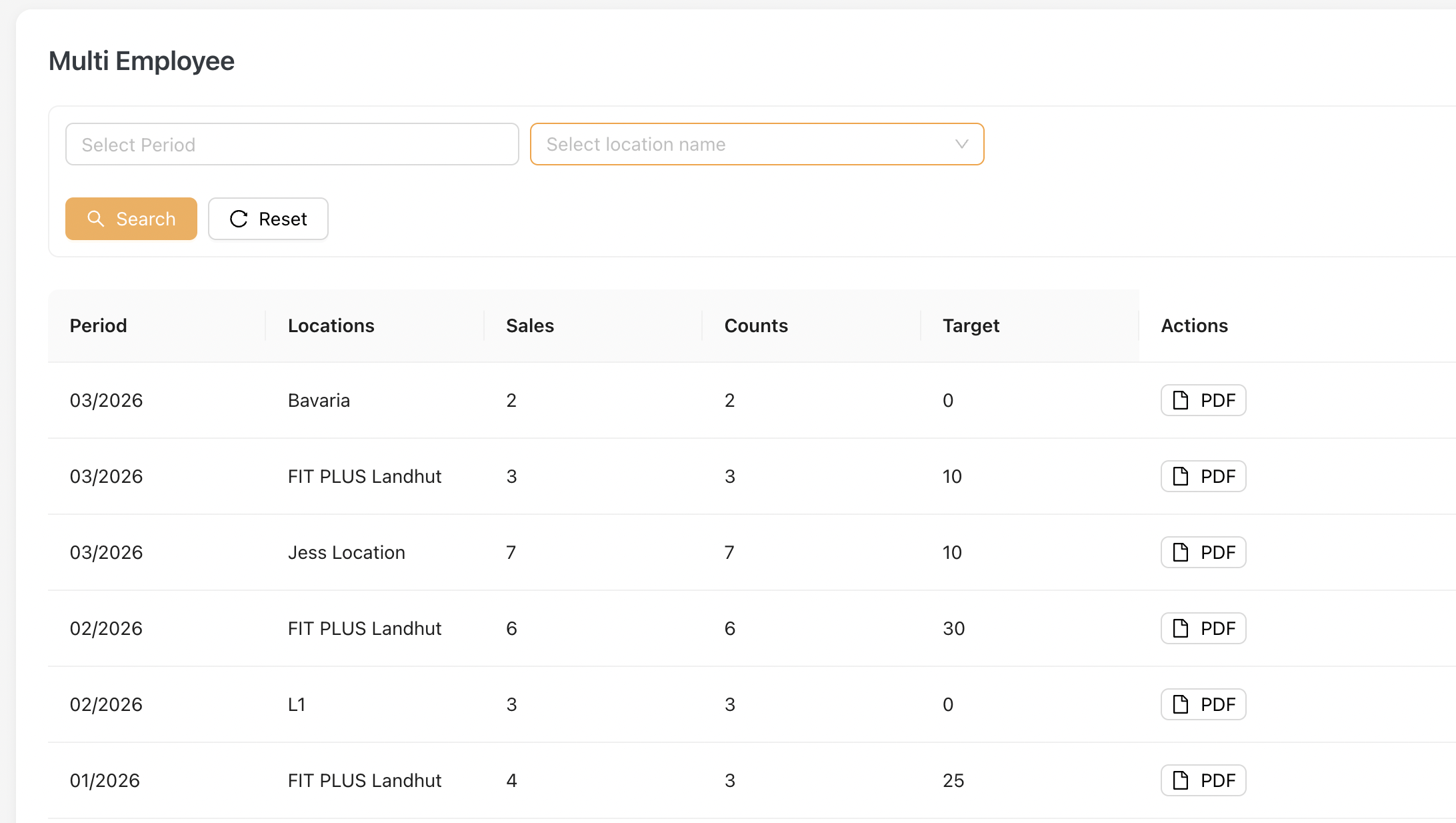
Note: Only employees with the "Multi New Member List" checkbox enabled in Master Data > Settings will appear in this listing.
2.1 Key Fields (Multi Employee)
| Field | Description |
|---|---|
| Period | Reporting month |
| Locations | Location name |
| Sales | Total number of new memberships sold for the location |
| Counts | Number of sales that are counted towards target |
| Target | Target value set for the location |
| Actions (PDF) | Download detailed report |
2.2 PDF Report