
Module : Times
The Times module displays all time booking records, whether they are booked by employees via the Time Booking panel or manually created by Admin within this module. It allows Admin to monitor each employee’s daily time booking records, add, edit, or remove manual time entries, and review or correct time records when warnings are triggered due to suspicious or invalid entries.
1. Records
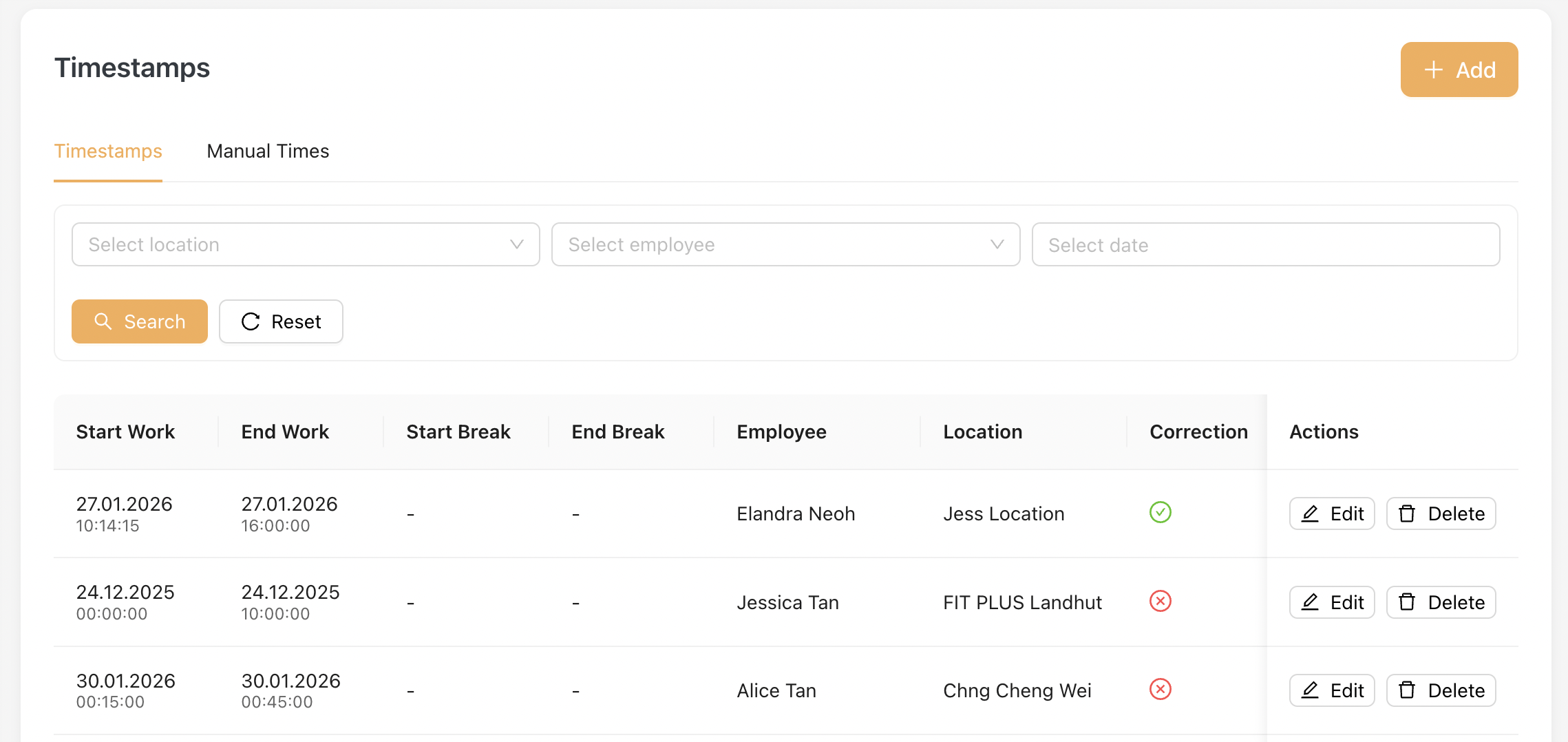
This listing shows all the latest timestamps record from employees.
- Admin able to view Start/End Work, Start/End Break timestamps for individual employee at a specific location.
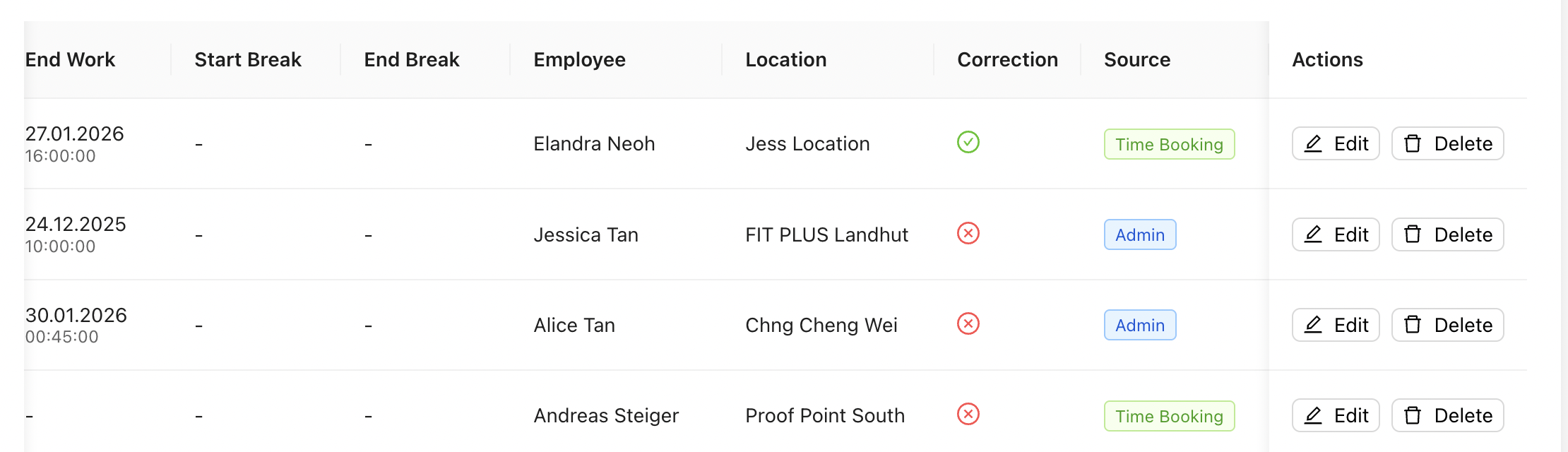
- Correction column is checked when this record is edited by Admin.
- Source column shows where the timestamps came from :
- Timebooking - booked by employee via Time Booking Panel
- Admin - created manually by Admin within this module
1.1 Adding a record manually
To add a record, Admin clicks on the [ + Add ] button :
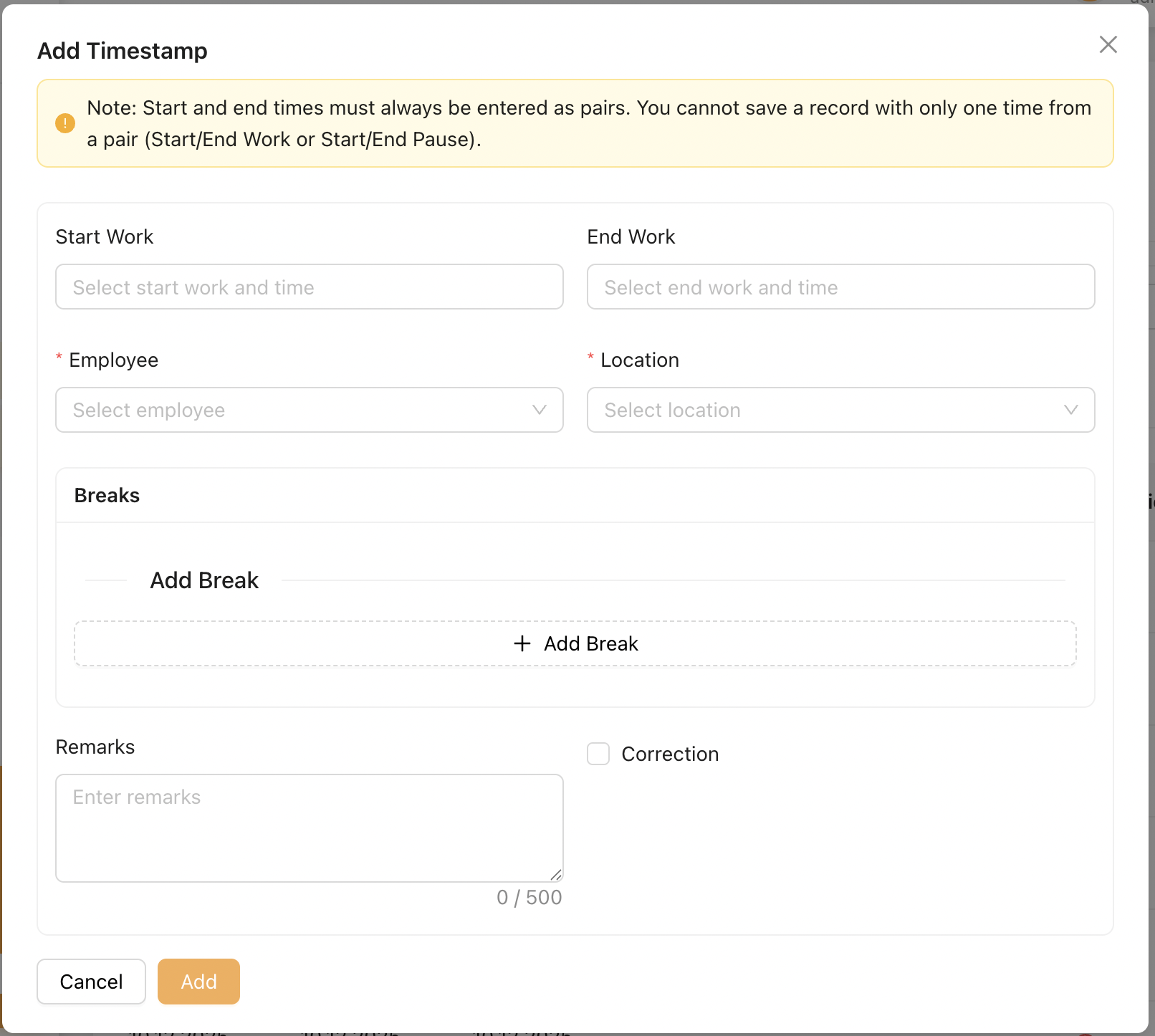
Admin creates a timestamp for an employee using the modal above:
-
Start Work: Enter the employee’s start work time
-
End Work: Enter the employee’s end work time
-
Employee: Select the employee or mini-jobber this record applies to
-
Location: Select the location this record is associated with
-
Add Breaks: Admin may add multiple breaks within the same shift for the employee
-
Remarks: Admin may record any necessary remarks related to this record or employee
-
Correction: Admin may enable this checkbox if the record is corrected or edited later on