Job Posting Module
Job Postings
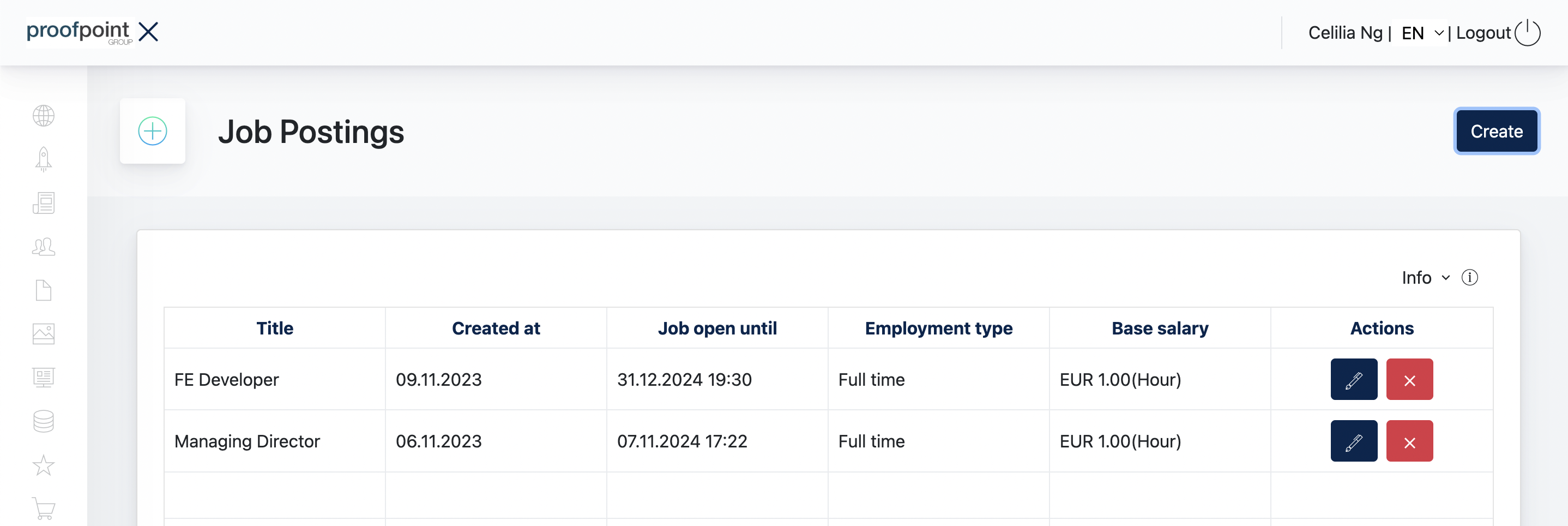
The Job Postings module allows Admin to create and manage job vacancies displayed on the website.
The overview lists the existing job postings together with key information such as the job title, creation date, application deadline, employment type, and base salary.
Admin can create, edit, or delete a job posting from this page.
1. Create a Job Posting
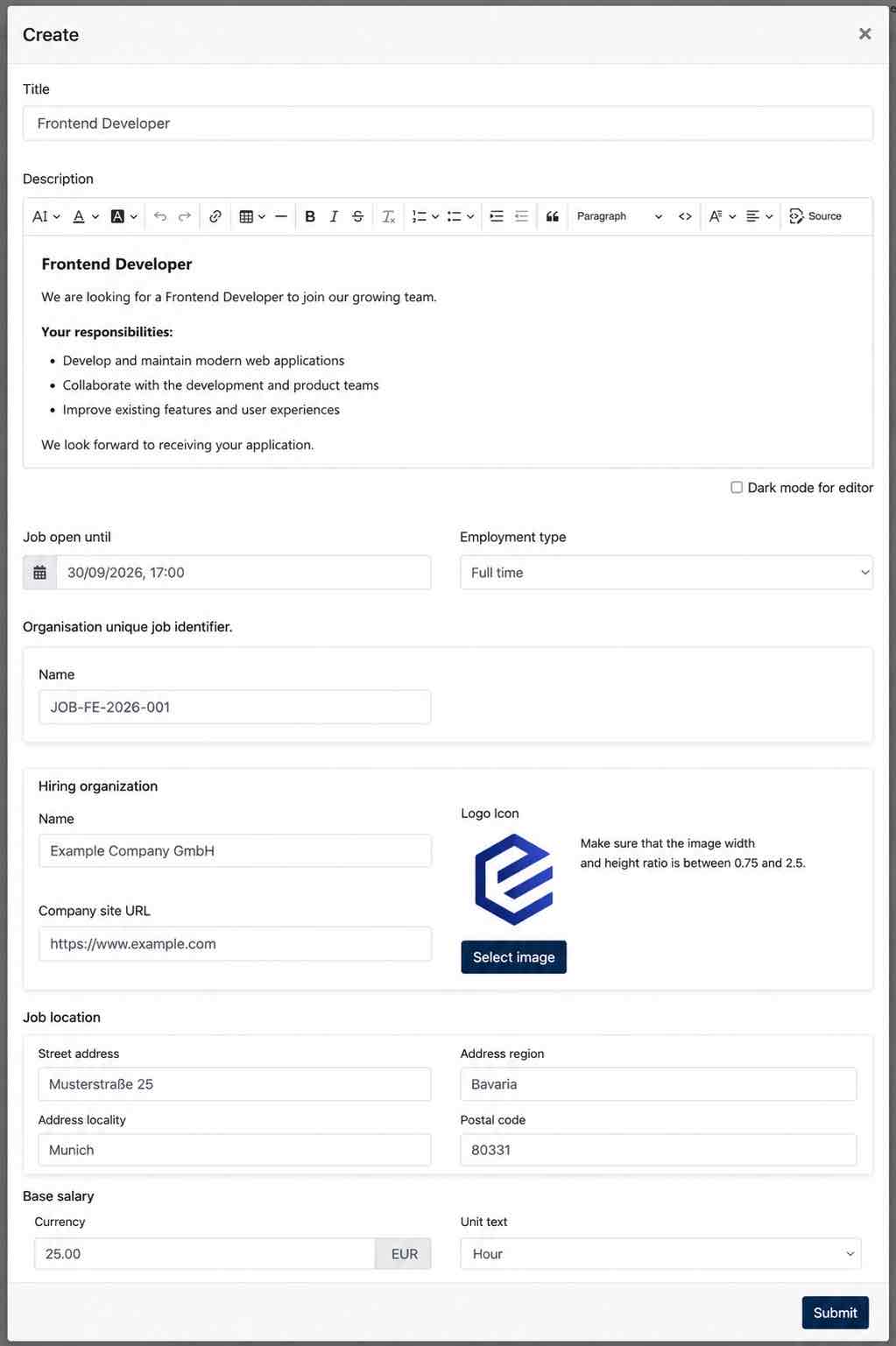
Click Create to add a new job posting. Configure the following information:
| Setting | Description |
|---|---|
| Title | Enter the job title. |
| Description | Add the job description and format the content using the text editor. |
| Job open until | Define the date and time until which the job posting is open. |
| Employment type | Select the applicable employment type, e.g. Full time. |
| Organisation unique job identifier | Enter the organisation's identifier for the job posting. |
| Hiring organization | Enter the hiring organization's name, company website URL and logo. |
| Job location | Enter the address where the position is based. |
| Base salary | Enter the base salary and select the applicable unit, e.g. per hour. |
Click Submit to create the job posting.
An example of the job posting form :