
Module : Masterdata
1. Departments
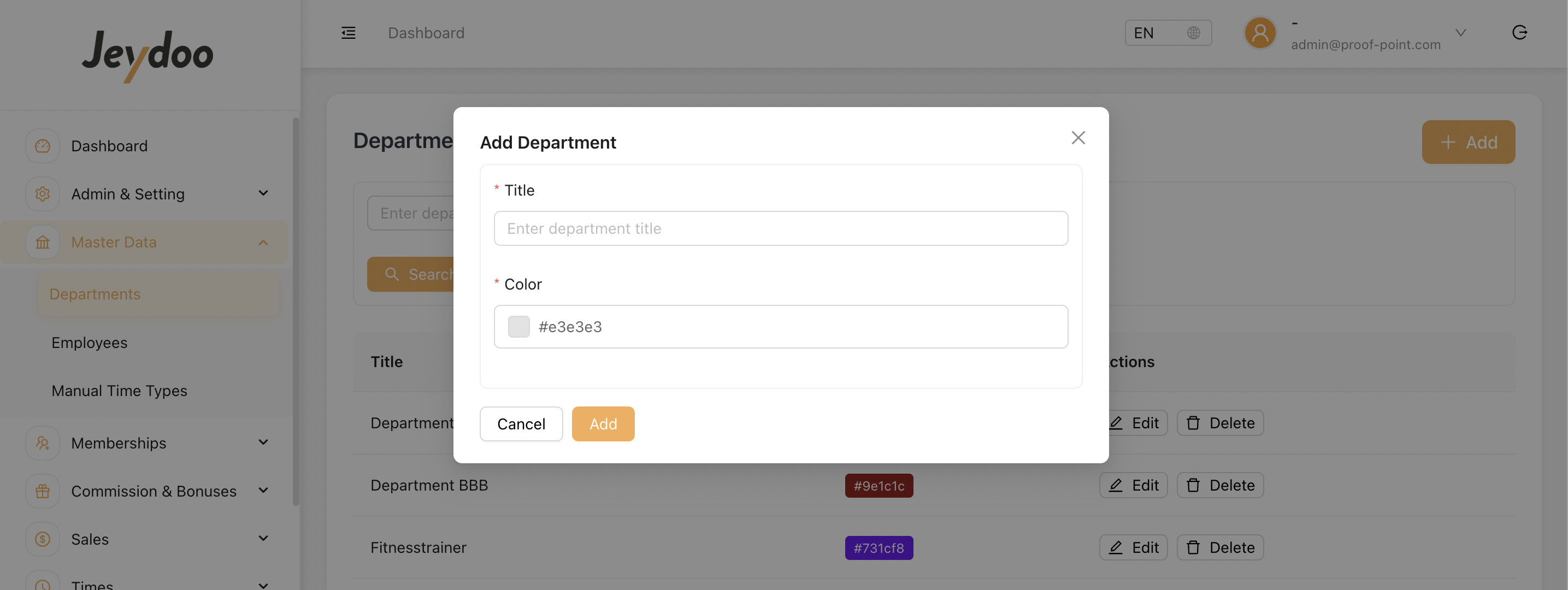
Departments are sub-units within a location. In Jeydoo, multiple departments can be assigned to a location.
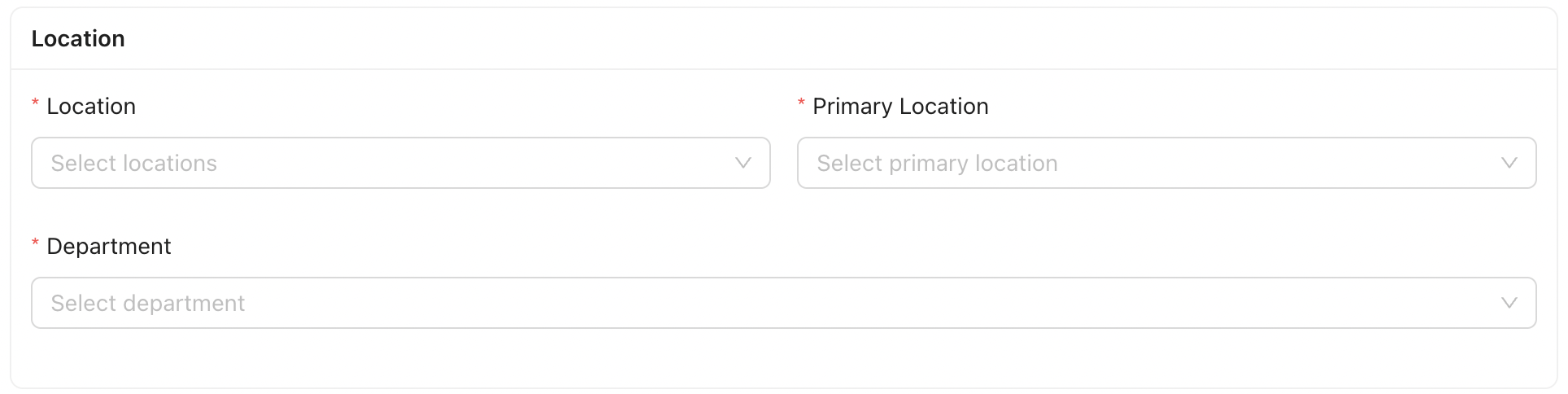
Each employee is assigned to one location.
2. Employees
Admin can create new employees using the [ Add ] button.
When creating or editing an employee, the Employee Masterdata Modal will appear.
This modal contains multiple sections, each collecting specific information related to the employee’s contract, personal details, access rights, payroll settings, and other configuration options.
[ Employment ] - Defines Employment Type

Jeydoo supports 4 employment types to accommodate the different contractual arrangements commonly used in Germany. Each employment type defines how working hours, compensation, and payroll-related data are managed within the system.
- Employee
Standard employment with a fixed base salary, annual contracted working hours, and annual vacation entitlement. - Mini-Jobber
Employment with an hourly rate, a legally limited maximum monthly earning, and a Working Time Account for tracking working hours. - Hourly Employee
Employment compensated based on an hourly rate and total hours worked, without a fixed base salary or annual contracted hours. - Trainer
External or freelance personnel whose work is recorded through time bookings and compensated through issued invoices.
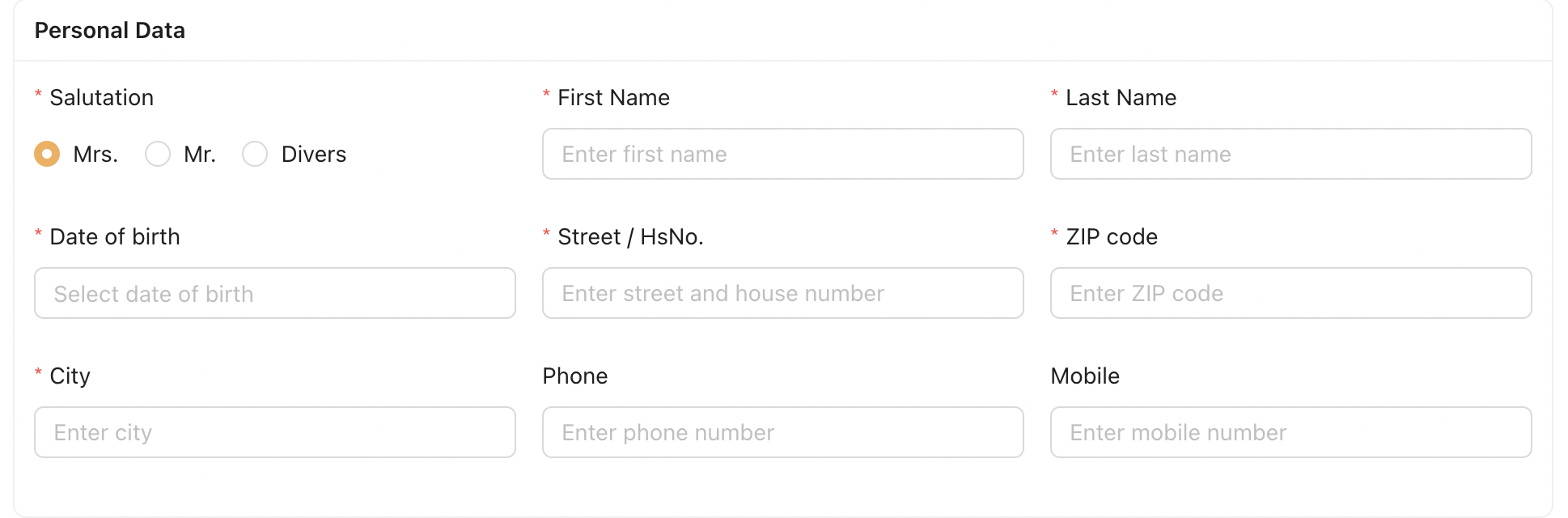
[ Personal Data ] - Personal info of the employee
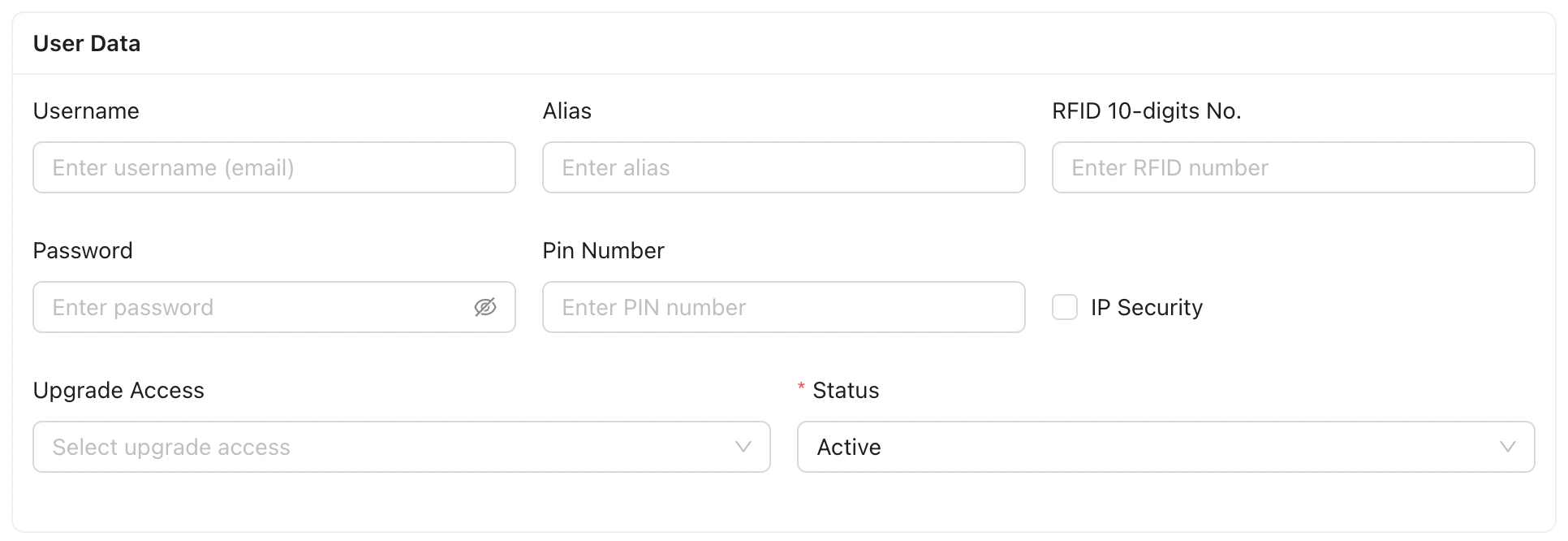
[ User Data ] - Login configuration of the Employee
[ Location ] - Location and Department assigned to the Employee
[ Settings ]

- Sales : When enabled, the employee is part of the Sales Team and has a monthly Sales Target. Their name will appear in the Sales Employee listing.
- Multi-Billing : When enabled, the employee will be included in the multi-payroll PDF generation.
- Multi-Timesheet : When enabled, the employee will be included in the multi-timesheet PDF generation.
- Multi-New Member List : When enabled, the employee will be included in the multi-new members PDF generation.
[ Commission & Bonuses ]
This section allows Admin to configure all commission and bonus settings.
Within this section, Admin can define and manage the relevant commission and bonus fields for different employment types. In Jeydoo, the following types of bonuses and commissions are supported:
i. Single Bonus
A bonus awarded to a Sales Employee for each new membership sold.
Applicable to:
- Employee
- Hourly Employee
- Mini-Jobber
(Sales checkbox must be enabled)
ii. Group Bonus
A bonus awarded to Sales Employees when the entire Sales department of a location reaches a specified sales target.
Applicable to:
- Employee only
iii. Custom Bonus
A flexible bonus type that can be created and assigned to employees as needed.
Applicable to:
- Employee
- Hourly Employee
- Mini-Jobber
iv. Dynamic Bonus
A flexible bonus type that can be configured and assigned to Employees.
Applicable to:
- Employee only
Administrators may create and assign one or more Dynamic Bonus labels under Employee Master Data > Dynamic Bonuses
The actual bonus amount is entered during payroll generation (Create/Recreate Payroll). Only selected Dynamic Bonuses will be included in the payroll for the respective period.
v. Mini-Jobber Bonus
An additional bonus applied as an increase to the Mini-Jobber’s hourly rate when the location’s sales achieve a defined target.
Applicable to:
- Mini-Jobber only
Remarks
- The Trainer employment type is not included in commission and bonus configuration.
- Jeydoo does not handle payroll for Trainers, therefore no bonus or commission applies.
3. Manual Time Types
Manual time types are predefined categories of work or absence that can be entered manually into the system by Admin. These are used when time needs to be booked outside of the daily timestamp booking — for example, adding sick leaves or vacation hours.
In Jeydoo, Admin can create customise manual time types which are required by their company.
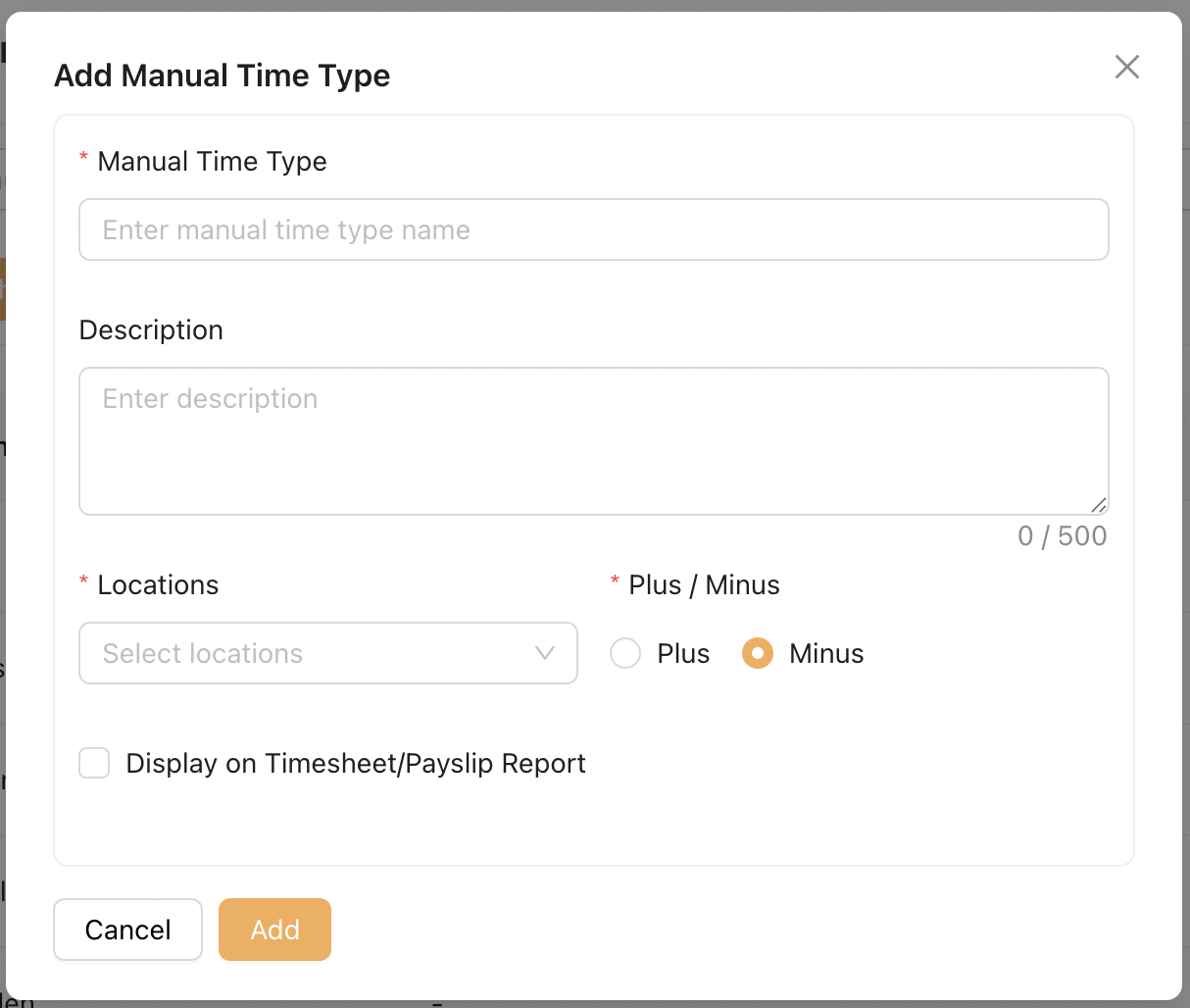
On this modal, Admin can create a new Manual Time Type and configure:
-
Assigned Location
-
Whether hours booked under this Manual Time Type add to or deduct from the Total Working Hours
-
Whether bookings under this Manual Time Type are shown on the Timesheet Report and/or Payslip Report