
Module : Sales
In this section, the Admin records all monthly sales data in the system.
Sales affects payroll calculations, as they determine the amount of bonuses and commissions earned by Sales employees.
Membership Sales
Membership sales are one of the main sources of revenue for each gym.
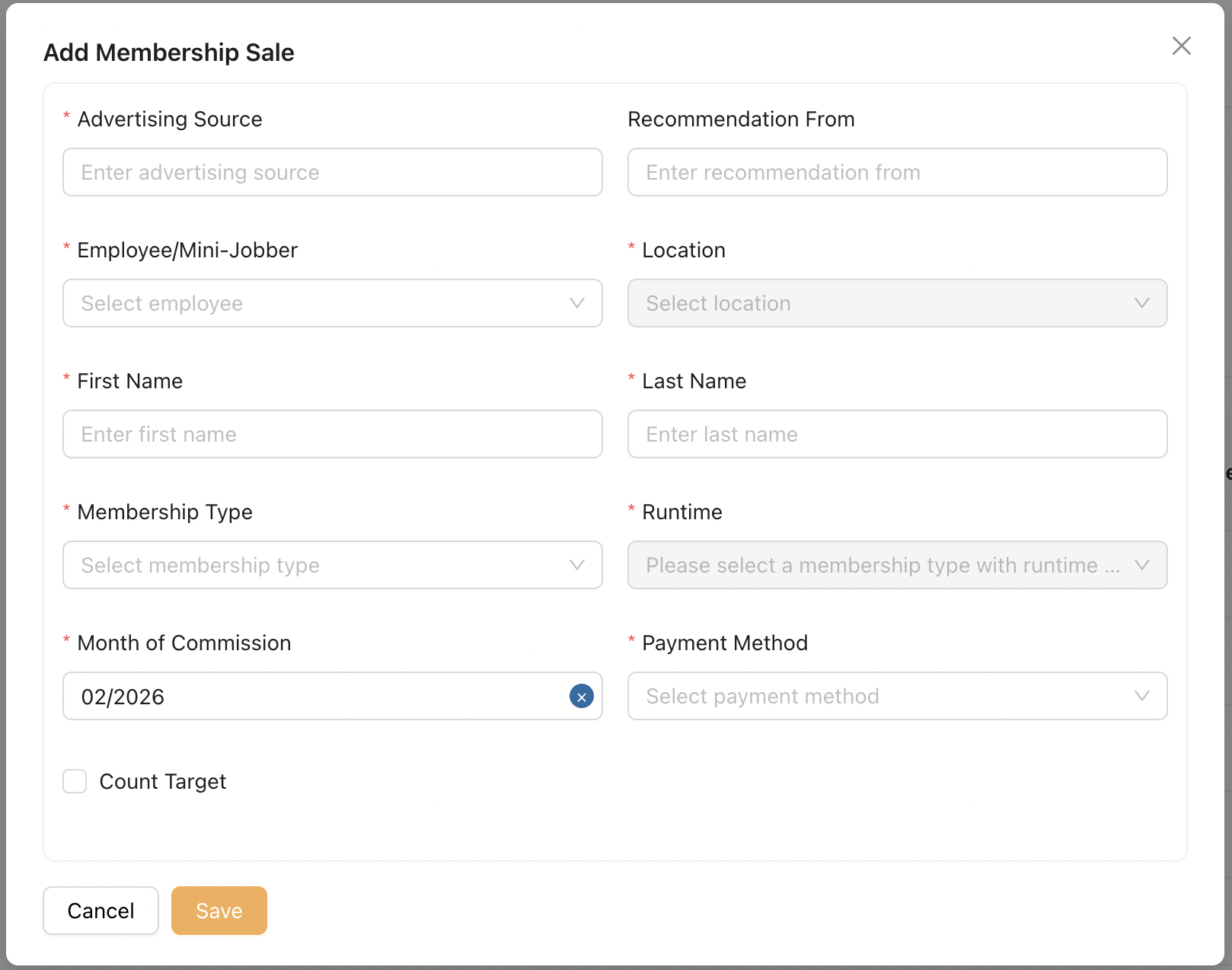
The Admin can record membership sales using this modal below.
-
Advertising Source
Admin records the marketing or advertising source of this sale. -
Recommendation From
Admin records the introducer or referrer for this sale. -
Employee / Mini-Jobber
Admin selects the sales employee or mini-jobber who closed the deal. -
Location
Displays the primary location of the selected sales employee or mini-jobber. -
First Name / Last Name
The customer who subscribed to the gym membership. -
Membership Type
Admin selects the membership type the customer signed up for. -
Runtime
Admin selects the subscription runtime. -
Month of Commission
Admin selects the month in which the commission will be calculated and paid to the sales employee. -
Payment Method
Admin selects the payment method chosen by the customer. -
Count Target
When enabled, this sale is counted towards the monthly target of the location.
The default setting is derived from the Membership Type configuration; however, Admin may override this value.
Personal Training
Personal Trainings are training packages offered by gym trainers.
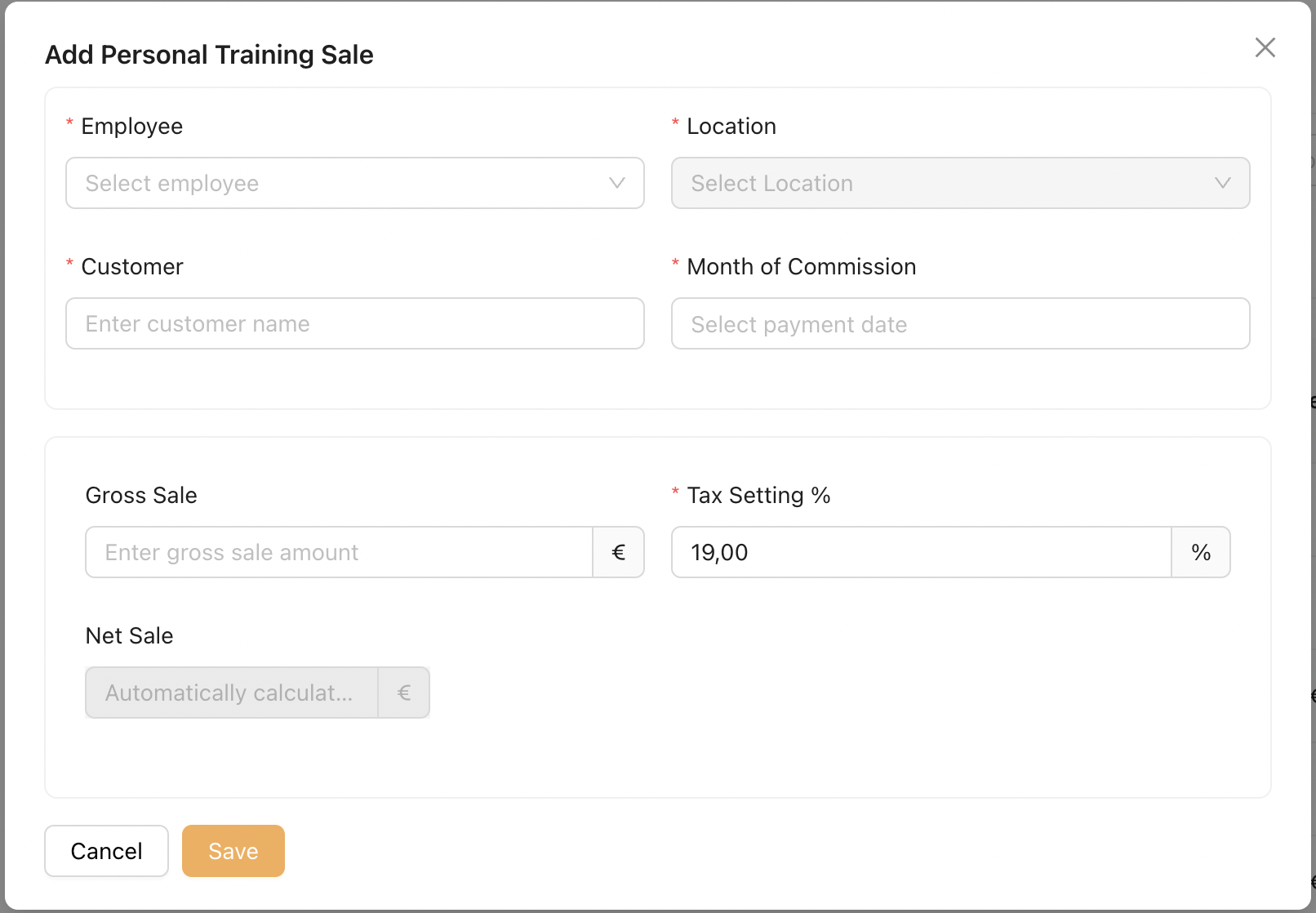
Admin can record the number of Personal Training sessions sold for the selected month.
-
Employee
Admin selects the sales employee who sold Personal Training session. -
Location
Displays the primary location of the selected sales employee. -
Customer
The name of customer who subscribed to the gym membership. -
Month of Commission
Admin selects the month in which the commission will be calculated and paid to the sales employee. -
Gross Sale
The sales value of the personal training session. -
Tax Setting (%)
The tax percentage derived from Admin → Settings → Tax Settings. -
Net Sale
The value calculated from Gross Sale minus the applicable tax.
PT Bonus Calculation: The PT bonus is calculated based on the Net Sale, not the Gross Sale.