
Special Tips for your Everyday Life
Overview
The Special Tips for Your Everyday Life module adds extra AI features to help administrators handle specific scheduling needs.
Unlike the Control Center, which sets how the AI makes decisions, these features are optional and can be turned on or off depending on each center’s needs.
Each feature adds extra rules that Smart Plan AI considers along with the Control Center settings when creating employee shift plans.
The module currently consists of the following features:
-
Women's Section Guarantee
-
Commuter Logic
-
Mentor Mode
-
Smart Emergency Replacement
1. Women's Section Guarantee
- TBD -
2. Commuter Logic
The Commuter Logic feature helps Smart Plan AI create more practical shift schedules by considering an employee's commuting distance.
When enabled, the AI avoids assigning inefficient short or partial shifts to employees with longer commuting distances and instead recommends more suitable shift durations.
This feature applies to all employment types.
2.1 Purpose
The purpose of this feature is to:
-
Reduce inefficient short or partial shifts for employees with long commutes.
-
Minimise unnecessary travel.
-
Improve overall scheduling efficiency.
2.2 Data Source
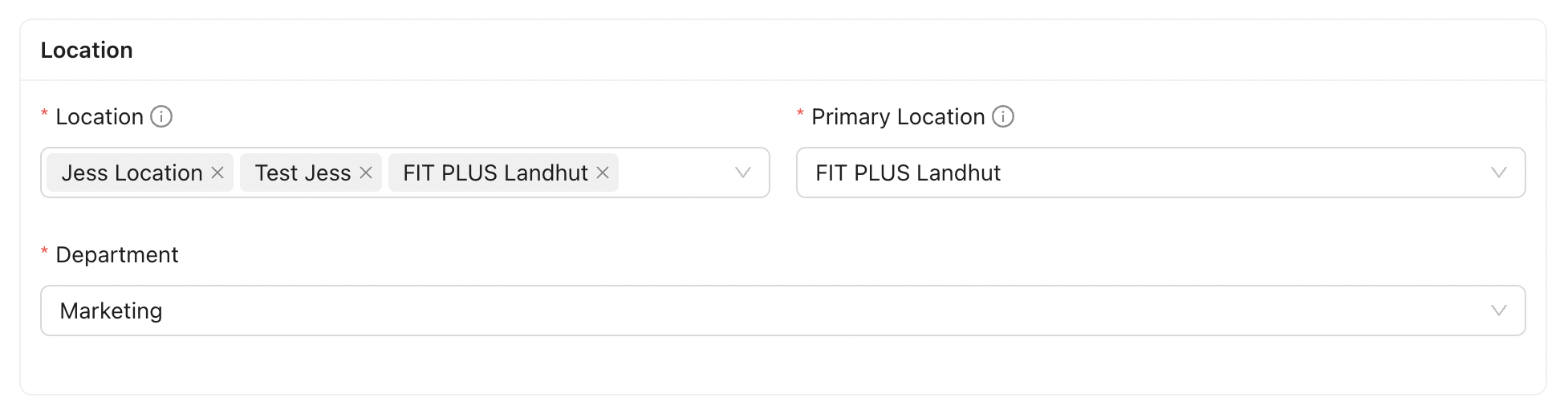
Commuting distance is maintained in the Employee Master Data > Location
For each assigned location, the administrator maintains a Distance to Work (KM) value. This represents the employee's commuting distance from their home to that specific work location.
This allows Smart Plan AI to evaluate the commuting distance based on the location where the employee is scheduled to work.
Future Enhancement:
Automatic distance calculation based on the employee's home address and assigned work location may be introduced in a future release but is not required for the initial implementation.
2.3 Business Logic
When Commuter Logic is enabled, Smart Plan AI will:
-
Retrieve the employee's Distance to Work (KM) from the Employee Master Data.
-
Consider the employee's commuting distance when evaluating shift assignments.
-
Avoid assigning short or partial shifts to employees with longer commuting distances whenever possible.
Remark:
For the initial implementation, the Distance to Work (KM) is maintained manually by the administrator.
3. Mentor Mode
- TBD -
4. Smart Emergency Replacement
The Smart Emergency Replacement feature helps administrators quickly identify a suitable replacement when an employee is unexpectedly absent, such as due to sick leave.
Unlike the regular Smart Plan AI planning cycle, this feature is triggered immediately after an employee absence is recorded in Jeydoo.
4.1 Purpose
The purpose of this feature is to:
-
Respond quickly to unexpected employee absences.
-
Reduce the manual effort required to find a replacement.
-
Recommend the most suitable replacement based on the active Smart Plan AI configuration.
4.2 Trigger
This feature is triggered when an employee absence is recorded in Jeydoo, such as through the Manual Times module or another supported absence workflow.
4.3 Business Logic
When Smart Emergency Replacement is triggered, Smart Plan AI will:
-
Identify the affected shift.
-
Evaluate eligible replacement employees using the active Smart Plan AI configuration.
-
Recommend the most suitable replacement together with a brief explanation of the recommendation.
For example:
Employee B is recommended because they have available working hours, are qualified for the shift and are assigned to the same location.
The administrator reviews the recommendation and decides whether to proceed with the replacement.