
AI Learning
Overview
The AI Learning feature analyses historical shift plans to identify scheduling patterns and provide suggestions for administrators.
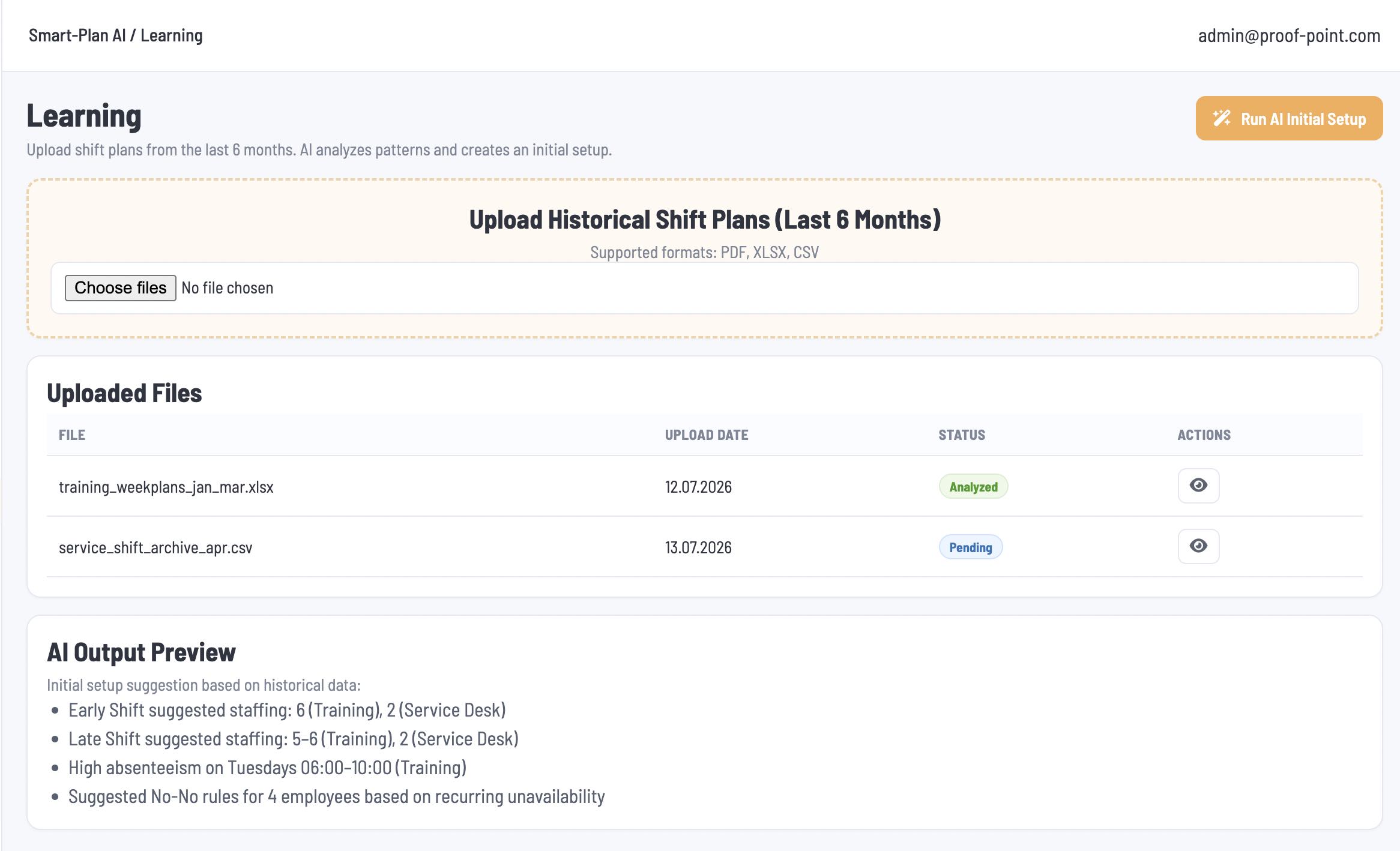
1. Upload and Analysis
Administrators can upload multiple files in PDF, CSV, XLS, or XLSX format. Files do not need to follow a fixed template and may contain schedules for individual locations, multiple locations, or the company as a whole.
No location selection is required before uploading. AI reads the content and identifies location-specific and overall patterns where the information is available. If a location or other detail cannot be identified, AI should highlight this in the summary rather than assume it.
Uploaded files are listed with their file name, upload date, analysis status, and view action. Administrators click Run AI Initial Setup to analyse the uploaded files.
2. AI Output
The AI Output Preview displays a summary of the findings and suggested adjustments. For example:
-
Munich Center: Historical plans regularly assign six employees to weekday morning shifts. Review whether the current staffing requirement reflects this pattern.
-
Berlin West: More shifts are scheduled on Friday evenings than on other weekdays. Consider whether additional Friday evening shifts are needed.
-
Overall: Weekend staffing is generally lower than weekday staffing across the identified locations.
Findings must be based on the uploaded data. Planned schedules alone should not be treated as evidence of actual attendance or employee availability.
The summary provides guidance for administrator review. It does not automatically update shift templates, staffing requirements, or schedules. Administrators manually make any changes in Shifts.