
Shift
Overview
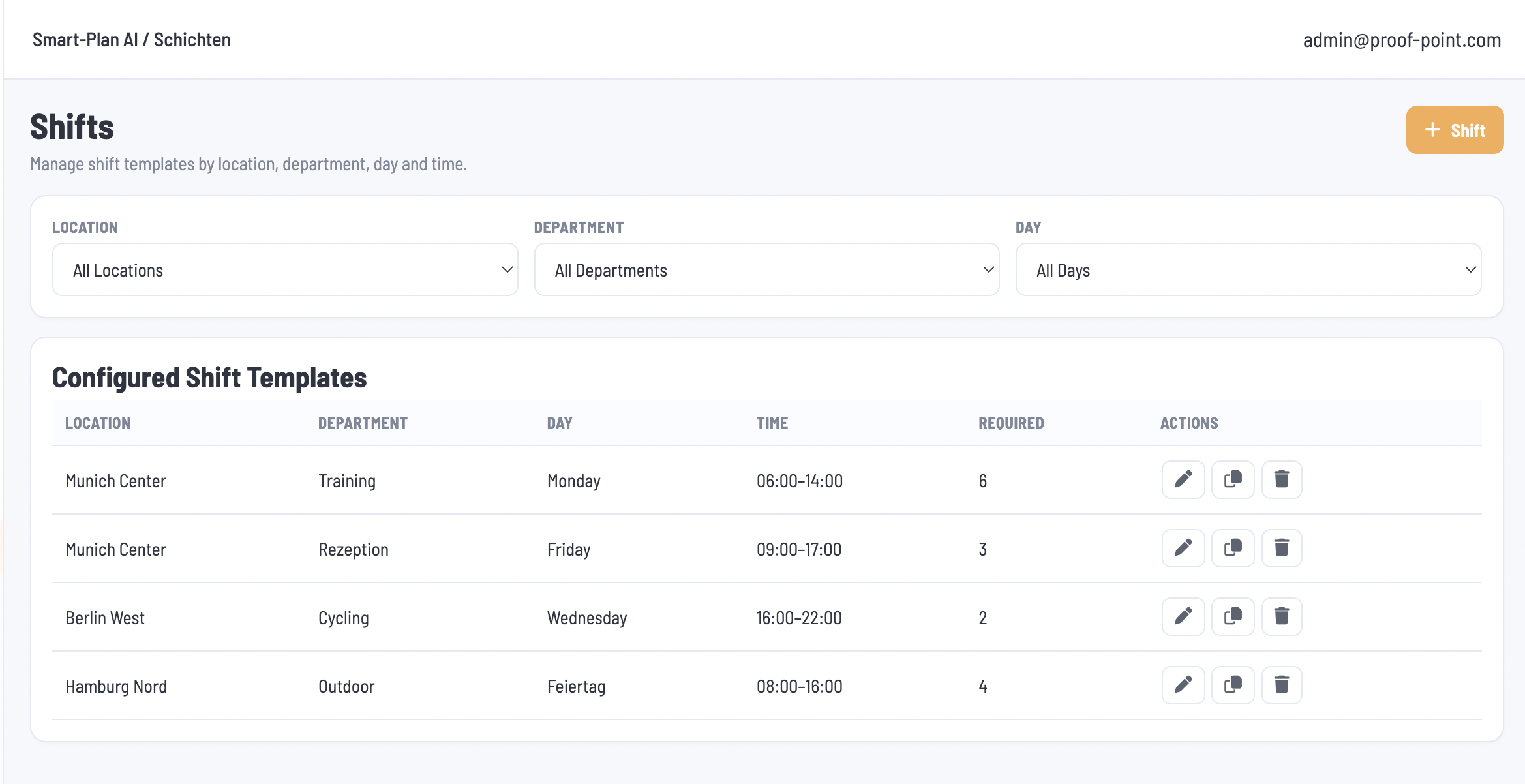
The Shifts module allows administrators to define the shifts and staffing requirements for each location and department. Smart Plan AI uses these shift templates as the source for determining which shifts need to be filled and how many employees are required.
1. Shift Configuration
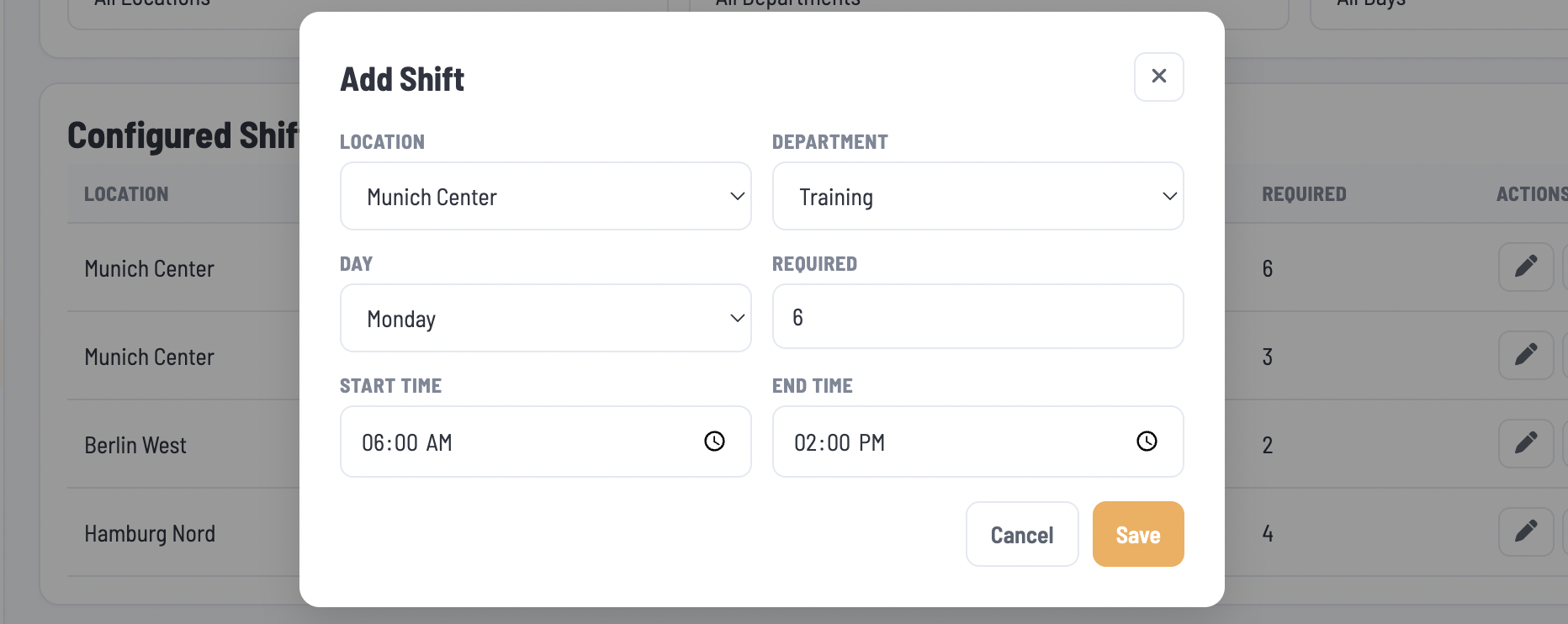
Administrators click + Shift to create a shift template with the following fields:
| Field | Description |
|---|---|
| Location | Location where the shift takes place. |
| Department | Department requiring staff. |
| Day | Day on which the shift applies. |
| Required | Number of employees required for the shift. |
| Start Time | Time the shift begins. |
| End Time | Time the shift ends. |
2. Shift Management
Configured shift templates appear in a listing that can be filtered by Location, Department, and Day. Administrators can edit, duplicate, or delete each template.
During schedule generation, Smart Plan AI assigns eligible employees to these shifts using the applicable settings and compliance constraints.