
Module : Payroll Settlements
Payroll Overview
Jeydoo Software supports three types of employee payroll:
-
Employee
-
Mini-Jobber
-
Hourly Employee
Prerequisite: Master Data Setup
Before generating payroll, the Admin must ensure that all relevant master data (Masterdata, Sales, Time Record) is properly entered and up to date.
If there are any changes to the master data:
-
Update the necessary information in the master data.
-
Return to the payroll page.
-
Click "Recreate" to regenerate the payslip with the updated data.
Payroll Generation & PDF Snapshot
Once a payroll is created or recreated:
-
A PDF snapshot of the payslip will be automatically generated and stored.
-
This PDF represents the latest version of the payroll.
-
Admin can download this PDF at any time for reference or record-keeping.
1. Employment Type - Employees
1.1 Generate Multi Payroll
The multi-payroll PDF combines all individual employee payslips into one consolidated document for easy review and distribution.
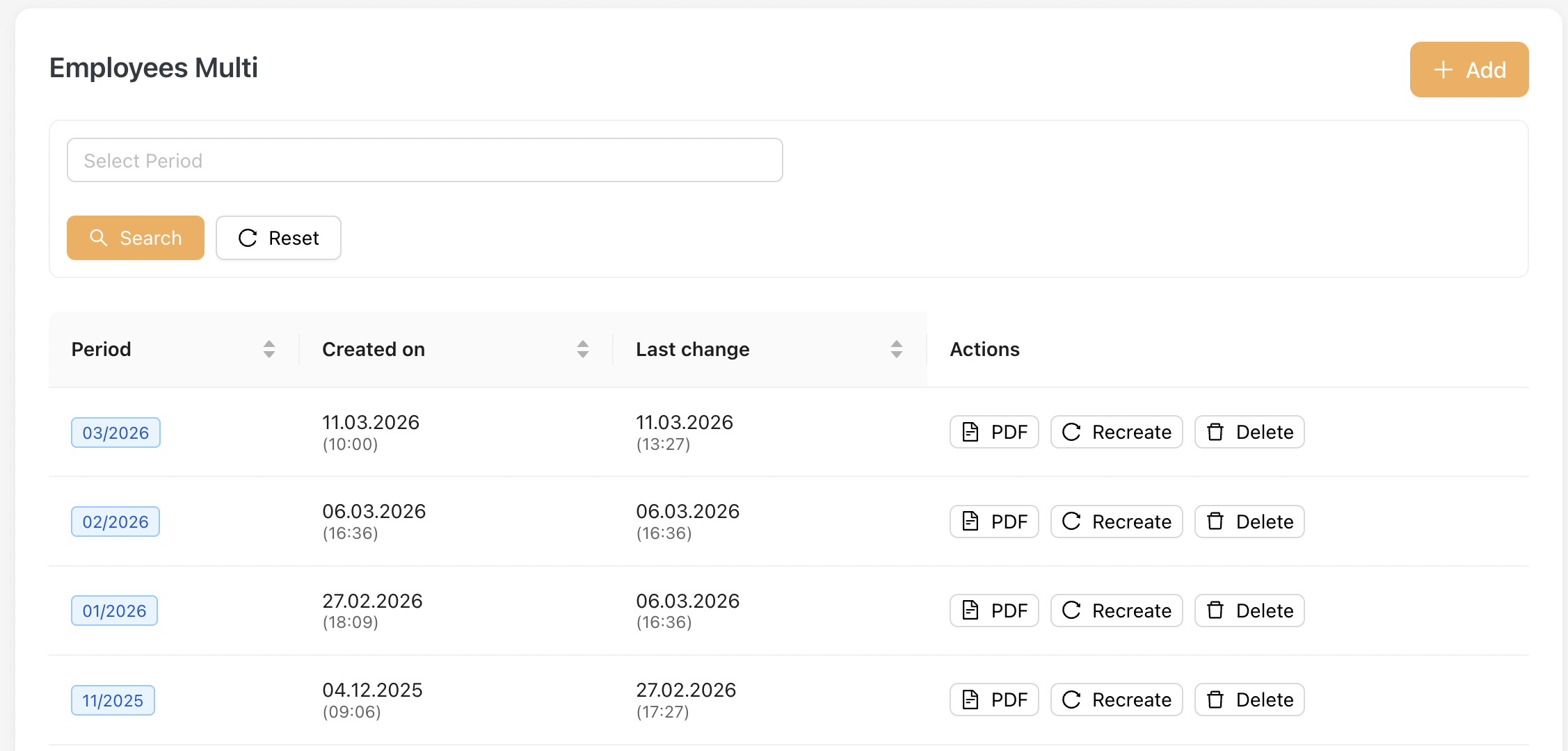
To generate payroll for multiple employees, go to Payroll Settlements > Employees Multi
-
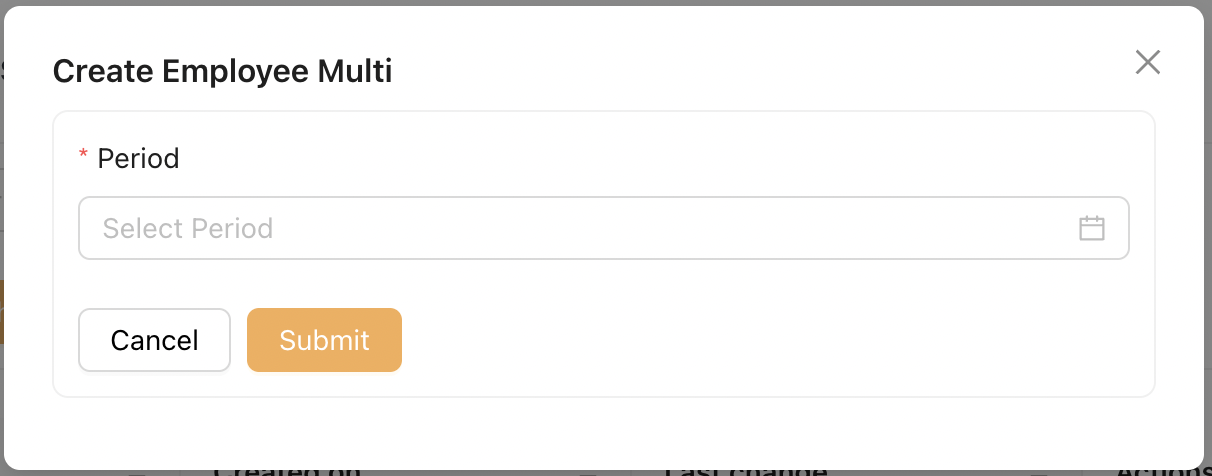
Click the [Add] button on the top right.
-
Select the desired payroll period.
-
Click Submit to generate the multi payroll.
[ Dynamic Bonus Assignment ]
If one or more employees have Dynamic Bonuses assigned, the following modal will be displayed.
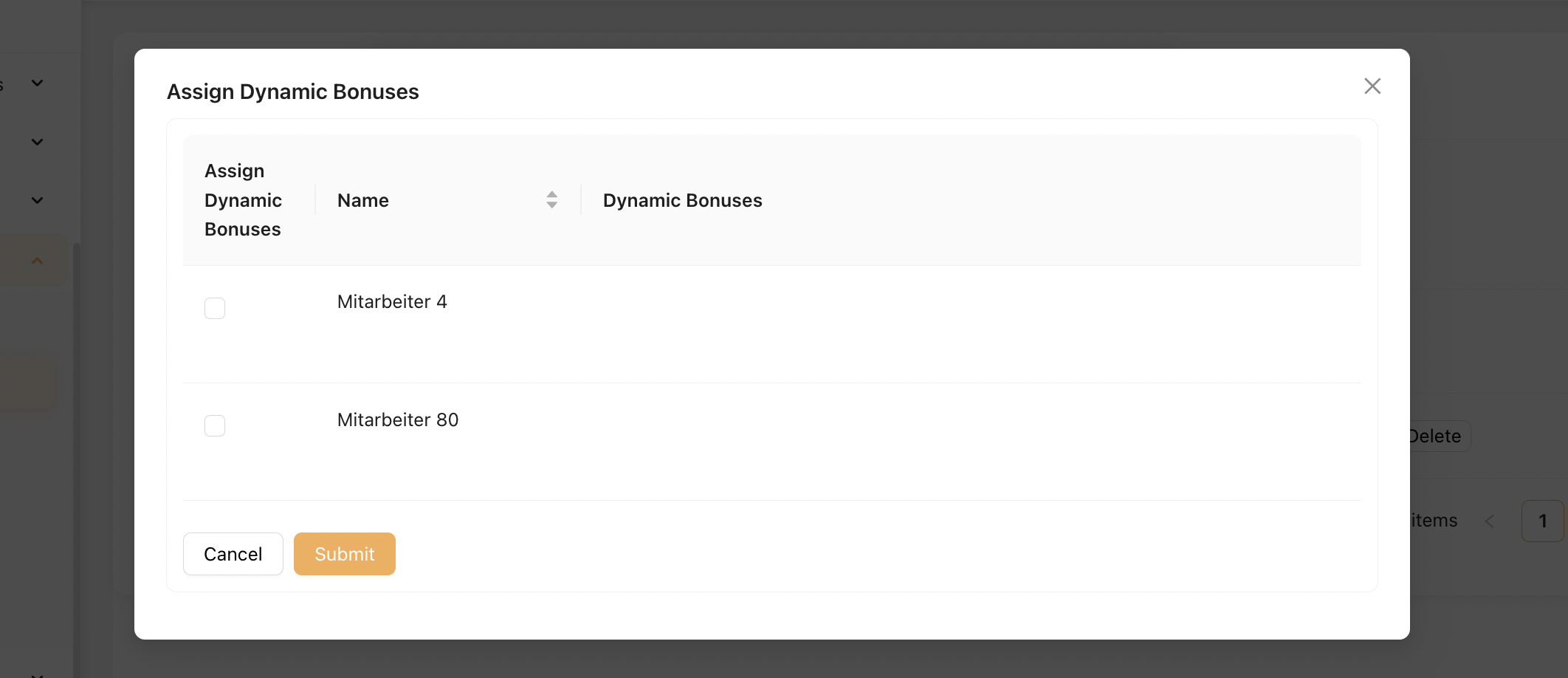
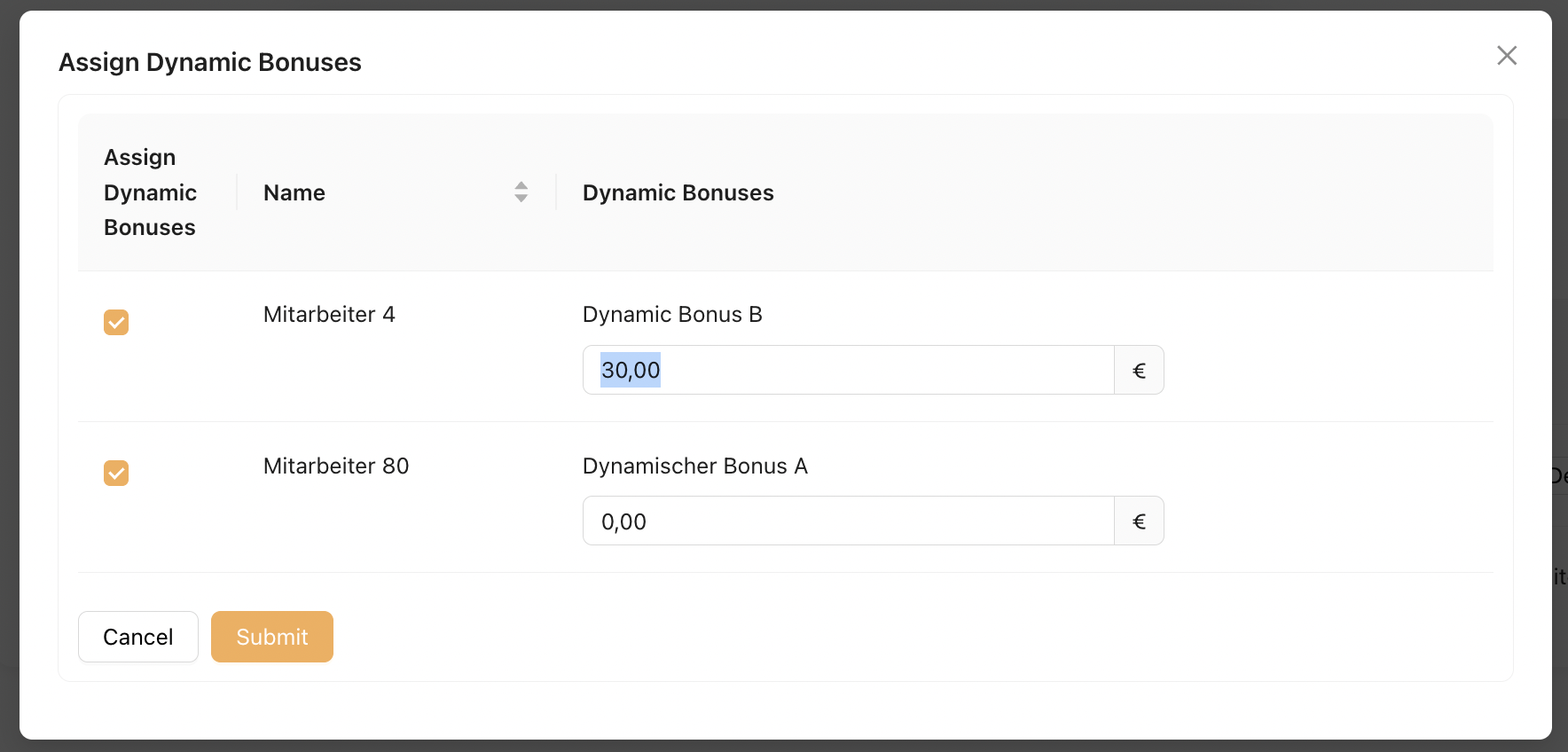
Administrators may select the checkbox for each Dynamic Bonus that should be applied to the payroll period and enter the corresponding bonus amount.
Once all required values have been entered, click [ Submit ] to continue generating the Multi Payroll.
Once a multi payroll is generated:
-
All included employees will also appear under the "Employees Single" payroll list.
-
Each employee’s payroll can be viewed individually from this section.
Only employees with the “Multi-Billing” checkbox enabled (under Master Data) will be included in this PDF.

1.2 Generate Single Payroll
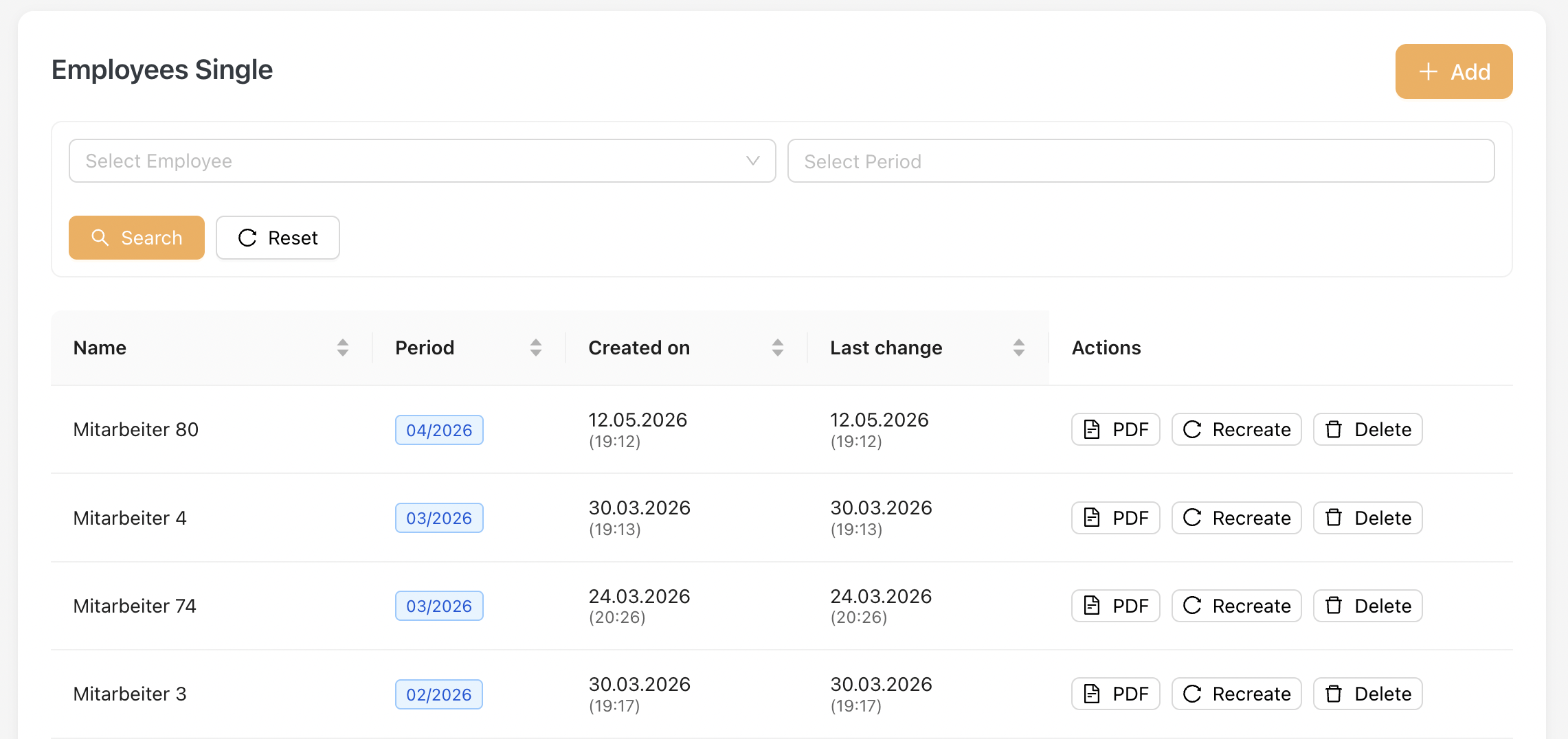
You will find this listing under Payroll Settlements > Employees Single after a multi payroll is added.
Admin can also generate a single payroll by clicking the "Add" Button.
Dynamic Bonus Assignment
When adding or recreating a Single Payroll for an employee who has Dynamic Bonuses assigned, the Dynamic Bonus Assignment dialog will be displayed.
Please refer to Employees Multi Payroll > Dynamic Bonus Assignment for further details.
Download Payroll PDF
On this page, Admin can click on the PDF icon to download the payroll snapshot in PDF format.
Update Payroll After Master Data Changes
If any changes are made to the master data that affect payroll:
-
Click the Recreate button to regenerate the payroll.
-
Download the updated PDF to obtain the latest revised version.
Please note that if the Admin updates the master data without clicking Recreate, the downloaded PDF will still reflect the previous payroll information.
1.3 Payroll Format
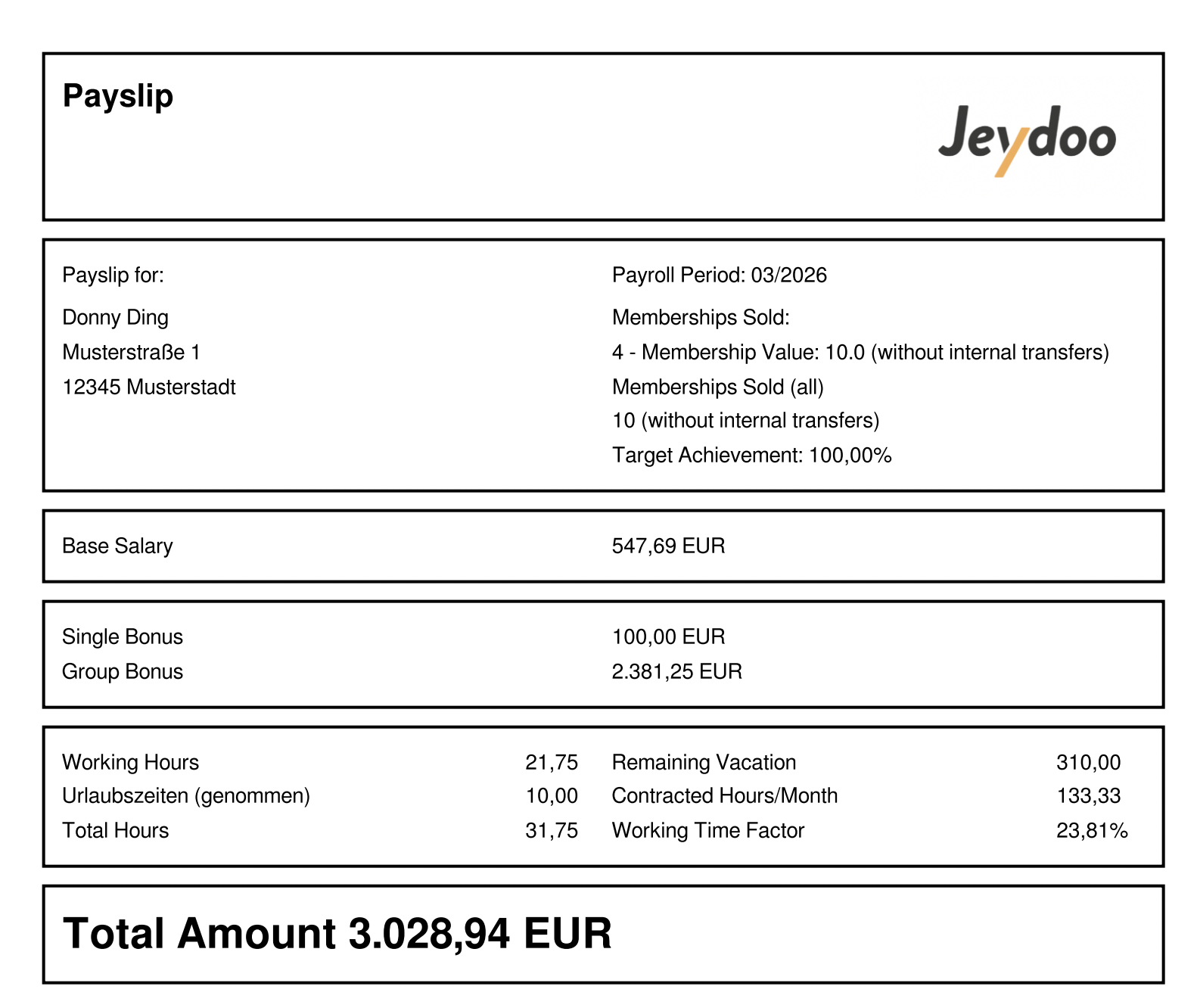
Below is the payslip for Sales Employee (Sales Format)
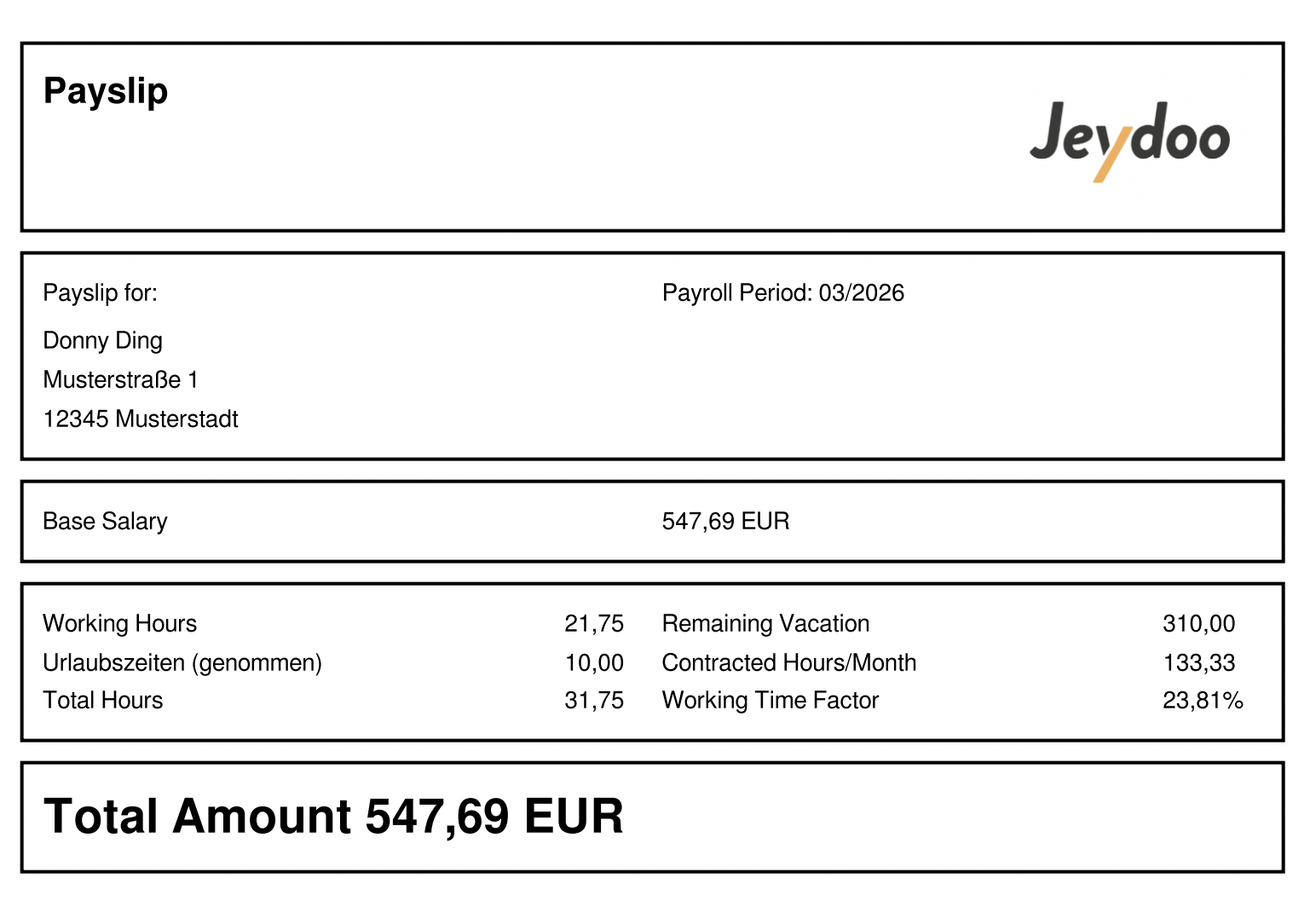
Below is the payslip for Employees (Not Sales) - Standard Format
Salary Structure Explanation
In Jeydoo, employees under the Employee category are classified as either Sales Employees or General Employees (Non-Sales).
The key difference lies in their performance-based compensation structure and payslip format.
Salary Structure Comparison
Feature Sales Employee General Employee (Non-Sales) Base Salary ✔ ✔ Single Bonus ✔ ✖ Group Bonus ✔ ✖ PT Commission ✔ ✖ Custom Bonus ✔ ✔ Payslip Format Sales Format Standard Format
Notes
- Sales Employees include performance-based components such as Single Bonus, Group Bonus, and PT Commission.
- General Employees have a simplified structure, with only Custom Bonus as an additional component.
- Any changes to salary components require the Admin to click Recreate to update the payslip and PDF snapshot.
2. Employment Type - Mini-Jobber
2.1 Generating Multi-Payroll
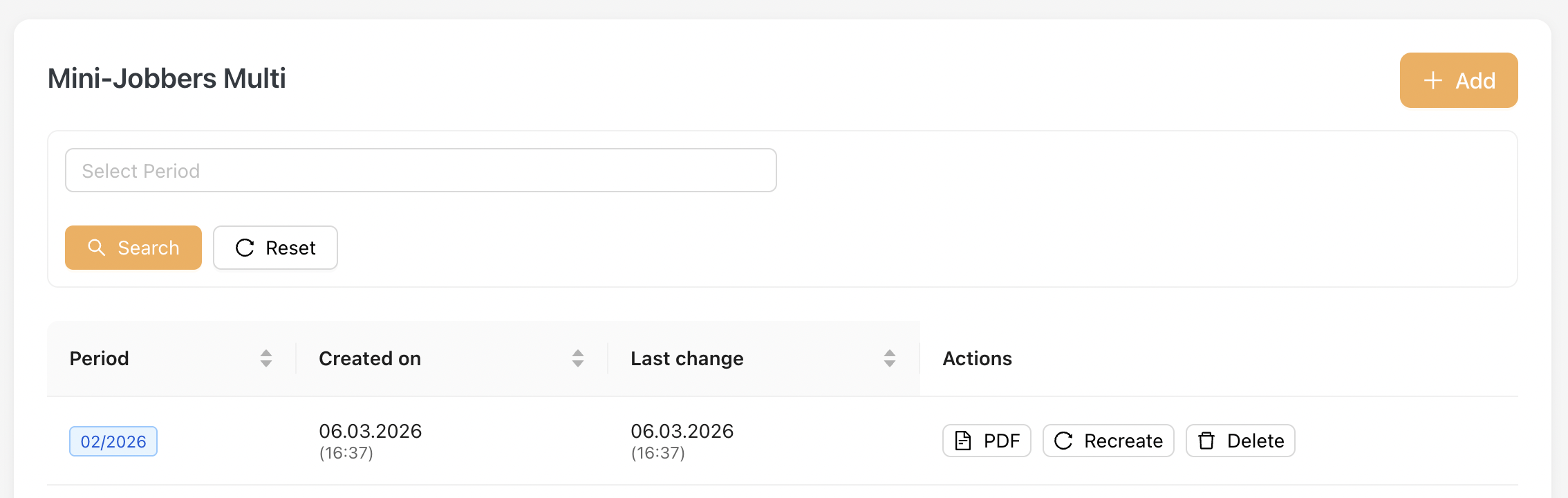
To generate payroll for multiple Mini-Jobbers, go to Payroll Settlements > Mini-Jobbers Multi
-
Click the [Add] button on the top right.
-
Payroll period is preselected for Mini-Jobber.
-
Click Submit to generate the multi payroll.
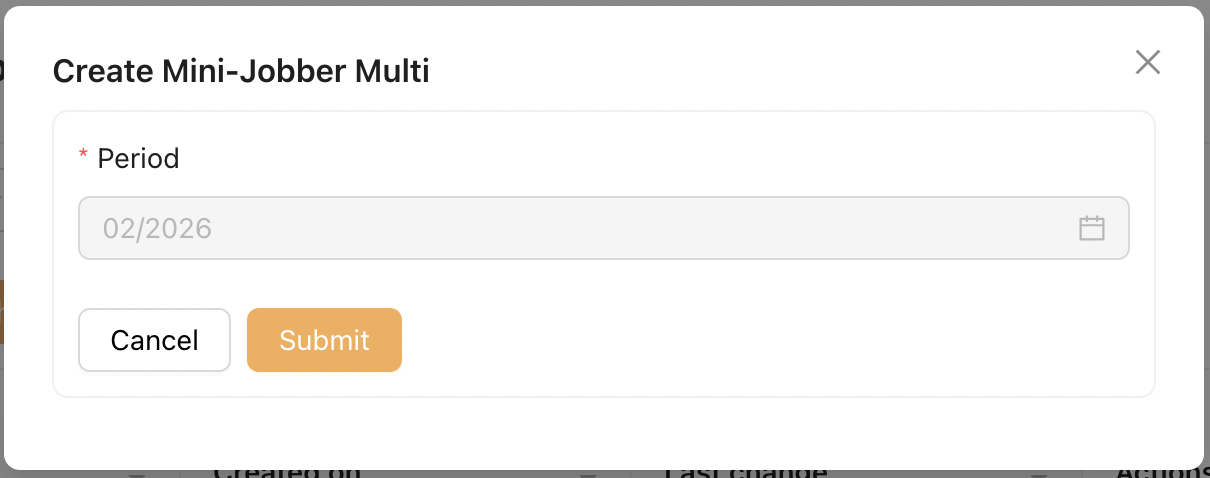
The Payroll Period is limited to the previous month due to WTA calculations for Mini-Jobbers. Once WTA balance is finalised, earlier periods cannot be regenerated to ensure data integrity.
Once a multi payroll is generated:
-
All included Mini-Jobbers will also appear under the "Mini-Jobber Single" payroll list.
-
Each Mini-Jobber’s payroll can be viewed individually from this section.
2.2 Generate Single Payroll
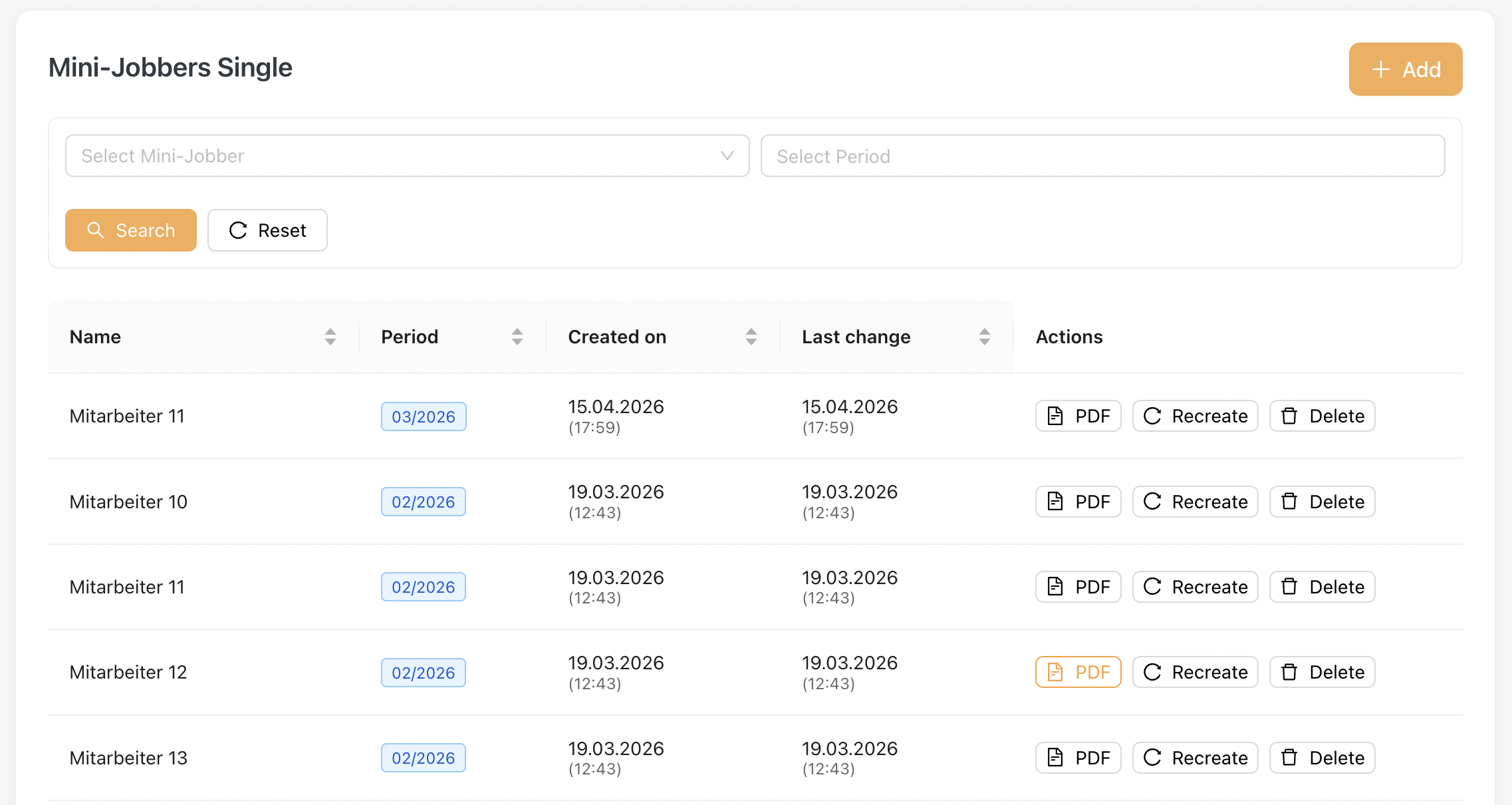
You will find this listing under Payroll Settlements > Mini-Jobbers Single after a multi-payroll is added.
Alternatively, Admin can also generate a single payroll by clicking the "Add" Button.
Screenshot of Single Payroll Listing :
Download Payroll PDF
On this page, Admin can click on the PDF icon to download the payroll snapshot in PDF format.
Update Payroll After Master Data Changes
If any changes are made to the master data that affect payroll:
-
Click the Recreate button to regenerate the payroll.
-
Download the updated PDF to obtain the latest revised version.
NOTE: Recreate Restriction for Mini-Jobber Payroll
The Recreate function for Mini-Jobber payroll is subject to WTA (Working Time Account) data integrity rules.
- Payroll can be recreated for the latest payroll period, allowing updates to be reflected before finalization.
For closed periods (periods where WTA balances have already been calculated and carried forward), any changes related to WTA will not be recalculated.
The following fields will remain unchanged:
- Paid Hours
- Special Payment
- Taken WTA Hours
- Added WTA Hours
- Carried Forward WTA Hours
- Total WTA Hours
- Total Amount (Paid Hours portion)
- Changes to master data that are not related to WTA may still be reflected when recreating payroll.
2.3 Payroll Format
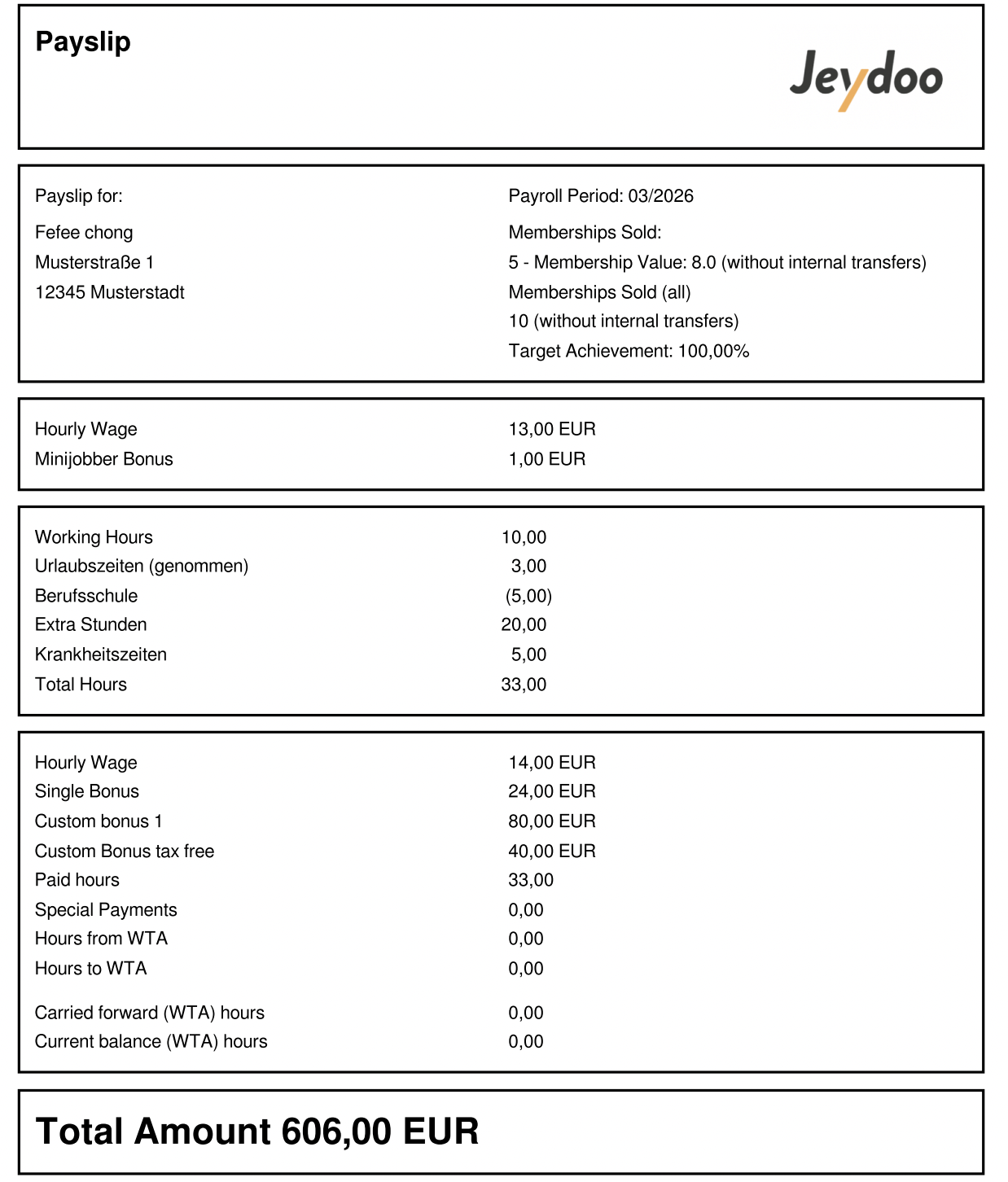
Below is the payslip for Sales Mini-Jobber (Sales Format)
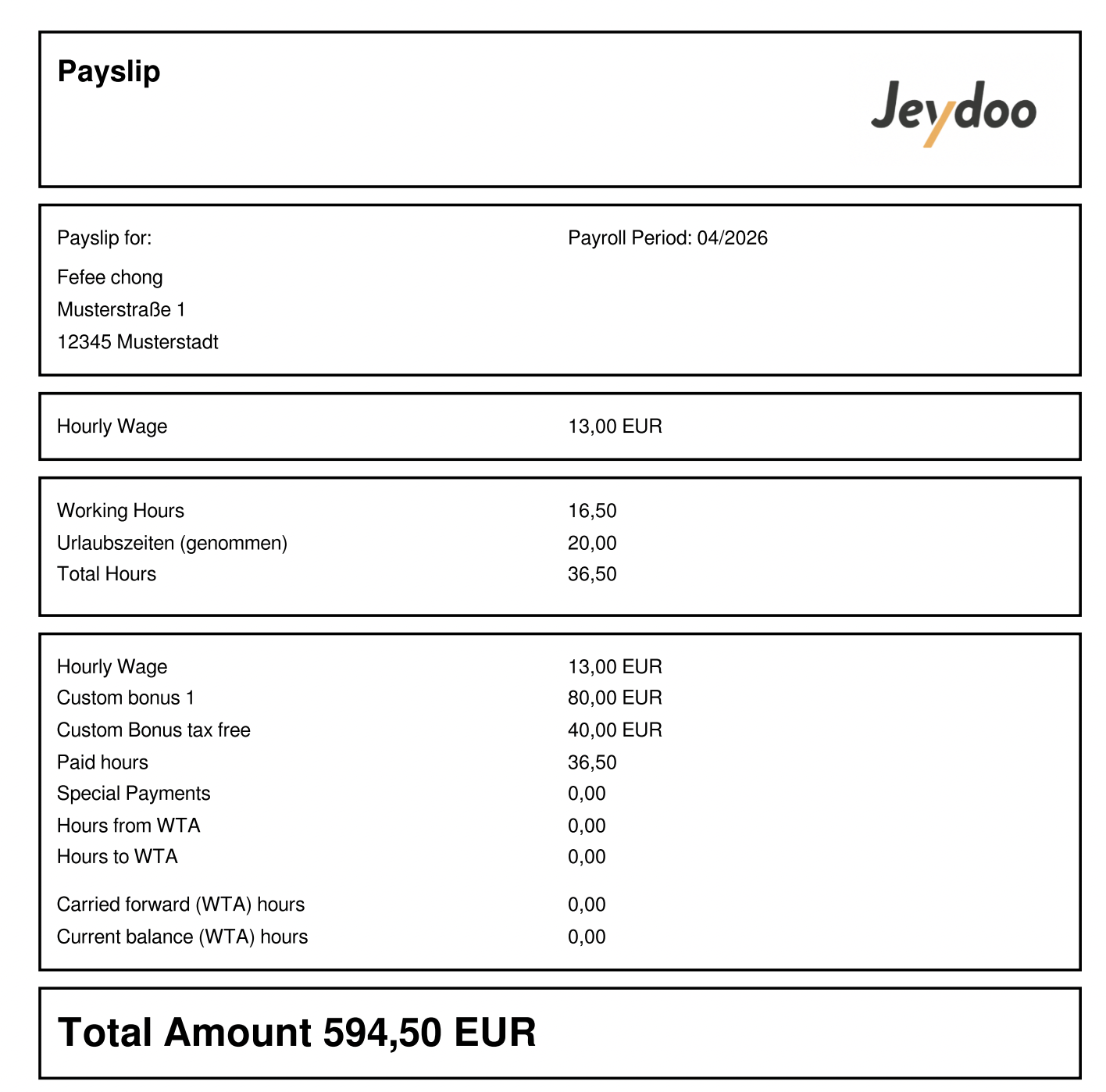
Below is the payslip for Mini-Jobber (Not Sales) - Standard Format
Salary Structure
Mini-Jobbers are paid based on an hourly wage model, with additional bonuses depending on their role (Sales/ Non-Sales, department, and location sales performance.
Their total salary is also subject to a maximum monthly earning limit, with adjustments managed through the Working Time Account (WTA / AZK).
Salary Structure Comparison
* Mini-Jobber Bonus applies only to selected departments configured by the Admin.If no target range and bonus amount are defined for the Location and Department, the bonus will not be applied.
Component Mini-Jobber
(Sales Department)
Mini-Jobber
(Non-Sales Department)
Hourly Wage ✔ ✔ Working Hours ✔ ✔ Single Bonus (Sales-based) ✔ ✖ * Mini-Jobber Bonus ✔ ✔ Custom Bonus ✔ ✔ Tax-Free Custom Bonus ✔ ✔ Notes
- Mini-Jobbers are paid based on an hourly wage model, with bonus eligibility depending on their job function (Sales / Non-Sales).
- Mini-Jobber Bonus is only applicable to departments that have been configured by the Admin for a specific Location, with defined target achievement ranges and bonus amounts.
- Total earnings are subject to a maximum monthly earnings.
- Any changes to salary-related configurations require clicking Recreate to update the payslip accordingly.
3. Employment Type - Hourly Employee
3.1 Generating Multi-Payroll
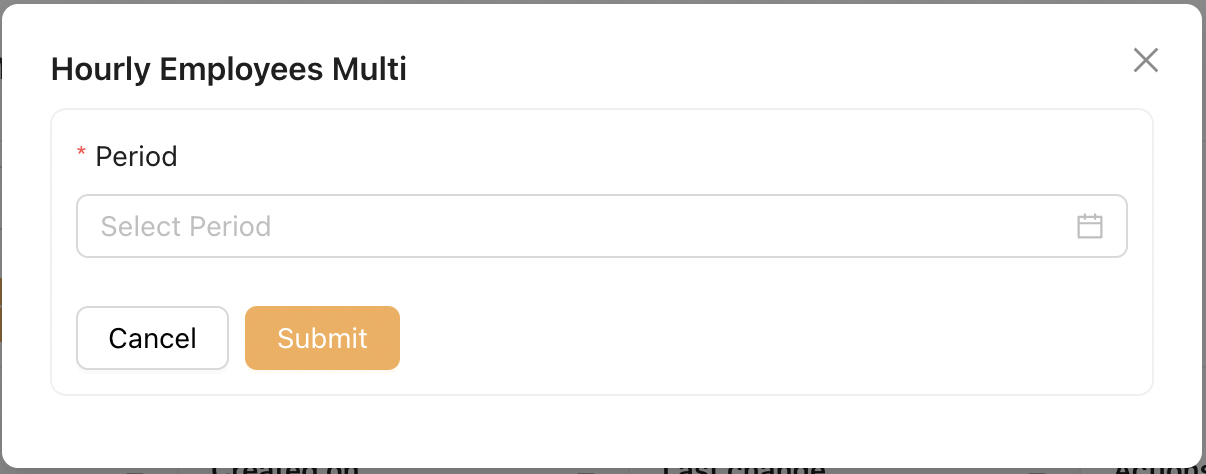
To generate payroll for multiple Hourly Employees, go to Payroll Settlements > Hourly Employees Multi
-
Click the [Add] button on the top right.
- Select the desired payroll period.
-
Click Submit to generate the multi payroll.
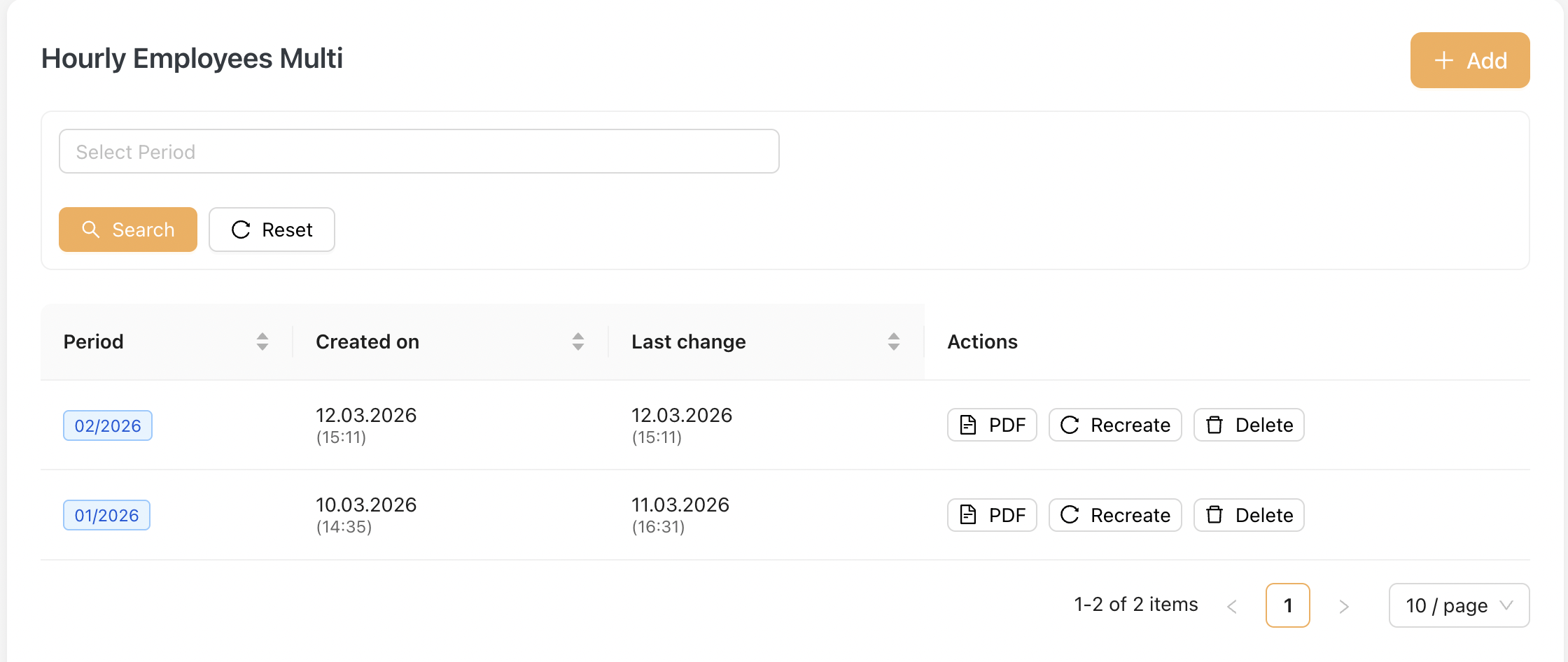
Screenshot of Hourly Employees Multi-Listing
Once a multi payroll is generated:
-
All included Hourly Employees will also appear under the "Hourly Employees Single" payroll list.
-
Each Hourly Employee’s payroll can be viewed individually from this section.
3.2 Generate Single Payroll
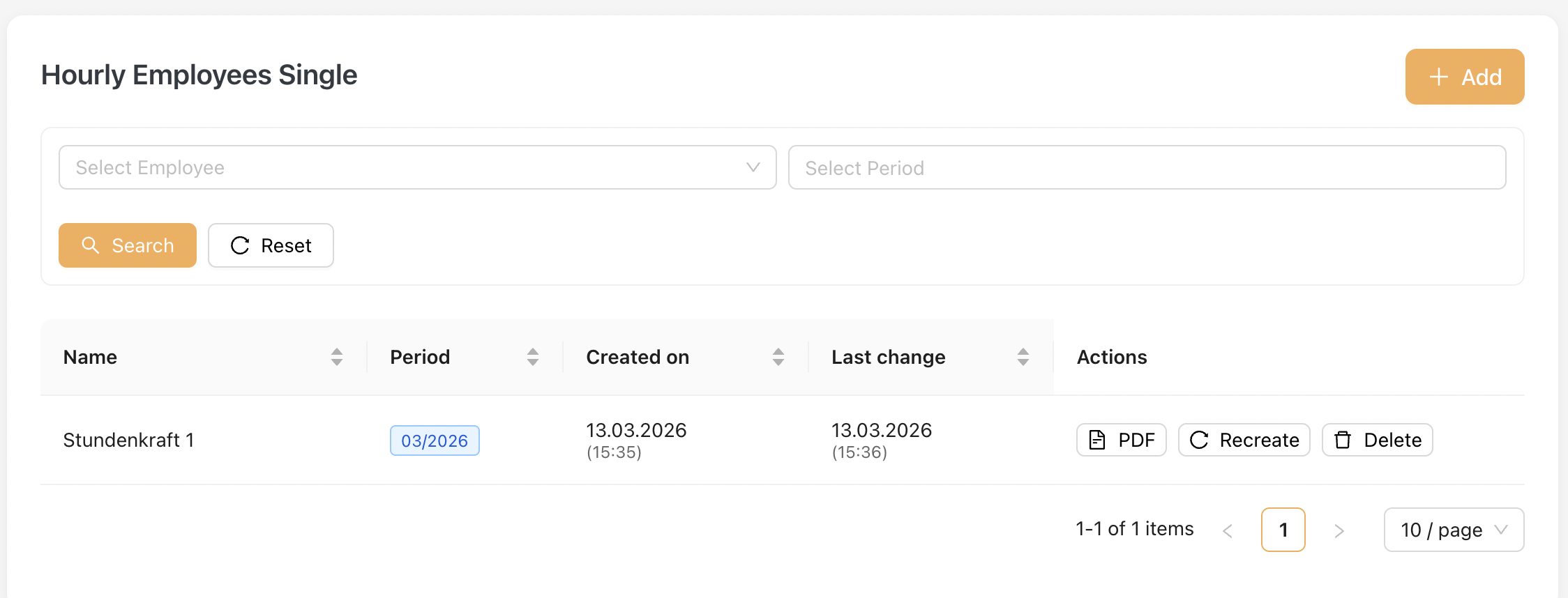
You will find this listing under Payroll Settlements > Hourly Employee Single after a multi-payroll is added.
Alternatively, Admin can also generate a single payroll by clicking the "Add" Button.
Screenshot of Single Payroll Listing :
Download Payroll PDF
On this page, Admin can click on the PDF icon to download the payroll snapshot in PDF format.
Update Payroll After Master Data Changes
If any changes are made to the master data that affect payroll:
-
Click the Recreate button to regenerate the payroll.
-
Download the updated PDF to obtain the latest revised version.
3.3 Payroll Format
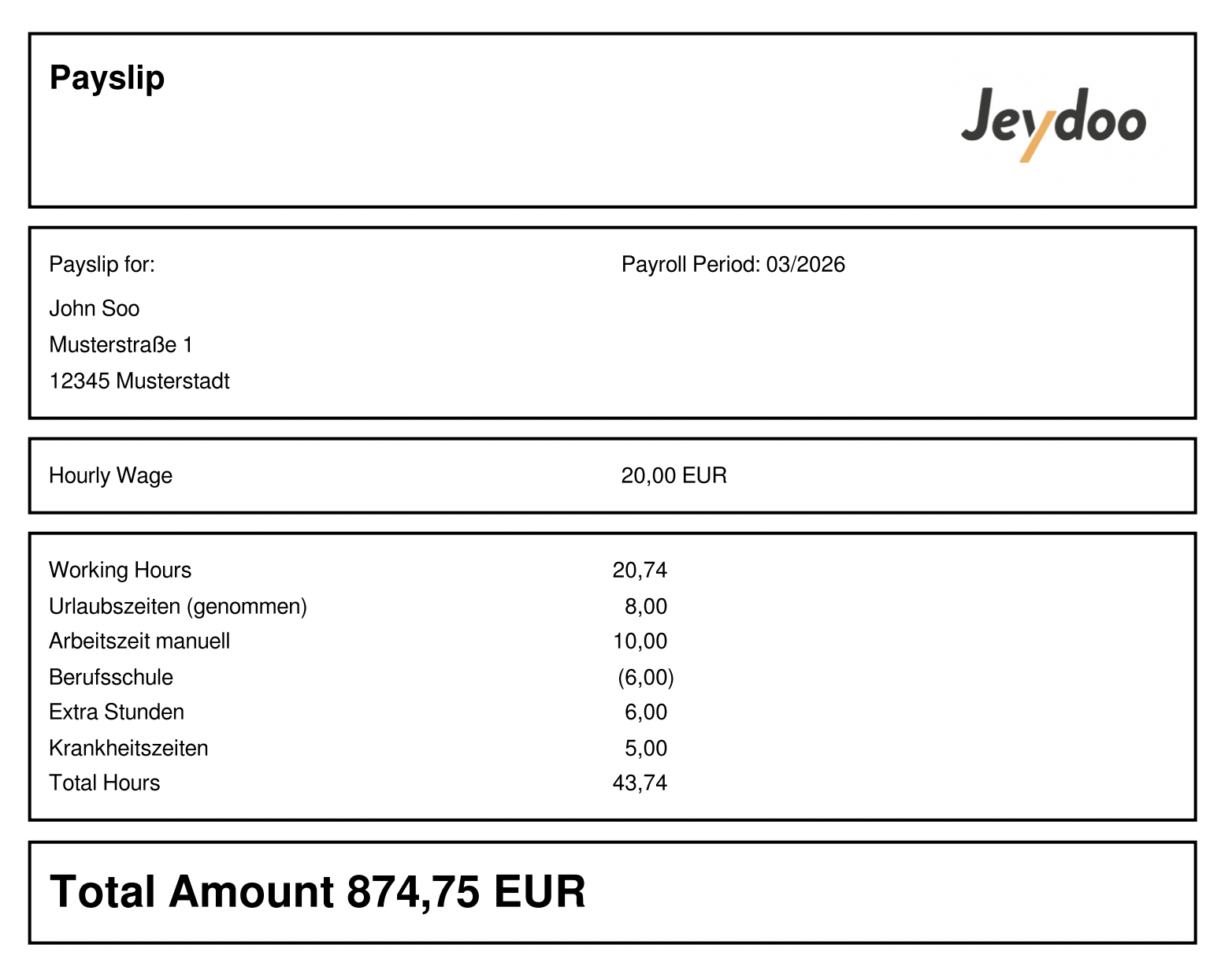
Payslip for Hourly Employee (Sales Format)
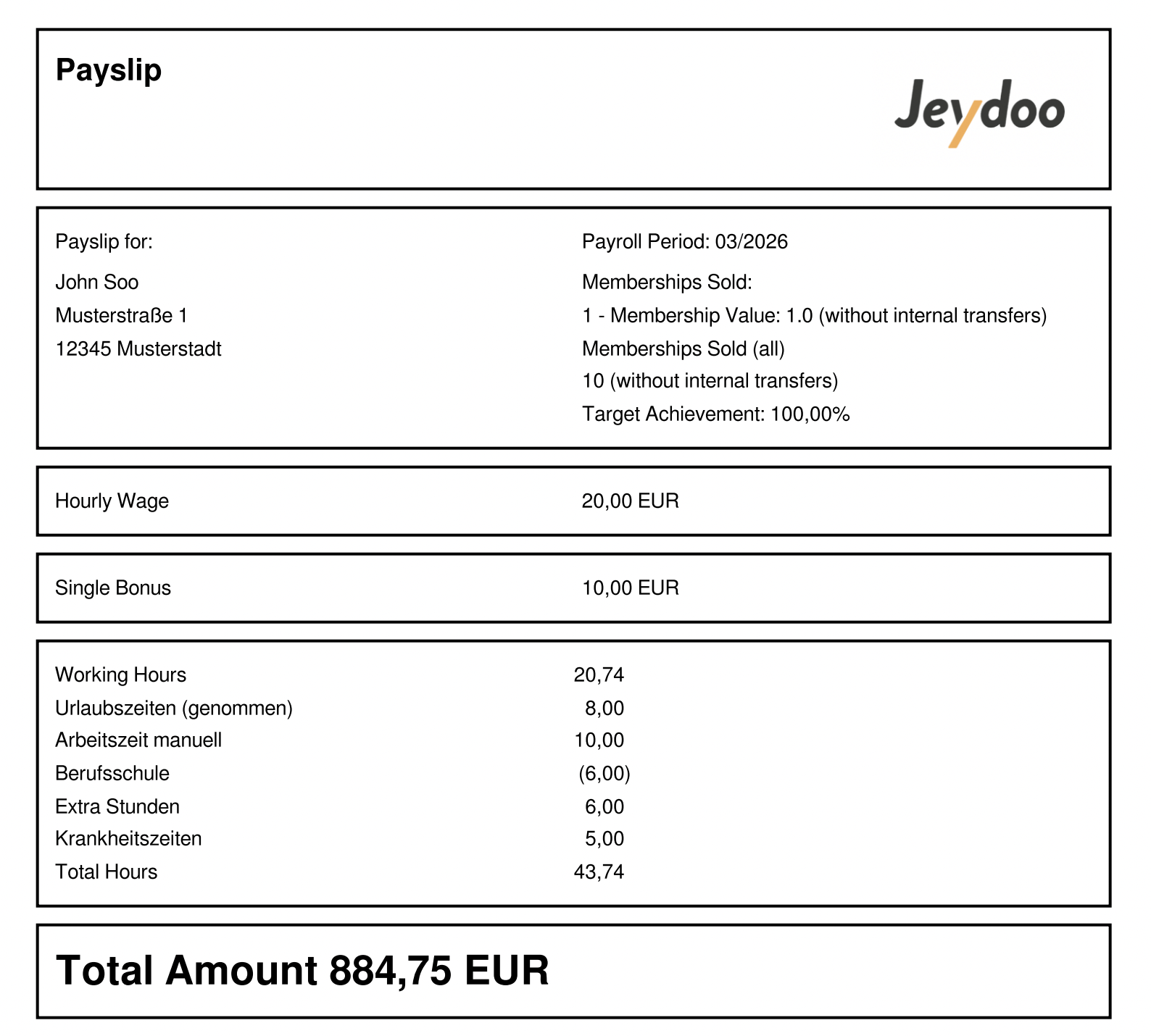
Payslip for Hourly Employee (Not Sales -Standard Format)
Salary Structure Explanation
In Jeydoo, Hourly Employees are full-time employees compensated based on an hourly wage model.
Their salary is calculated directly from their total working hours, with additional bonuses depending on their job function (Sales / Non-Sales).
Salary Structure Comparison
Feature Hourly Employee (Sales) Hourly Employee (Non-Sales) Hourly Wage ✔ ✔ Working Hours ✔ ✔ Single Bonus (Sales-based) ✔ ✖ Group Bonus ✖ ✖ Custom Bonus ✔ ✔ Payslip Format Hourly Format Hourly Format
Notes :
- Hourly Employees are paid based on Hourly Wage × Total Working Hours.
- Sales Hourly Employees are eligible for Single Bonus based on individual performance.
- Group Bonus is not applicable to Hourly Employees
- Custom Bonus may be applied if configured for the employee.
- Any changes to salary-related configurations require clicking Recreate to update the payslip accordingly.