
Module : Report ( Annual Hours )
Overview
The Annual Hours Report provides an overview of employee working hours across the selected year.
The report groups employees by department and displays monthly hour summaries for easier monthly comparison and tracking.
The report can be exported into an Excel file based on the selected year.
1. Listing
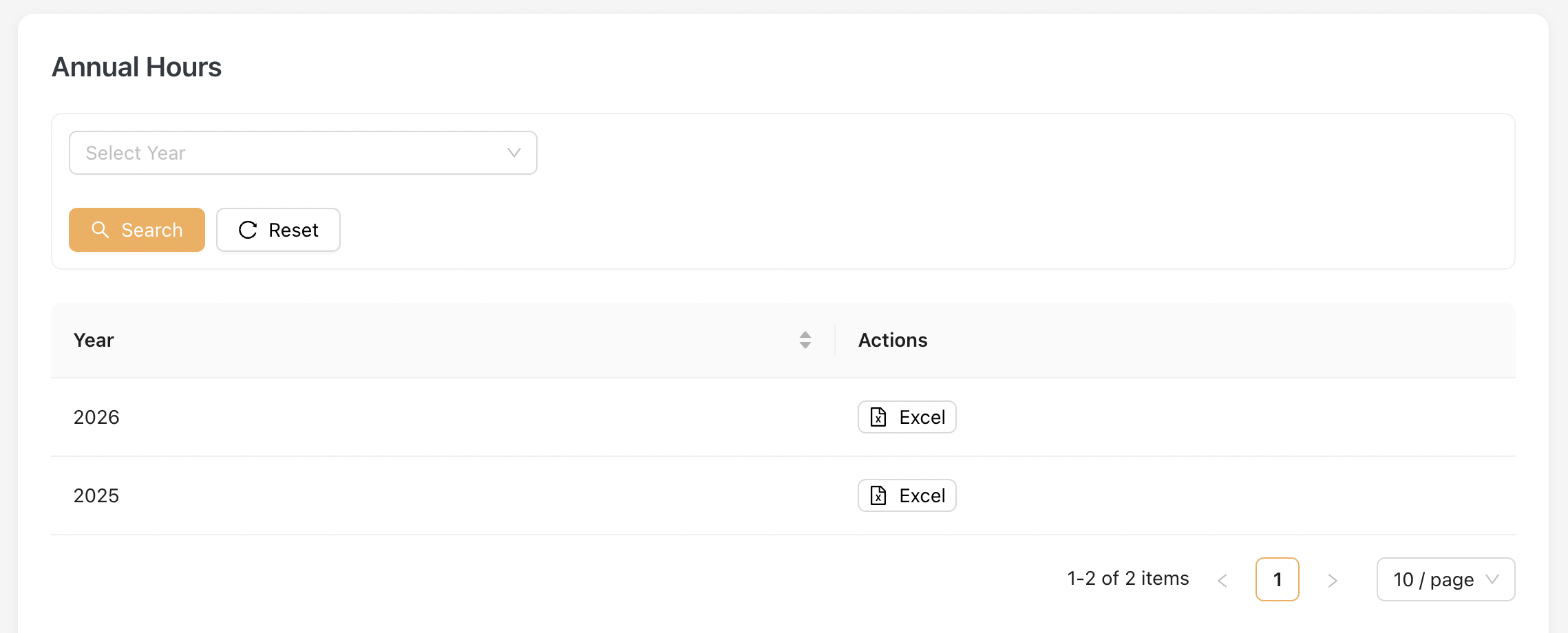
The Annual Hours Report displays a listing of available reporting years.
Administrators may select a year and export the corresponding Annual Hours Report into Excel format.
Example of the Excel File
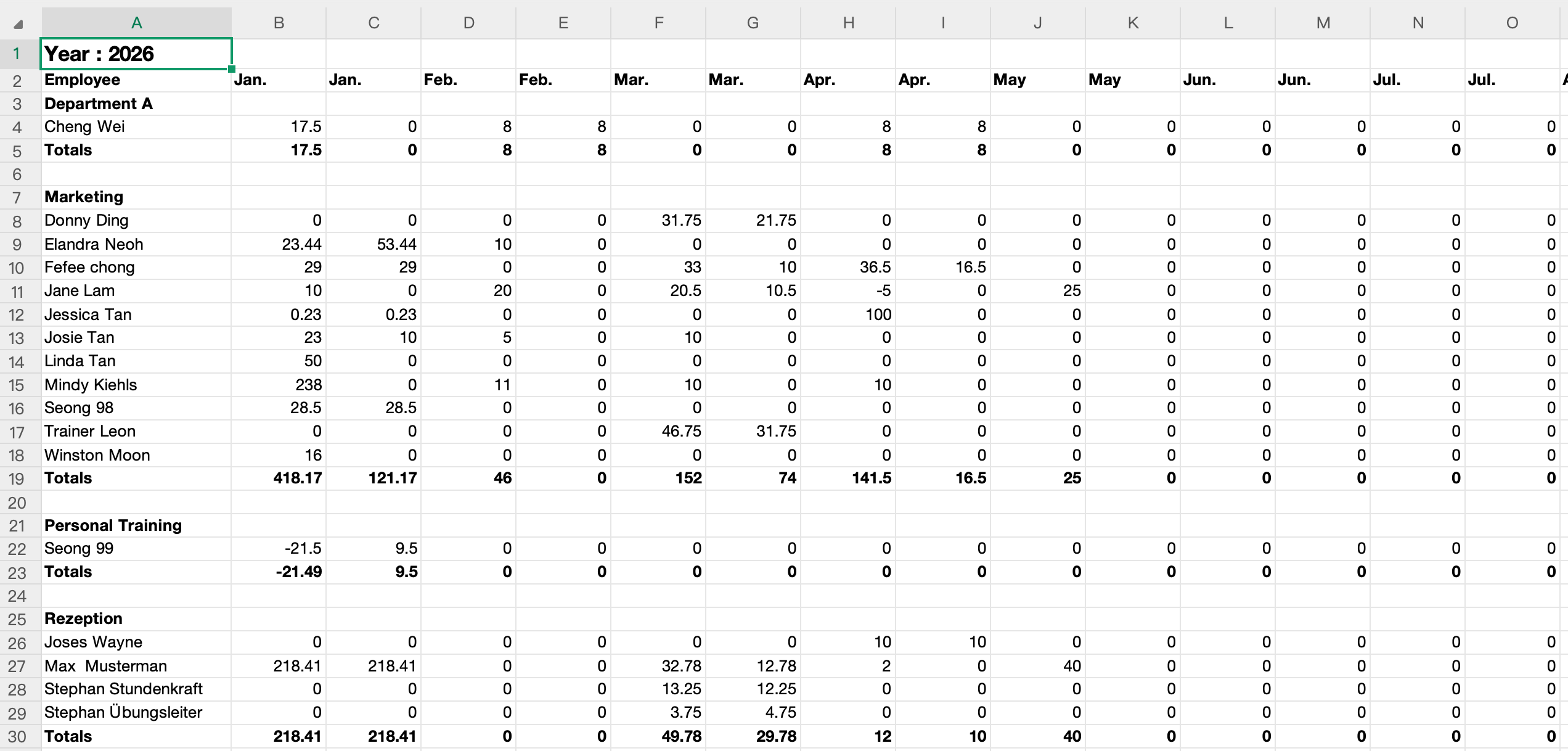
The Excel report displays employee working hours grouped by department and month.
For each month, two columns are displayed:
| Column | Description |
|---|---|
| Left Column | Displays total working hours including timestamp bookings and manual times |
| Right Column | Displays timestamp booking hours only |