
Module : Report (Advertising Source)
Overview
The Advertising Source Report provides an overview of where new members come from, based on the advertising source input during membership sale creation in Jeydoo.
This allows administrators to identify which advertising sources are generating new memberships. Some examples of advertising sources can be Facebook advertisements, roadshow, and flyers.
1. Listing
The report displays a listing of new members, together with their related advertising source information.
Administrators may filter the listing and export the filtered results into an Excel file.
At least one filter must be selected before the Excel export is available.
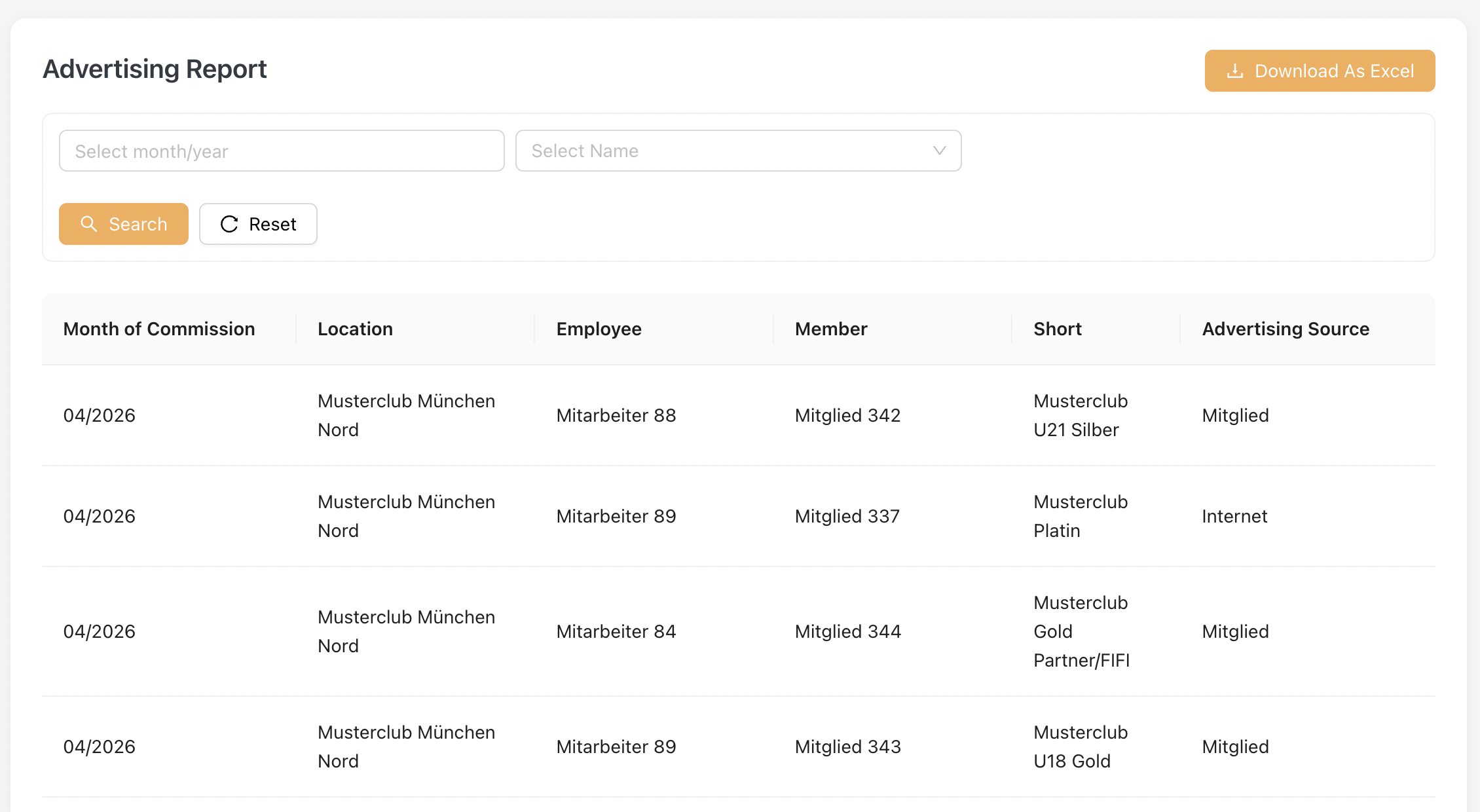
Key fields explanation :
| Field | Description |
|---|---|
| Month of Commission | Displays the commission month assigned to the membership sale |
| Location | Displays the employee’s Primary Location associated with the membership sale |
| Employee | Displays the Sales Employee responsible for closing the membership sale |
| Member | Displays the member name |
| Short | Displays the membership short description |
| Advertising Source |
Displays the advertising source input during membership sale creation |
How to Export Advertising Source Excel
- Select at least one filter
- Click [ Search ]
- Review the listing results
- Click [ Download As Excel ] to export the filtered report