
Module : Report ( PT Sales )
Overview
The PT Sales Report provides an overview of Personal Training (PT) sales generated by sales employees.
The report is divided into two sections:
- Single Employee – View and generate a PT Sales Report for an individual employee.
- Multi Employee – Generate a consolidated PT Sales Report for all employees within a selected location.
1. Single Employee
The Single Employee page provides an overview of PT Sales generated by individual employees.
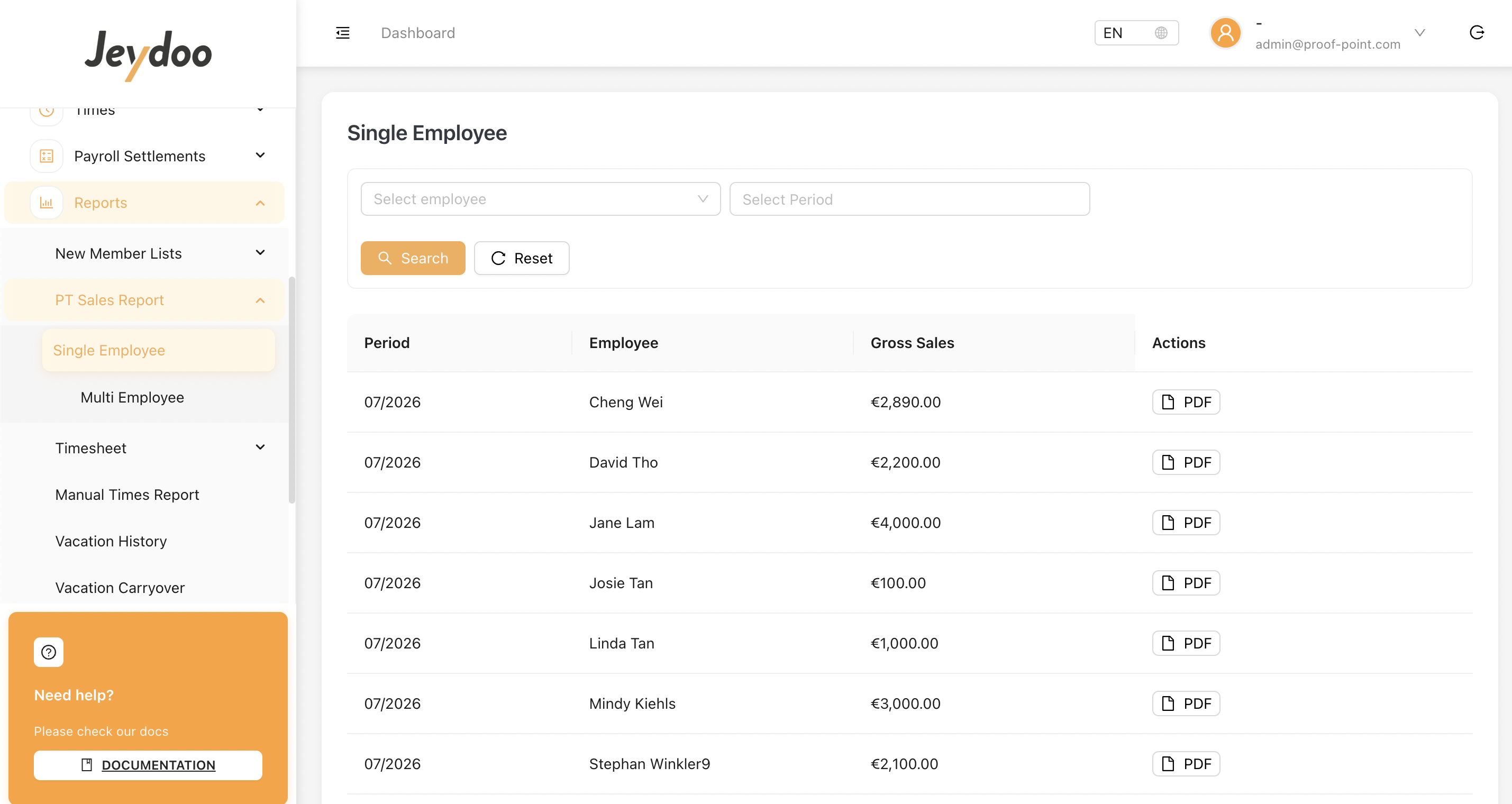
1.1 Single Employee
Click PDF to generate the PT Sales Report for the selected employee and period.
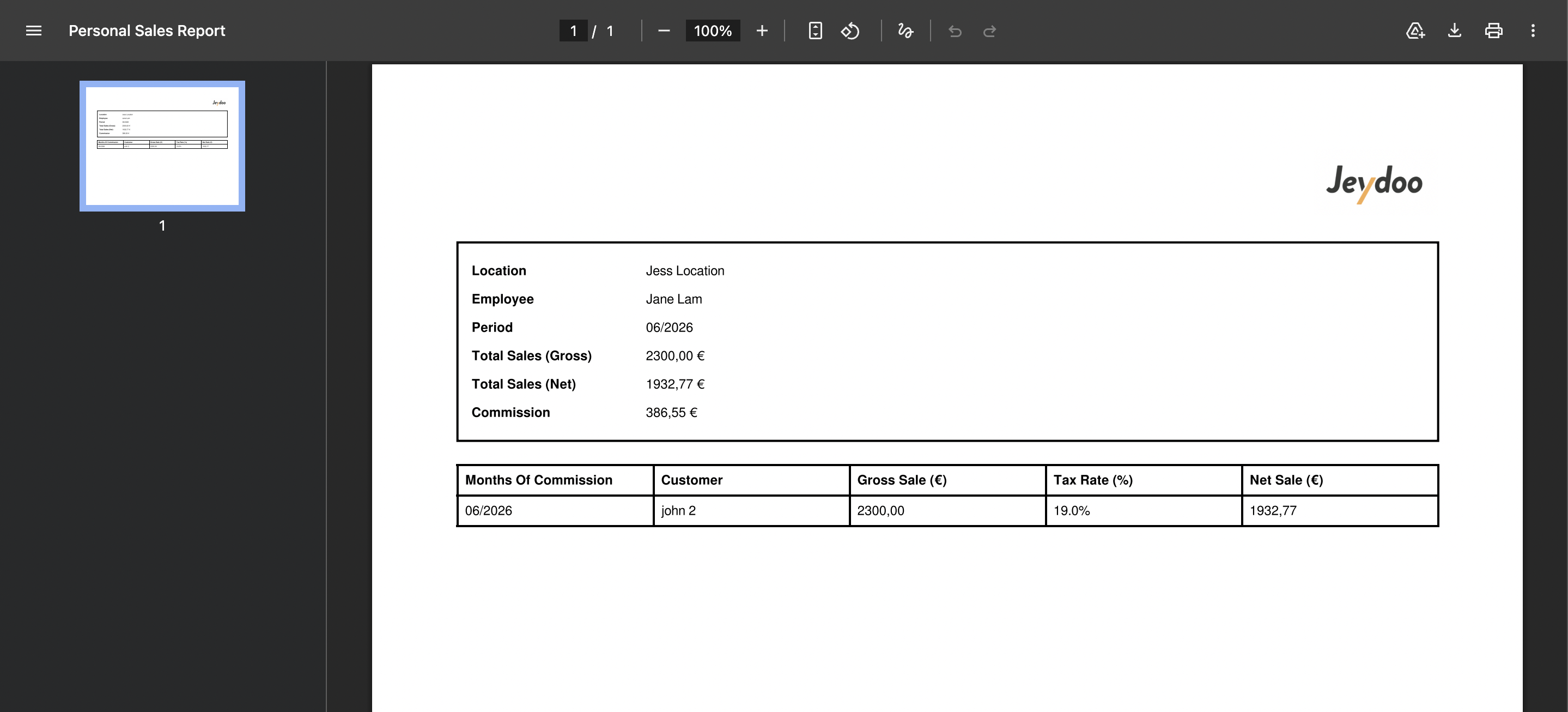
The report summary includes:
| Field | Description |
|---|---|
| Location | The location associated with the employee's PT Sales. |
| Employee | Name of the employee. |
| Period | Reporting month and year. |
| Total Sales (Gross) | Total PT Sales before tax deduction. |
| Total Sales (Net) | Total PT Sales after tax deduction. |
| Commission | Total commission generated from the employee's PT Sales for the period. |
The report allows Admin to review the employee's individual PT Sales and the related sales details for the selected period.
An Example of Personal Sales Report
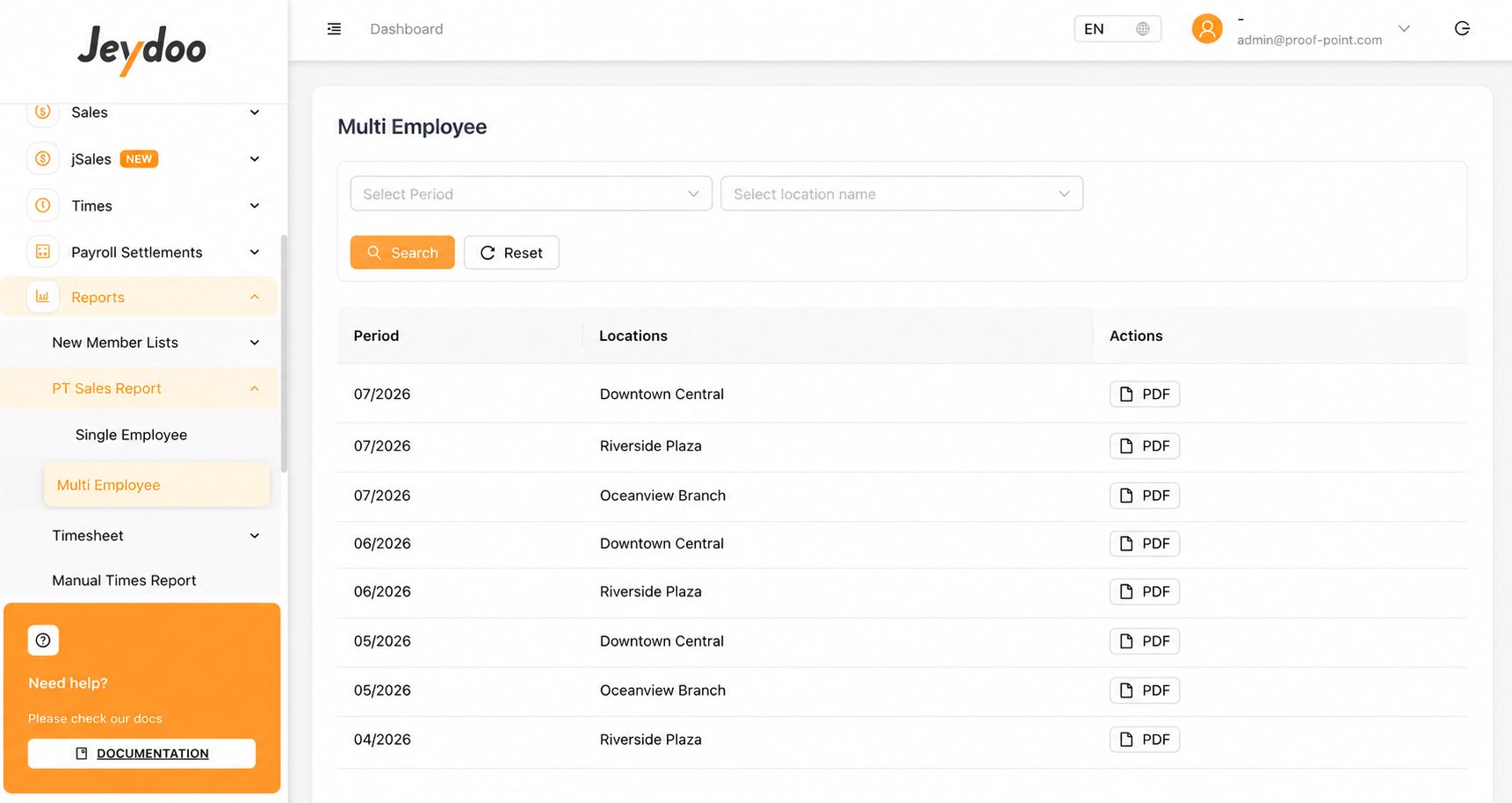
2.1 Multi Employee
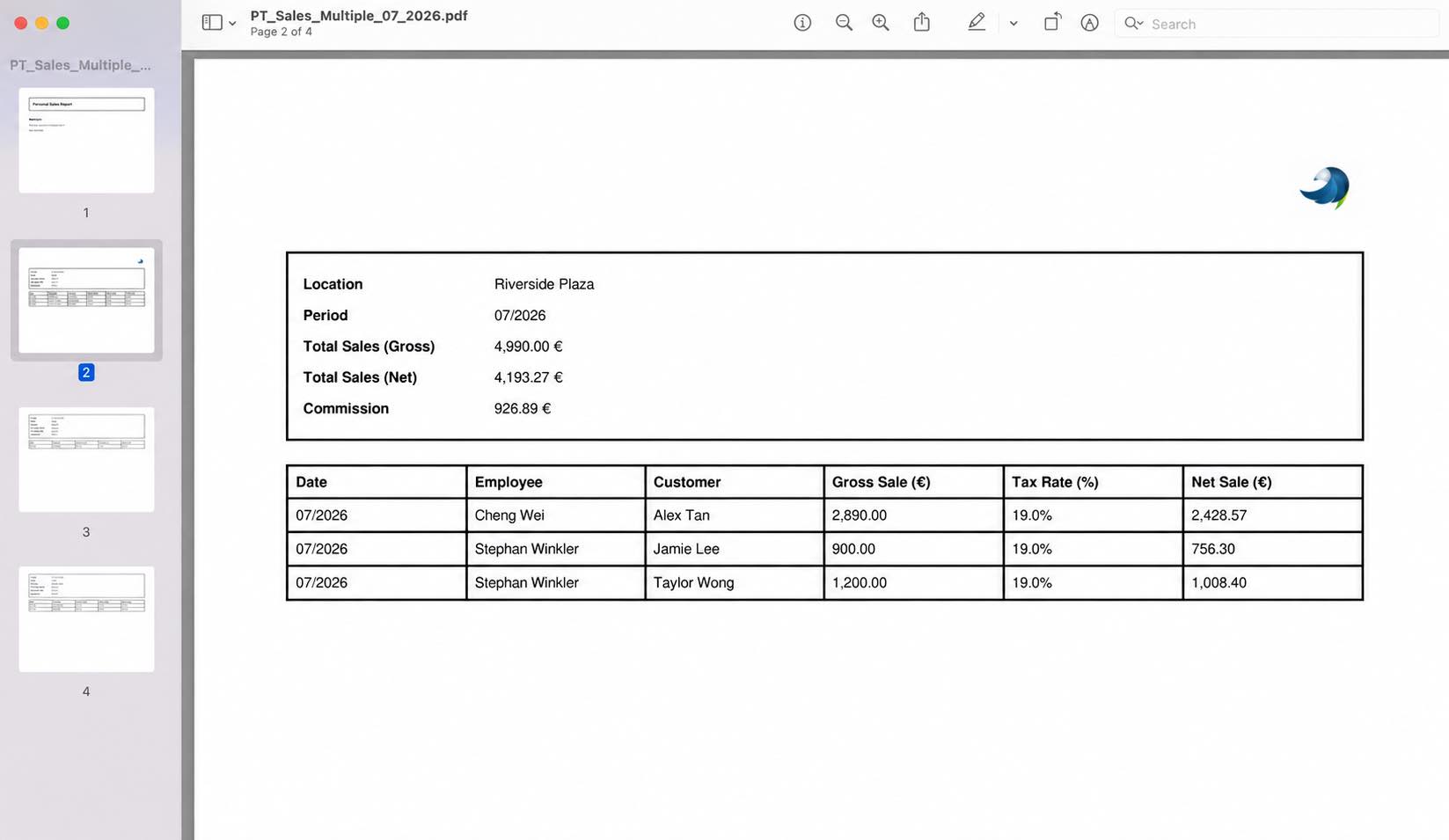
The Multi Employee listing displays the PT Sales Report for each Location. Click PDF to download the report for the selected Location and Period.
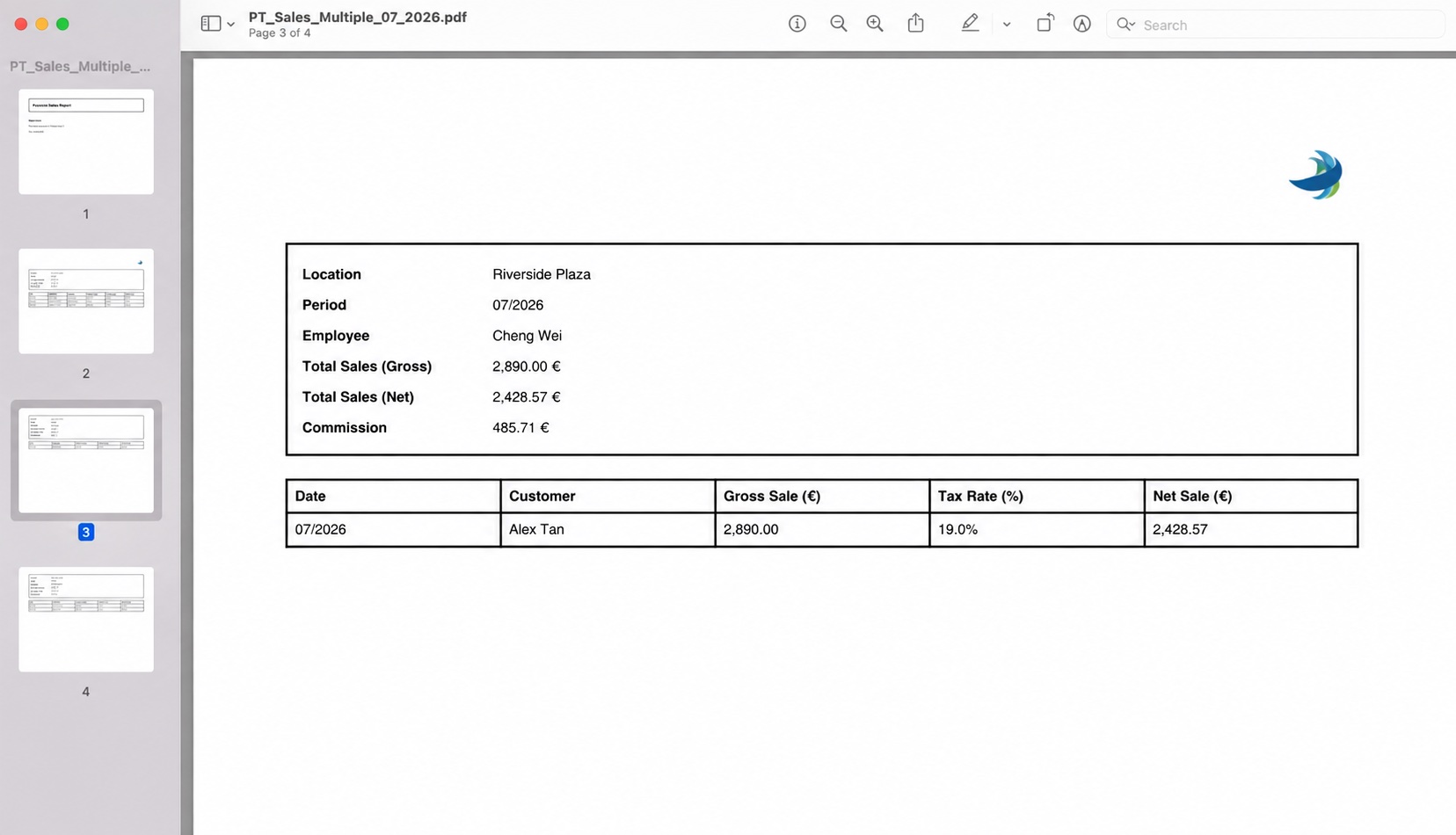
The PDF provides the Location's overall PT Sales information, including Total Sales (Gross), Total Sales (Net), and Commission. It also includes an individual PT Sales Report for each employee within the Location, following the same report format as the Single Employee PDF Report.
Example of the PDF Report
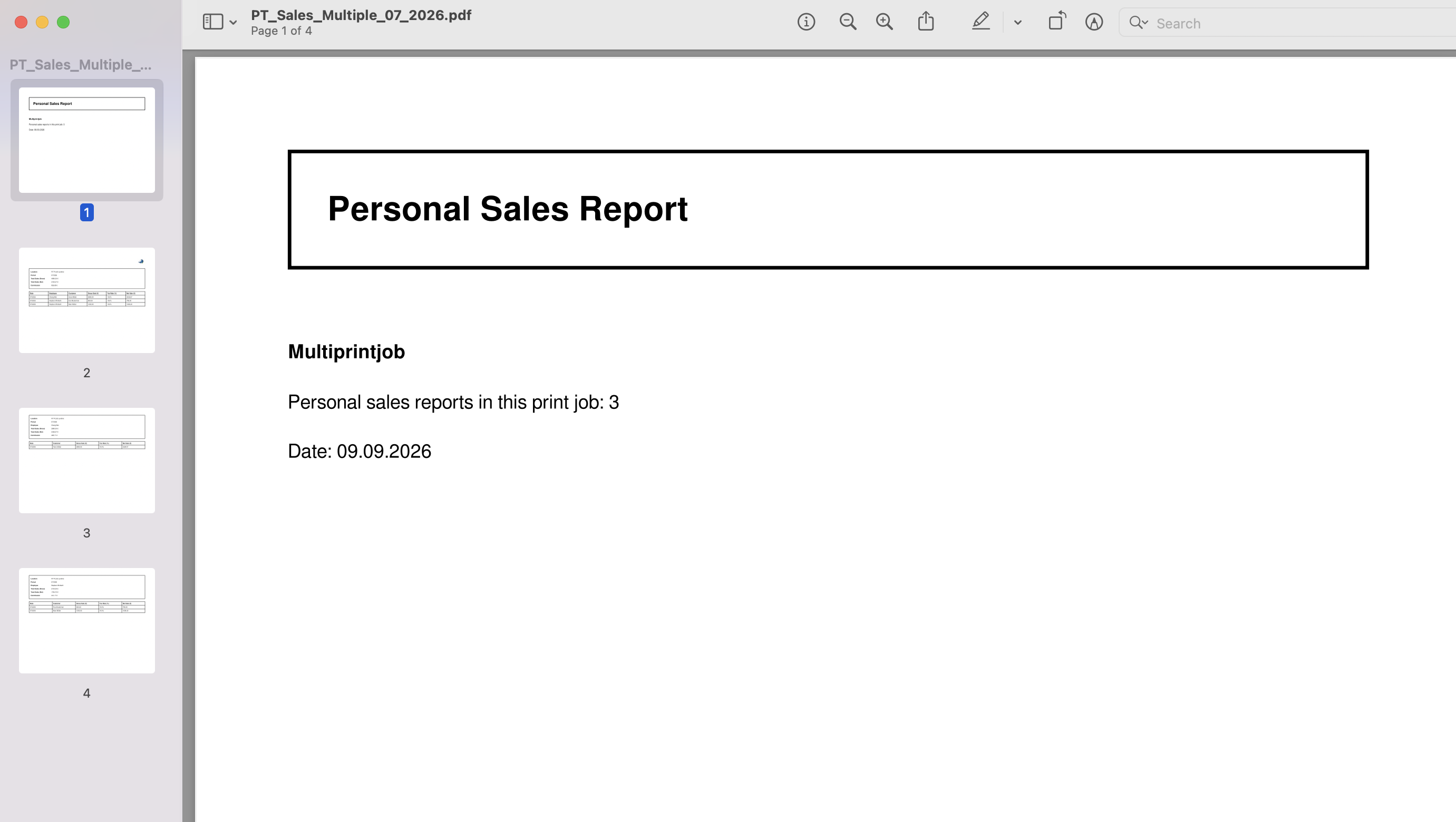
Overall PT Sales based on Location
Individual Report follows after the above
- the end -