
Online Coaching
Overview
The Online Coaching feature allows Members to book individual coaching sessions with available trainers through the Member Area.
Admin can create and manage coaching slots for trainers, configure their availability and pricing, and manage both available and booked sessions.
1. Managing Coaching Slots
The Coaching Slots page allows Admin to manage coaching sessions made available for booking.
The page separates coaching sessions into:
- Time slots – Displays coaching slots that are available for booking.
- Booked slots – Displays coaching slots that have already been booked.
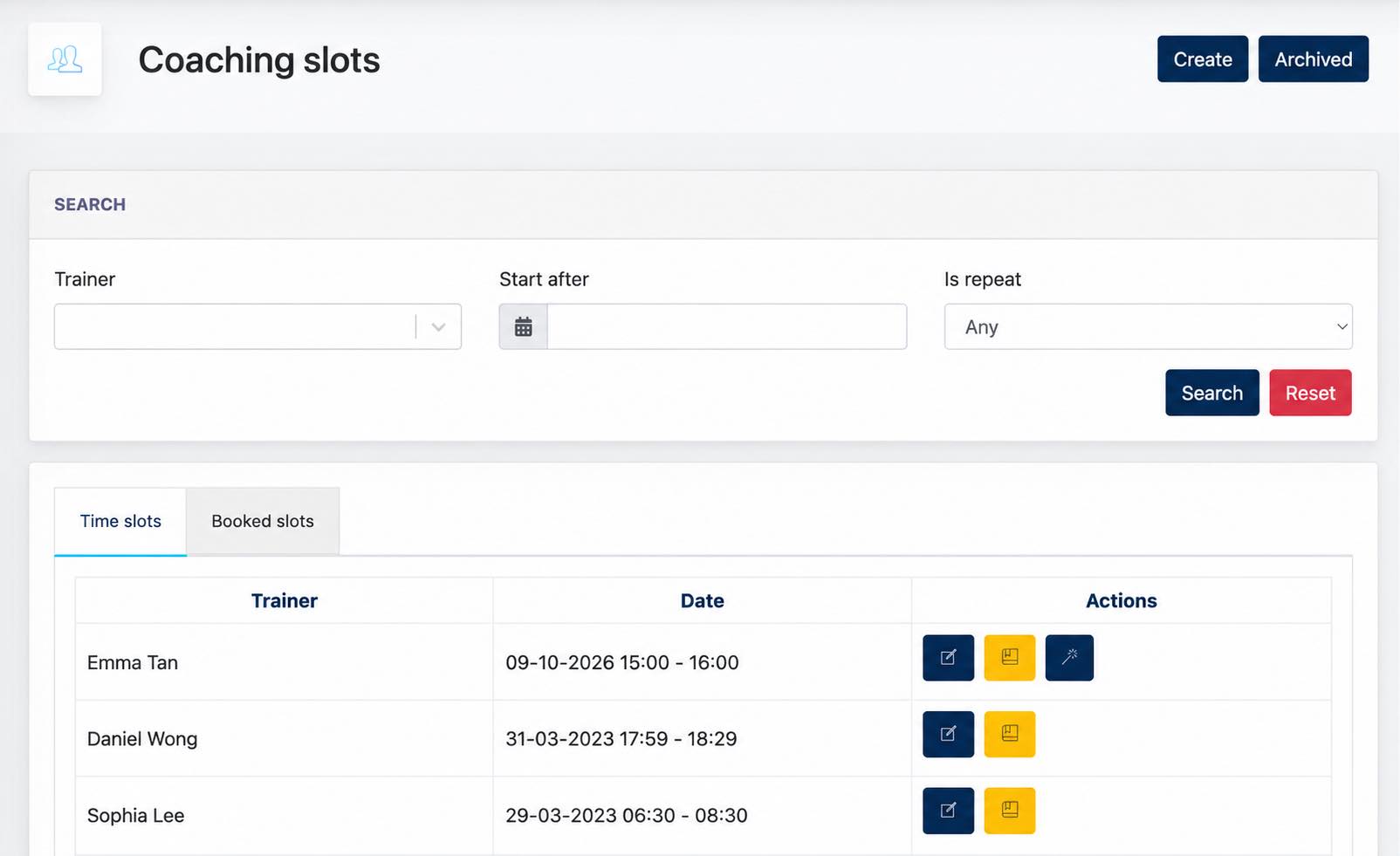
Admin Booking: Admin can also book an available coaching slot on behalf of a Member by selecting the Booking action for the corresponding time slot.
Coaching slots that are no longer required can be moved to Archived, removing them from the active coaching slot list.
2. Creating a Coaching Slot
Click Create to define a new coaching slot for a trainer.
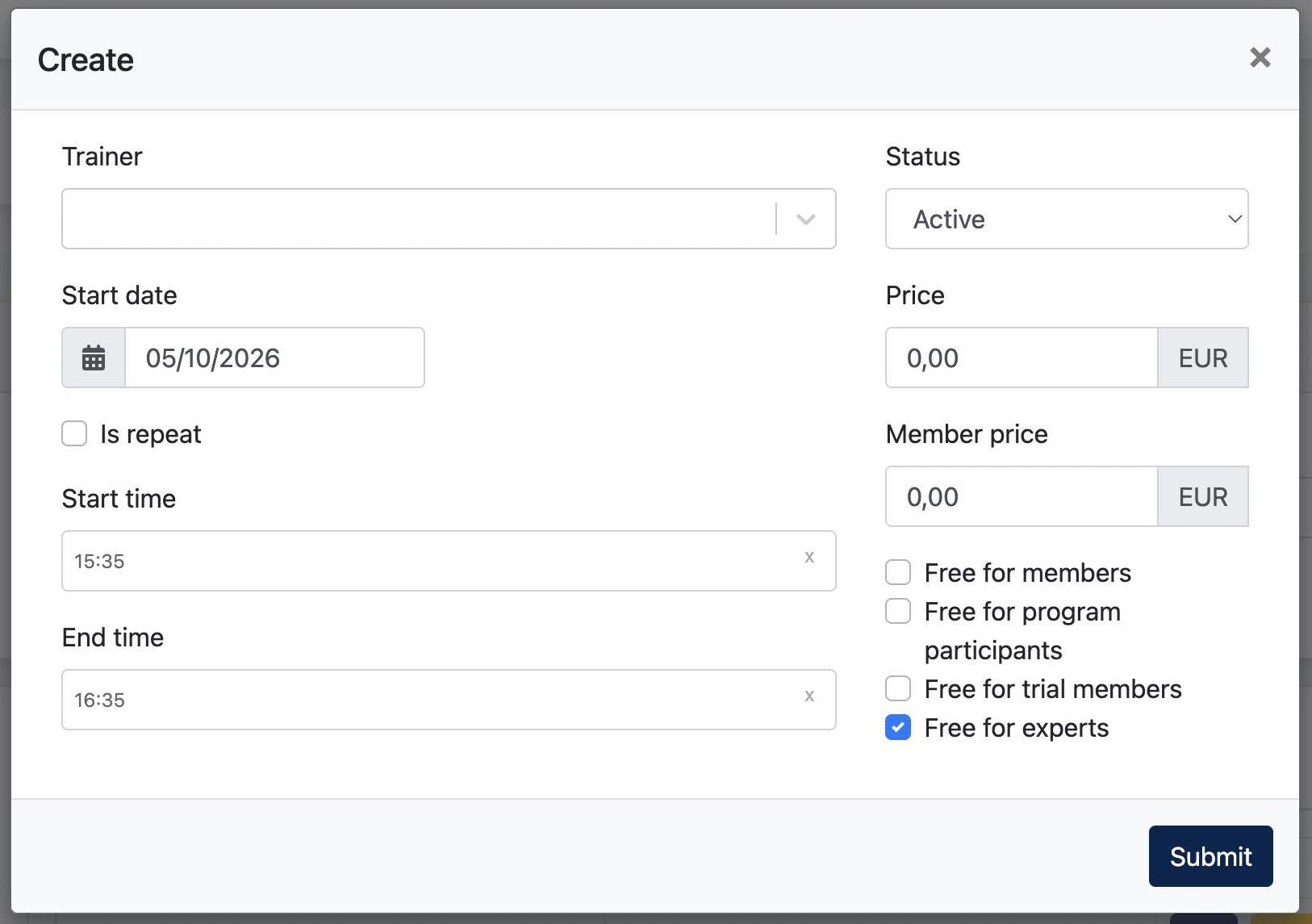
| Field | Description |
|---|---|
| Trainer | Select the trainer who will provide the coaching session. |
| Start date | Defines the starting date of the coaching slot. |
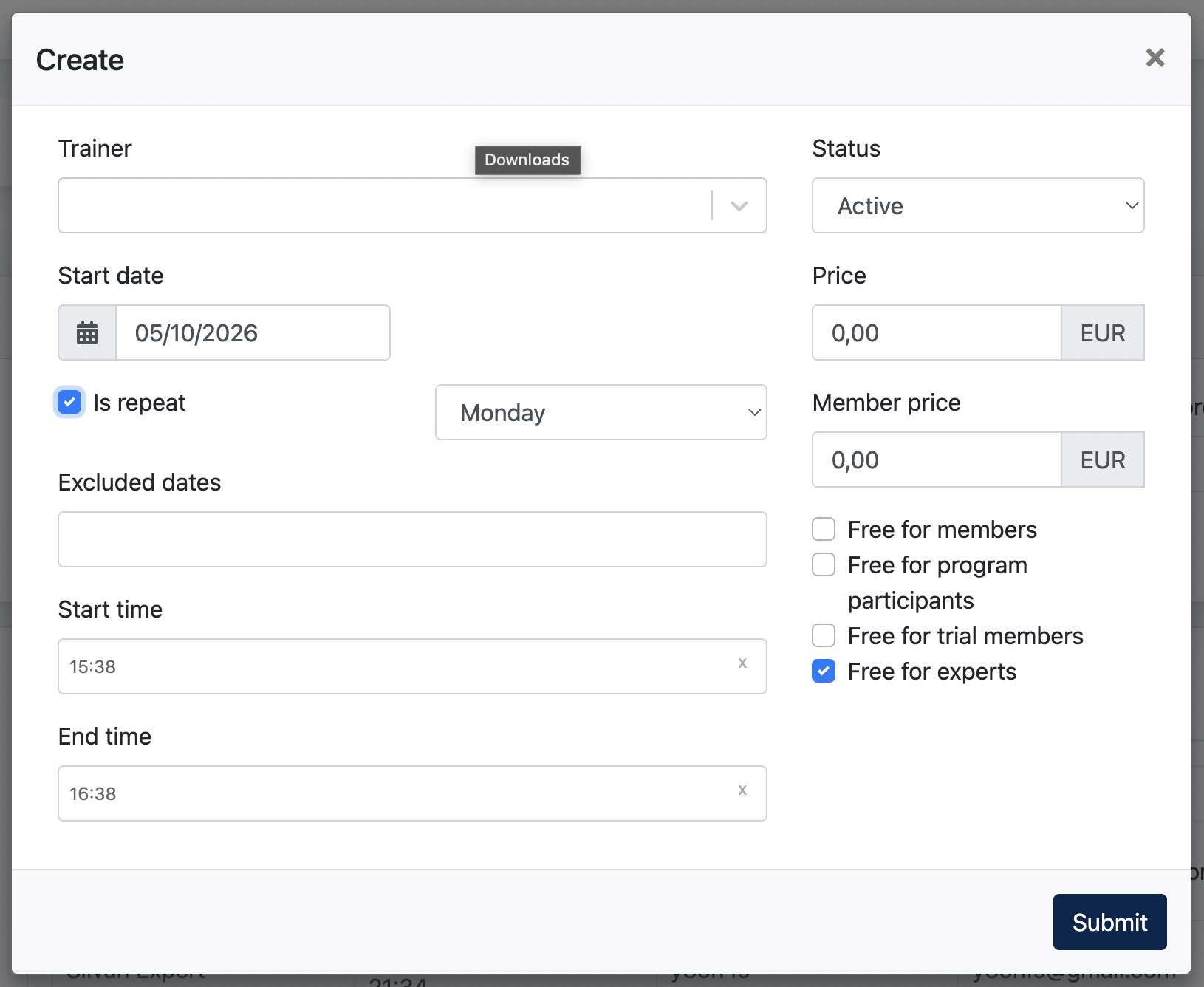
| Is repeat | Determines whether the coaching slot repeats on a selected weekday. |
| Excluded dates | Defines specific dates to exclude from a repeating coaching schedule. |
| Start time | Defines the starting time of the coaching session. |
| End time | Defines the ending time of the coaching session. |
| Status | Determines whether the coaching slot is Active or Inactive. |
| Price | Defines the standard price for the coaching session. |
| Member price | Defines a separate price for Members. |
| Free for members | Allows Members to book the coaching session free of charge. |
| Free for program participants | Allows Program Participants to book the coaching session free of charge. |
| Free for trial members | Allows Trial Members to book the coaching session free of charge. |
| Free for experts | Allows Experts to book the coaching session free of charge. |
Repeating Coaching Slots
Enable Is repeat to create a coaching slot that repeats weekly on the selected weekday.
For example, if Friday is selected, the coaching slot will be available every Friday based on the configured start and end time.
Use Excluded dates to specify individual dates on which the recurring coaching slot should not be available.
3. Member Area: Booking Online Coaching
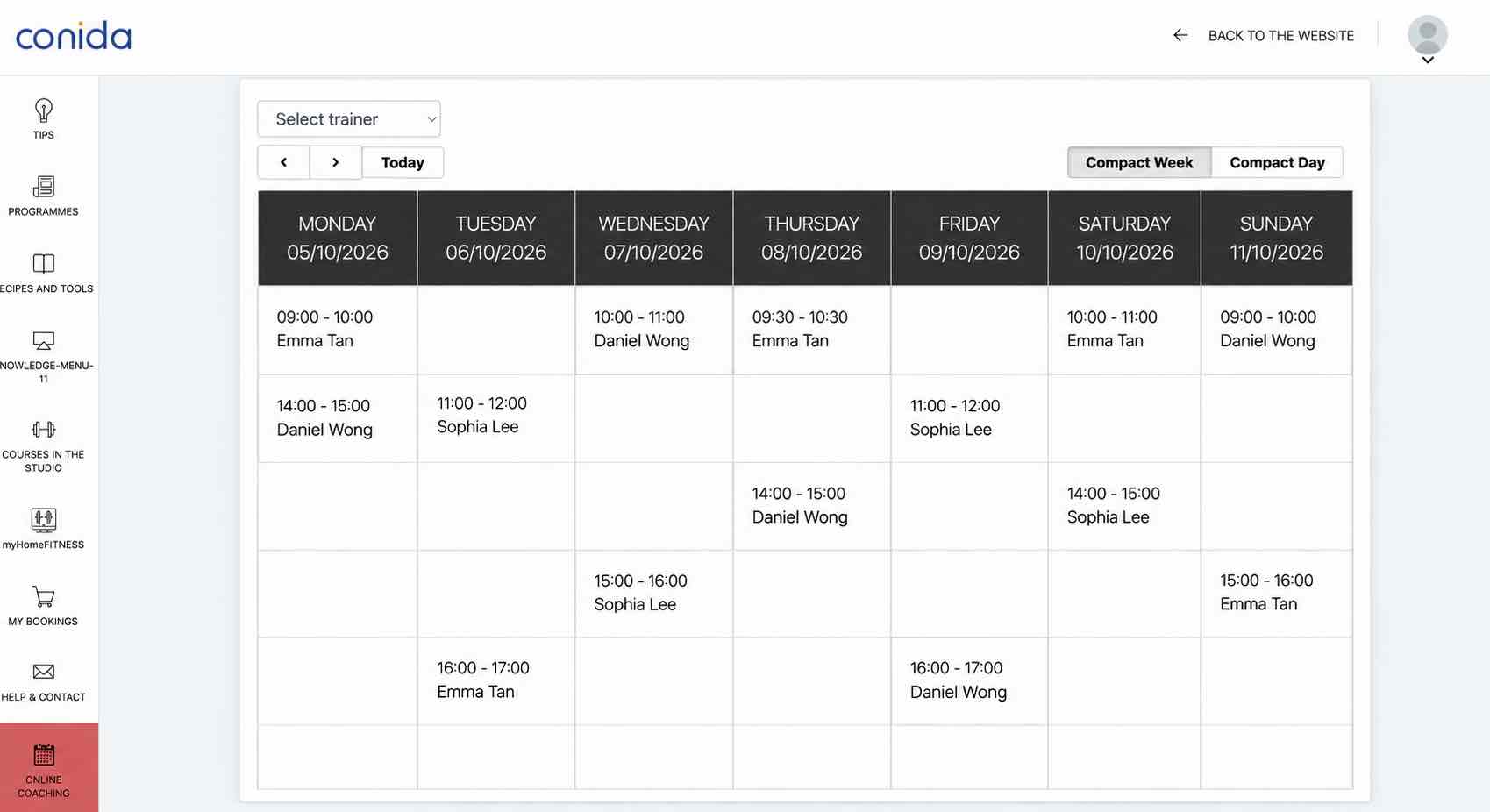
Available coaching slots are displayed on the Online Coaching page in the Member Area.
Members can select an available coaching slot and proceed with the booking. Once booked, the session is recorded as a booked coaching slot.
- the end -