
Site Language & Translation Setting
1. Site Language
When a new Site is created, Site Language is available by default. It provides the basic language configuration for the Site and allows Admin to select the language used for the website.
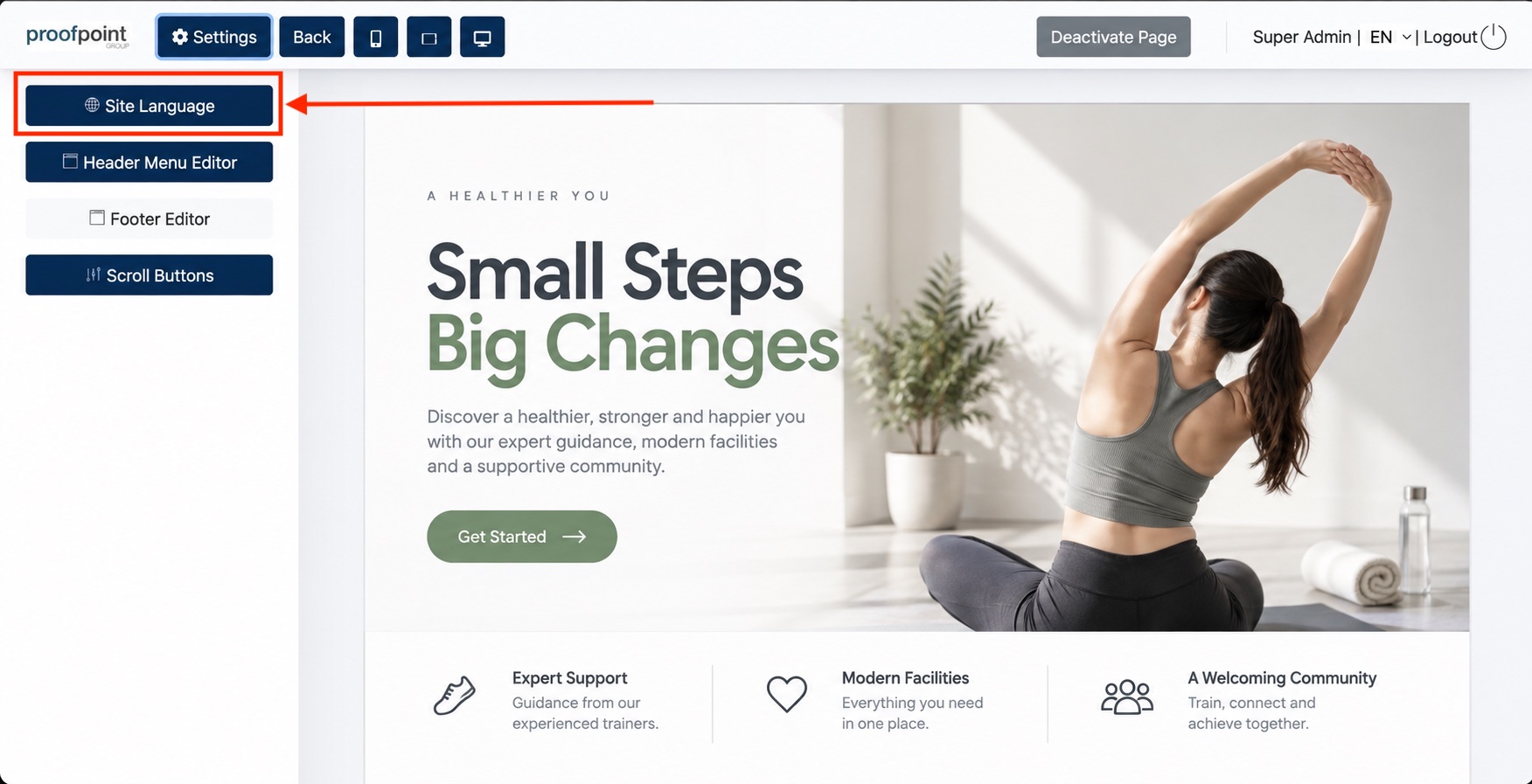
Note: Once Translation Setting is configured, the Site Language button will be hidden and the Site language configuration will be managed through Translation Setting.
2. Translation Setting
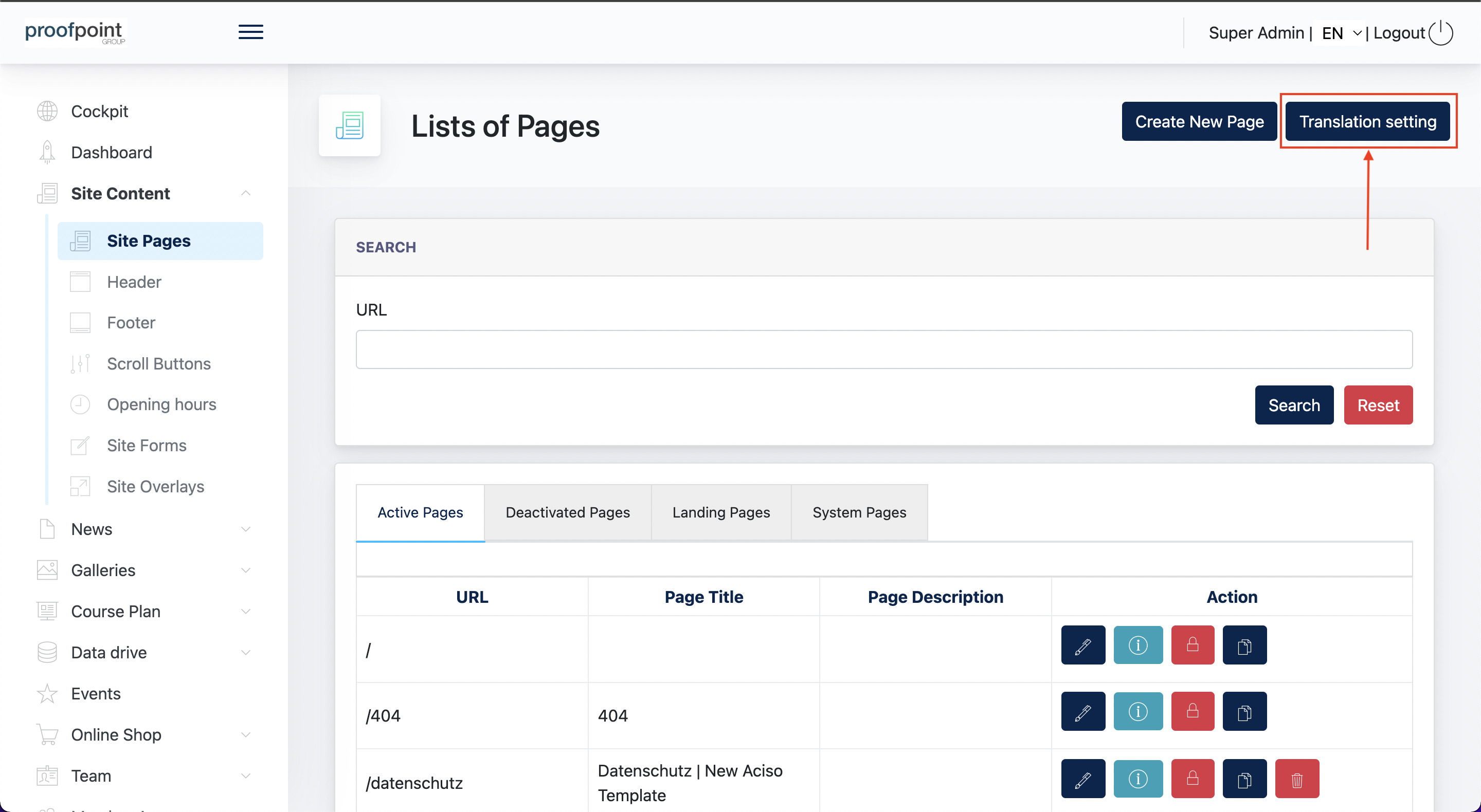
The Translation Setting provides an advanced language configuration for multilingual Sites. It allows Admin to configure different language and regional versions of a Site using dedicated URL slugs, such as /de, /de-at, /de-ch, /en-gb, and /en-us.
This provides greater flexibility for regional websites and supports a clearer URL structure for international SEO.
To enable this feature, click on the "Translation Settings" button:
Available Languages
Translation Setting currently supports 7 Site Languages: German, English, Spanish, Italian, Dutch, Turkish, and French.
Some languages also support regional variations through different URL slugs. For example, German can be configured as /de, /de-de, /de-at, or /de-ch, while English can use /en, /en-gb, or /en-us.
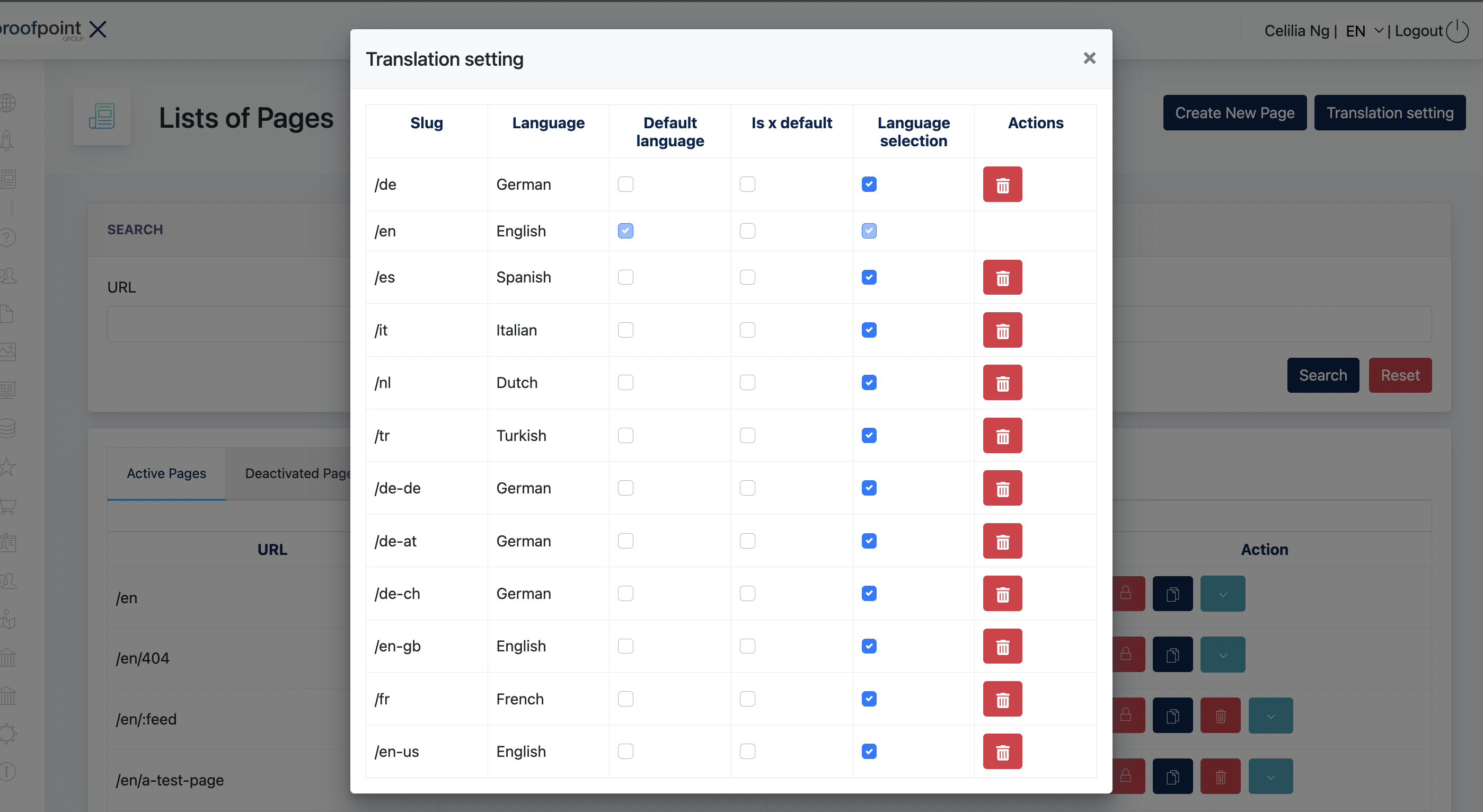
Is x default – Enables the x-default setting for the selected language version. This setting is used for SEO purposes and does not affect the frontend language selection.
- the end -