
Tips of the Week
Overview
The Tips of the Week feature provides Members with scheduled fitness and wellness content through the Member Area. Tips are displayed according to their configured week and can contain different types of content, such as text, video, and supporting files.
The feature supports two types of tips:
| Tip Type | Description |
|---|---|
| 52-week tips | Provides regular weekly content throughout the year. |
| 12-week tips for new members, with categories | Provides a 12-week introductory flow for new Members, with tips organised by category based on the Member's selected interest. |
52-Week and 12-Week Tip Logic
The 52-week tips follow the calendar week. Each tip is assigned a Week to display, which determines when the tip becomes available to Members.
For new Members, the system can provide a separate 12-week tips flow. When entering the Member Area, a new Member can indicate that they have been a member for less than four weeks and select a relevant wellness category. The Member then receives tips associated with the selected category during the first 12 weeks.
After completing the 12-week flow, the Member continues with the regular 52-week tips.
Note: The Week of the year to display is predefined by the system and cannot be changed by Admin.
1. Managing Tips
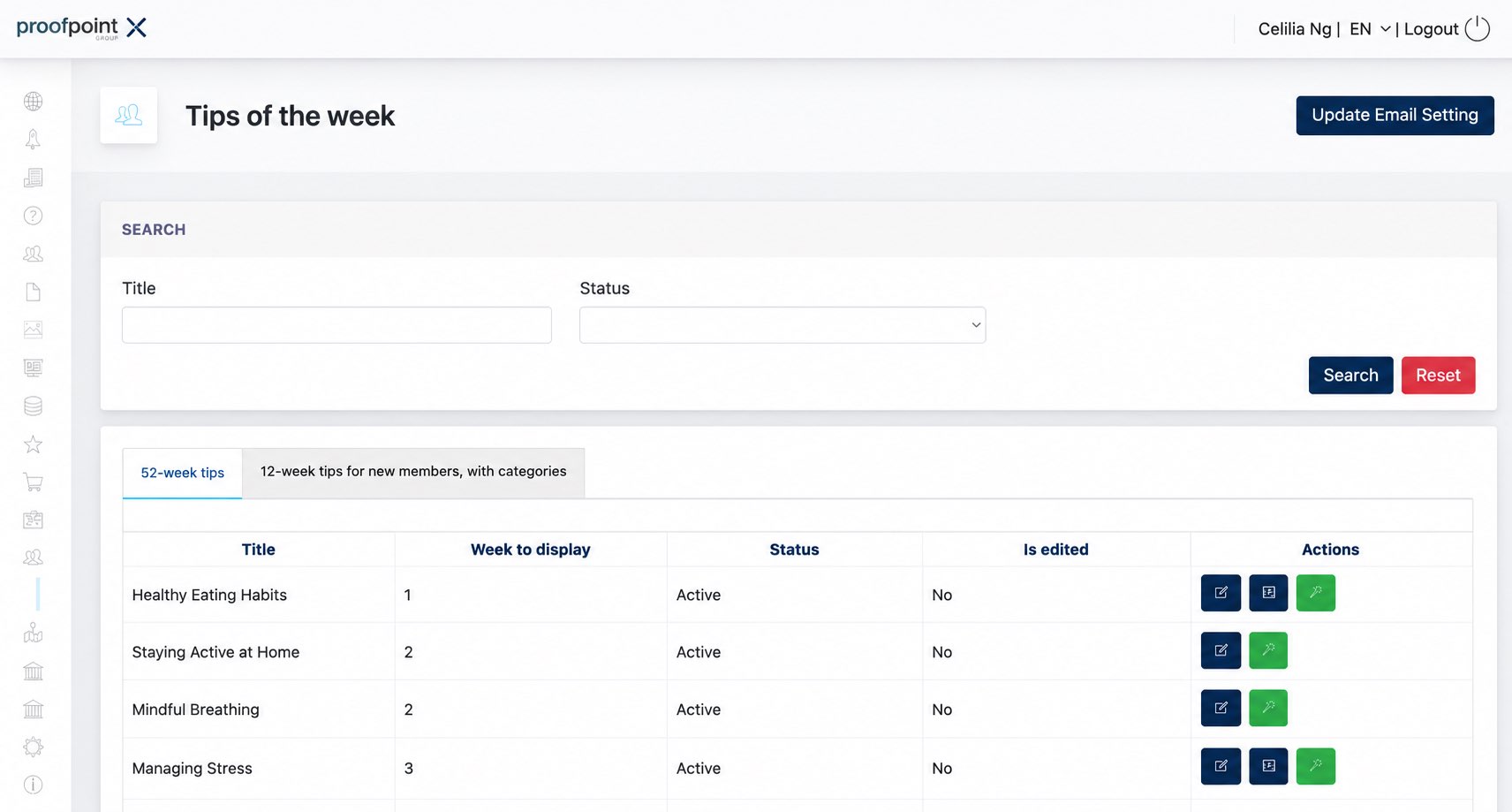
The Tips of the Week listing separates the content into 52-week tips and 12-week tips for new members, with categories.
Admin can search existing tips by Title and Status.
The Actions column provides additional options for managing each tip:
- Video Preview – Preview the video configured for the selected tip. This option is available for tips that contain video content.
- Test Email – Send the selected Tips of the Week email to a specified email address. This can also be used to resend the tip if a Member did not receive the original email.
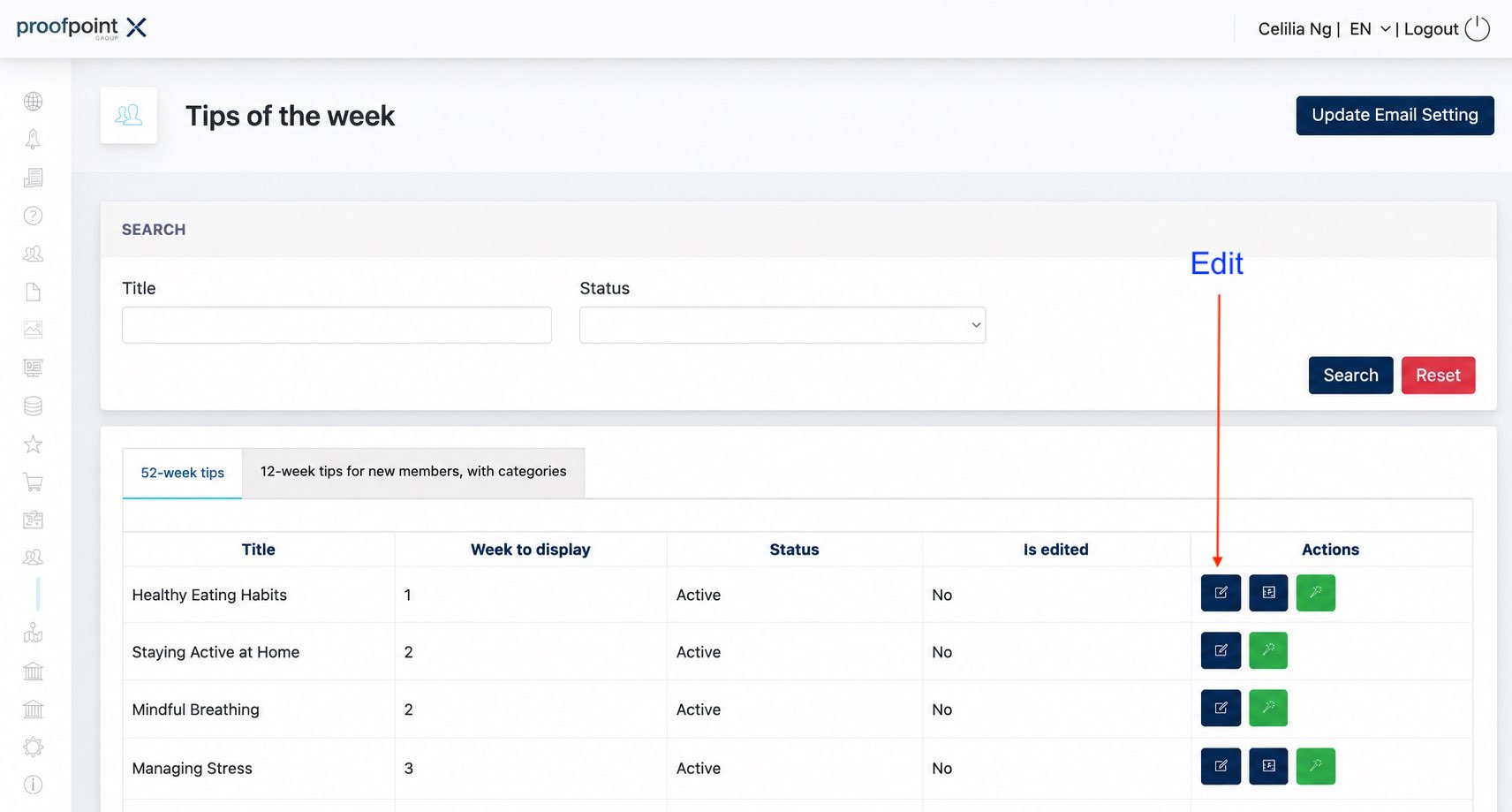
1.1 Editing Tips
When editing a tip, the following information can be configured:
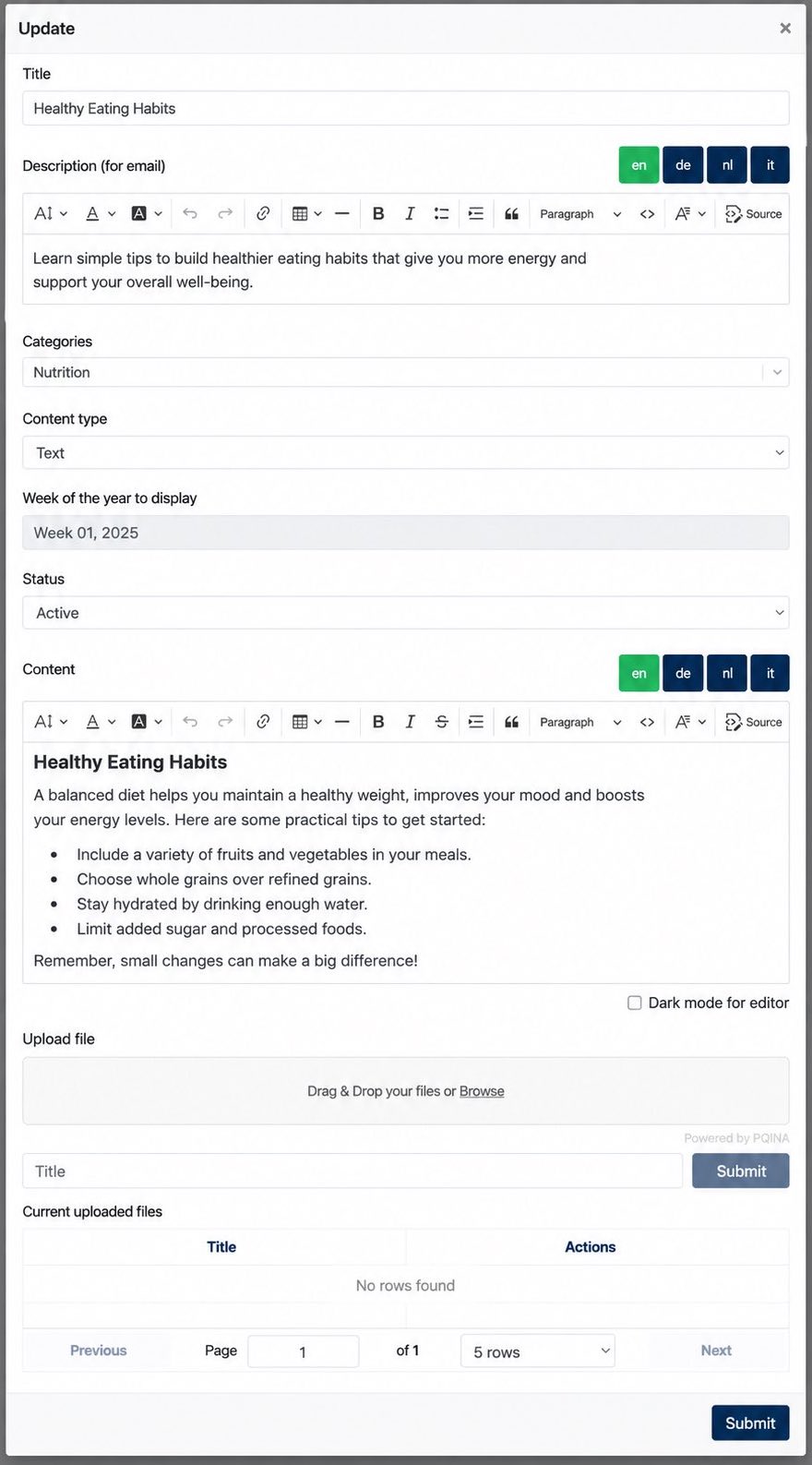
| Field | Description |
|---|---|
| Title | Defines the title of the tip. |
| Description (for email) | Defines the description used when the tip is included in the Tips of the Week email. |
| Categories | Defines the category associated with the tip, where applicable. |
| Content Type | Determines the type of content provided for the tip. |
| Week of the year to display | Displays the predefined week in which the tip becomes available. |
| Status | Determines whether the tip is Active or Inactive. |
| Content | Defines the main content displayed to the Member. |
| Upload file | Allows supporting files to be attached to the tip. |
Both Description (for email) and Content support multiple languages. Admin can switch between the available language options to configure the corresponding content for each language.
2. Email Settings
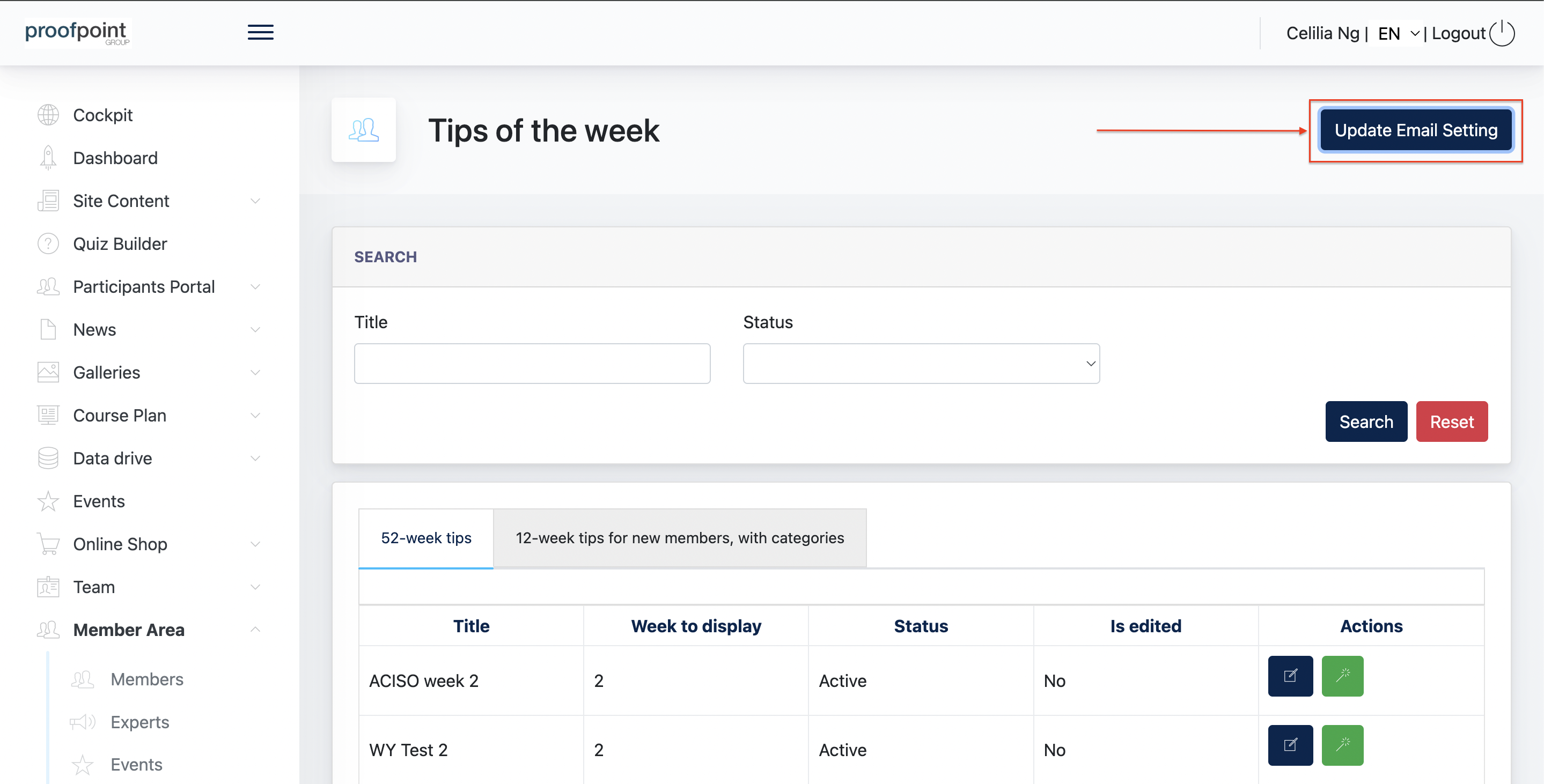
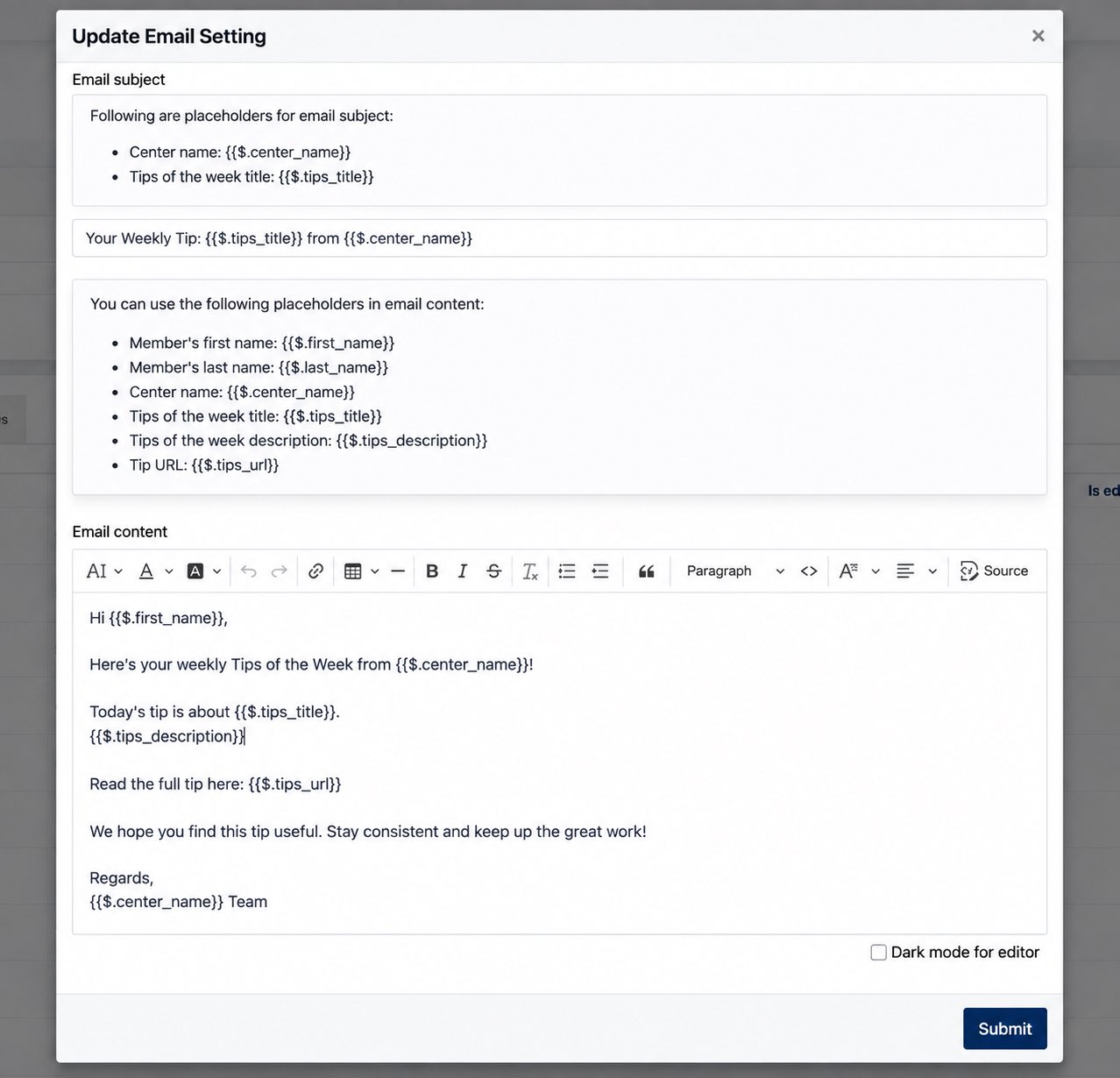
The Email Settings allow Admin to customise the weekly Tips of the Week email sent to Members.
The system provides a default email subject and message, which Admin can modify as required. Available placeholders can be used to automatically include information such as the Member's name, Center name, tip title, description, and Tip URL.
Example Email Template:
- the end -