
Add-on to Location Finder module
New Location Finder Section Templates
In August 2026, two new section templates were introduced under the Location Finder module:
-
- Location Overview – stored under SALE Template → Location Overview Map
- Dynamic Multistep Form – stored under SALE Template → Dynamic Studiofinder
1. Location Overview
The Location Overview template allows Admin to add a dynamic location finder with an interactive map to any site page.
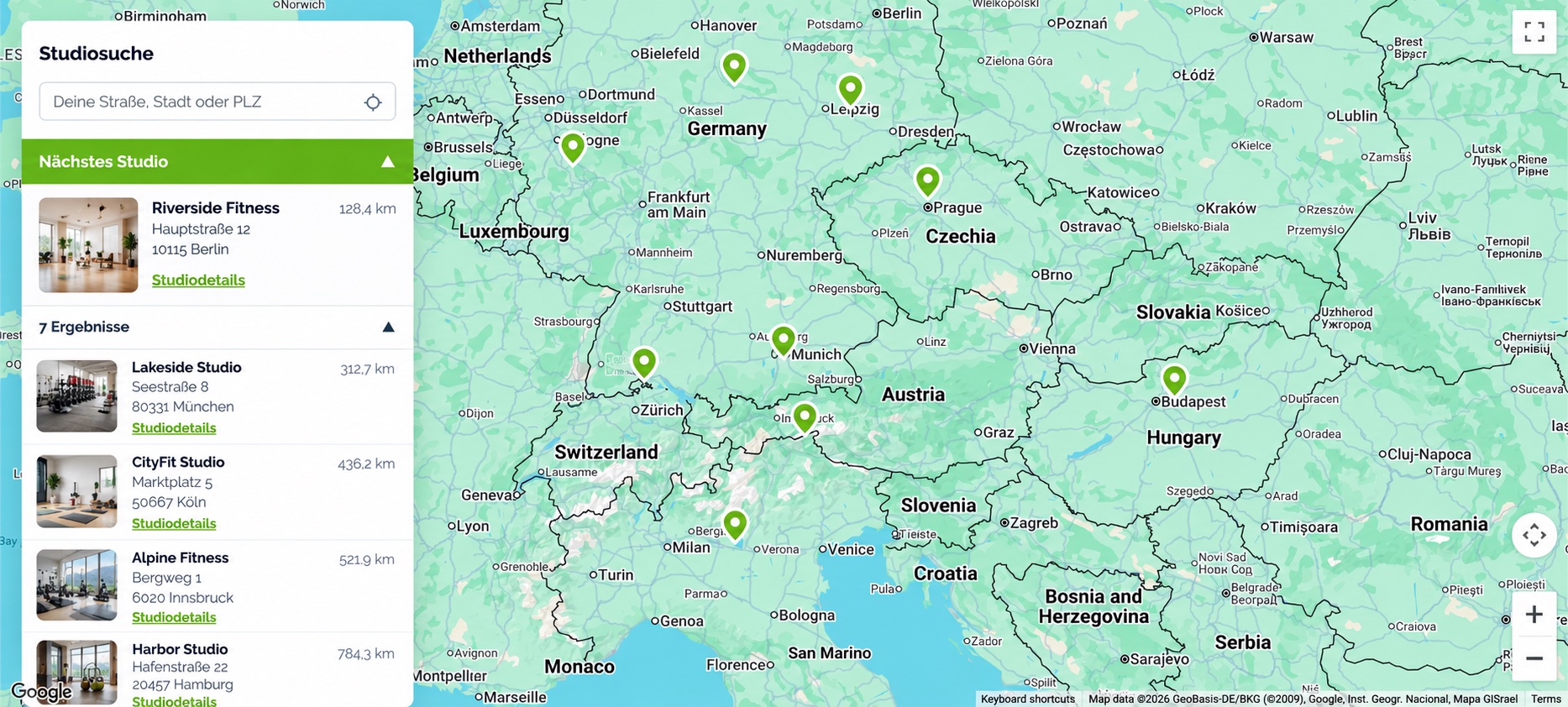
The section displays available locations on the map together with a searchable location listing. Website visitors can search by city or postal code, and matching locations are displayed in order from nearest to furthest.
All locations displayed in the Location Overview are retrieved from:
ARK Site Administrative Panel → Location Finder → Location
2. Dynamic Studiofinder
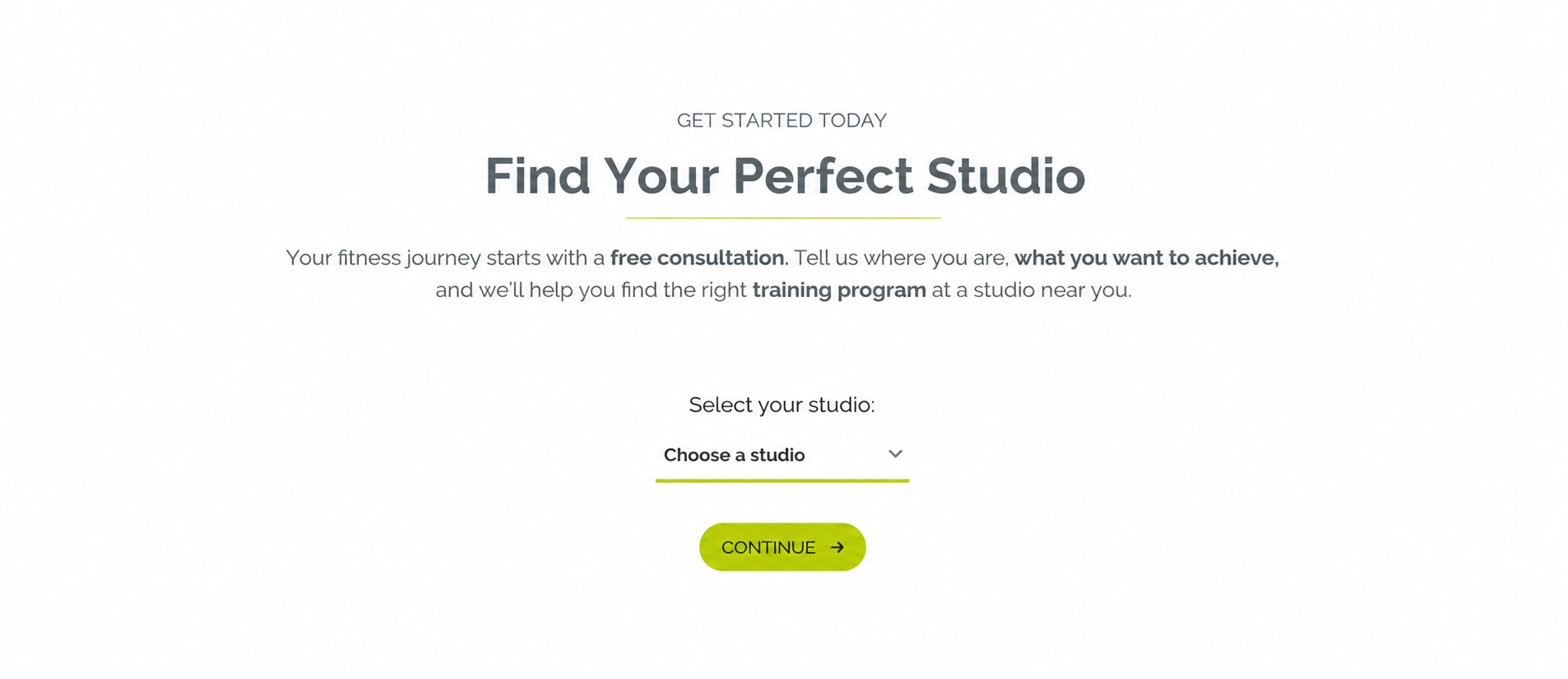
The Dynamic Studiofinder template allows Admin to add a Call-to-Action section to a site page, guiding website visitors to find and select a suitable studio.
Visitors can select a studio in two ways:
- Enter the studio name to search for a specific studio.
- Select a studio directly from the dropdown list.
After selecting a studio, the visitor can proceed to the next step of the configured flow.
The template can be found under:
SALE Template → Dynamic Studiofinder
2.1 Multi-Step Form URL
After a visitor selects a studio from the Dynamic Studiofinder and clicks Continue, the visitor is redirected to the form page assigned to the selected location.
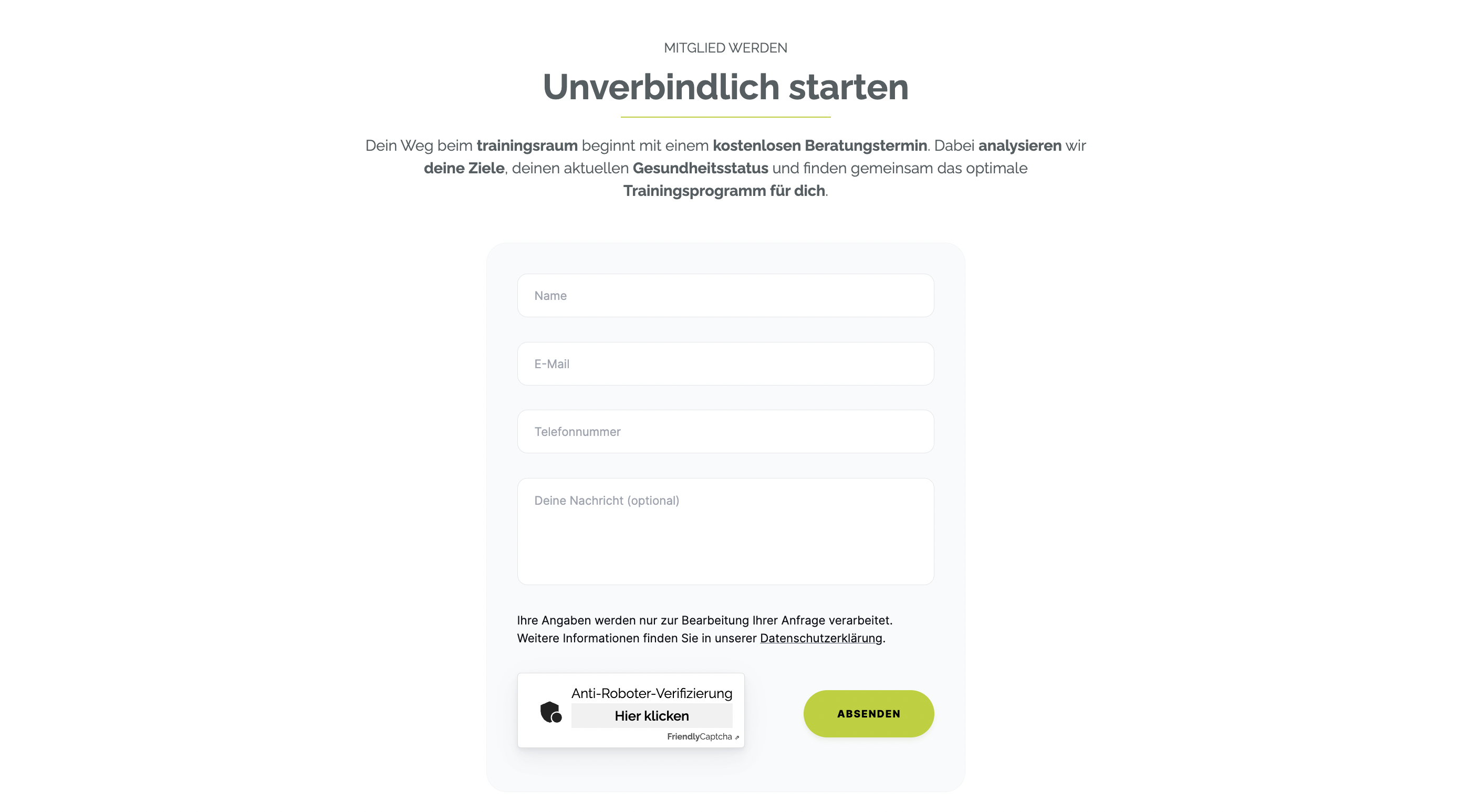
Assign Multi-Step Form URL
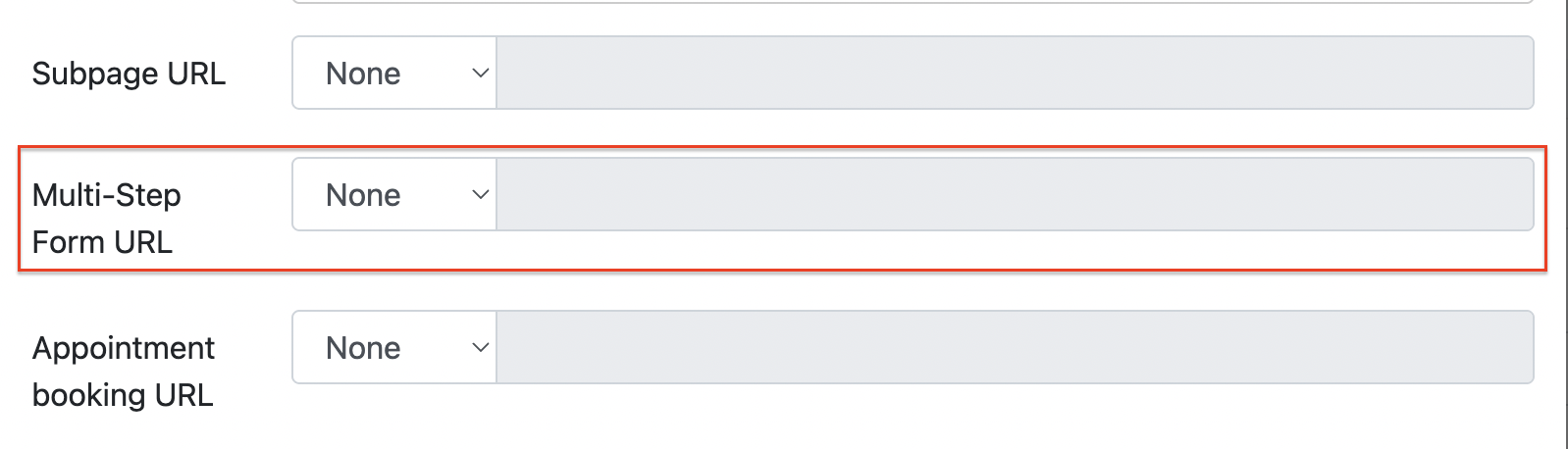
Admin can create the required form page in ARK Site and assign it individually to each location under:
Location Finder > Location > Edit > Multi-Step Form URL
This allows different locations to redirect visitors to different form pages where required.
- the end -