
Knowledge
Overview
The Knowledge feature allows Admin to create and manage informational content that is made available to Members through the Member Area.
Knowledge articles can be organised by Category and assigned to the appropriate Knowledge Menu, allowing content to be presented under different topics within the Member Area.
Knowledge Menus
In addition to the default Knowledge menu, Admin can create custom Knowledge menus to organise and display articles under different topics, such as Health, Fitness, or Healthy Aging.
For information on creating and configuring custom Knowledge menus, refer to Member Area Settings → Knowledge Menus.
1. Creating a Knowledge Article
Admin can create a Knowledge article from scratch or select Create from template to use existing Knowledge content provided through the system.
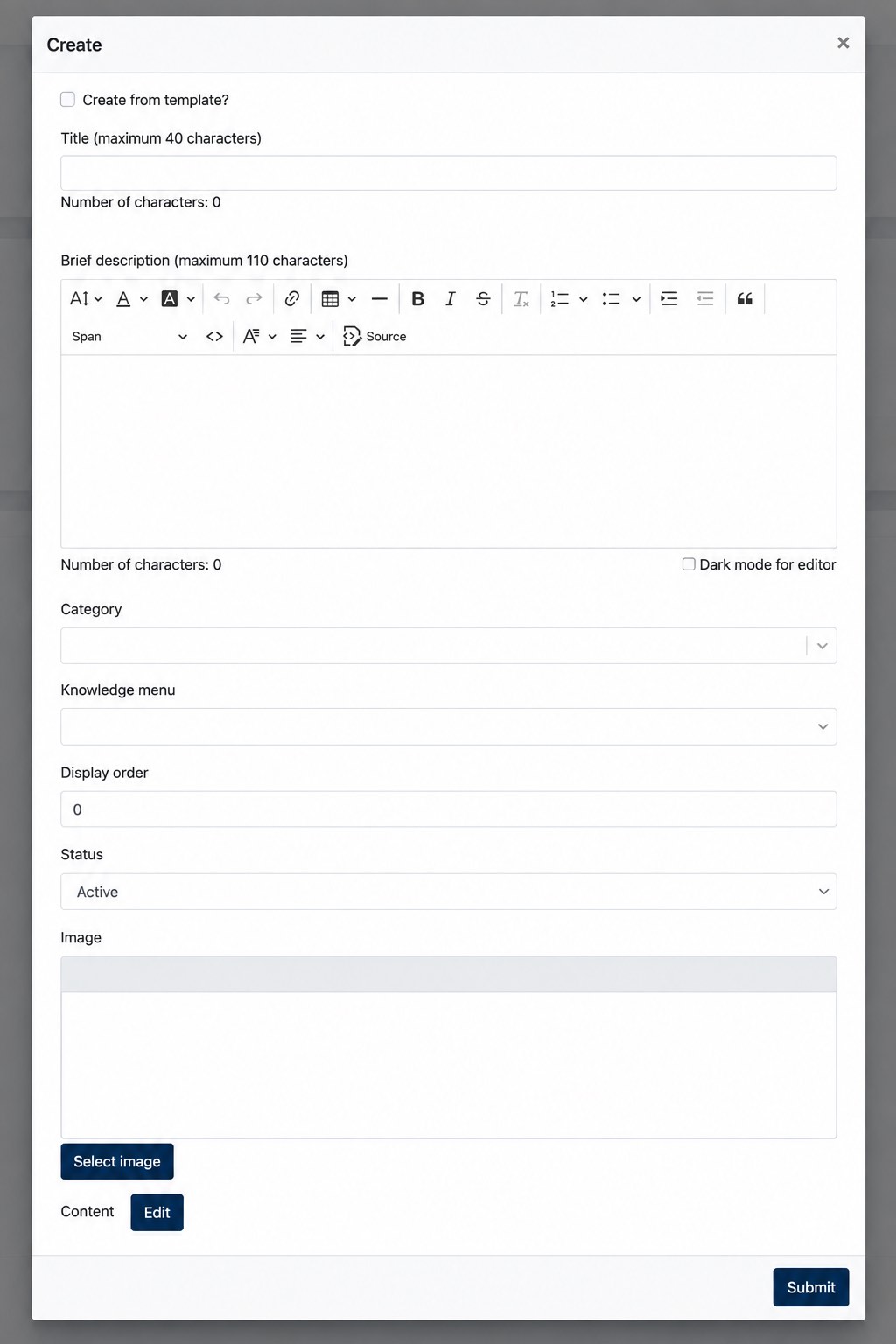
When creating a Knowledge article, the following information can be configured:
| Field | Description |
|---|---|
| Title | Defines the title of the Knowledge article. |
| Brief Description | Provides a short introduction or summary of the article. |
| Category | Assigns the article to a Knowledge category. |
| Knowledge Menu | Determines under which Knowledge menu the article is displayed. |
| Display Order | Determines the display sequence of the article. |
| Status | Determines whether the article is Active or Inactive. |
| Image | Defines the image displayed for the article. |
| Content | Defines the main content of the Knowledge article. |
Click Edit under Content to create or update the article content using the content editor.
2. Category and Knowledge Menu
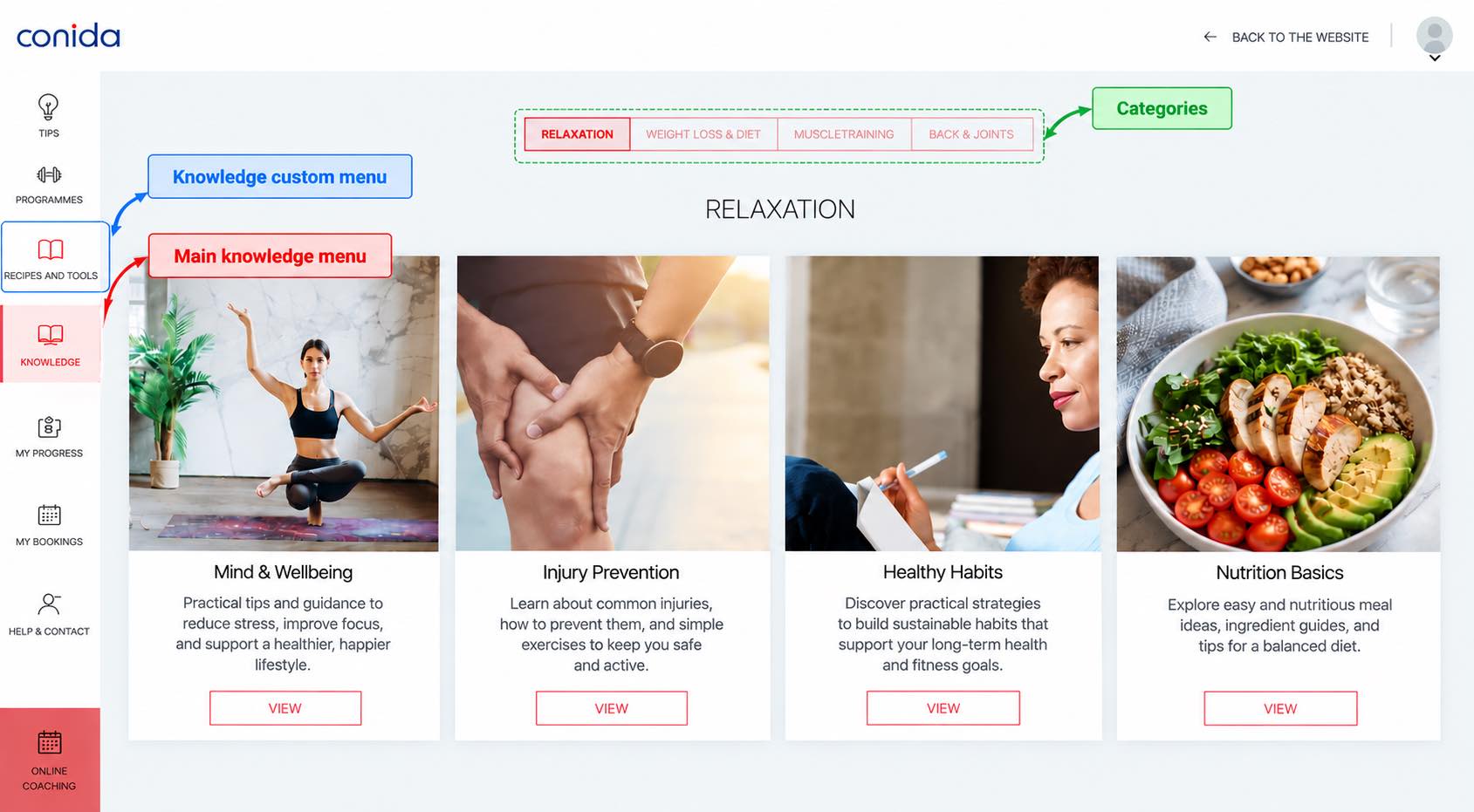
Category and Knowledge Menu serve different purposes when organising Knowledge articles.
The Category is used to categorise the article, while the Knowledge Menu determines under which Knowledge menu the article is presented in the Member Area.
This allows Admin to organise articles by category while also determining where the content should be accessible to Members.
Screenshot from Live Site
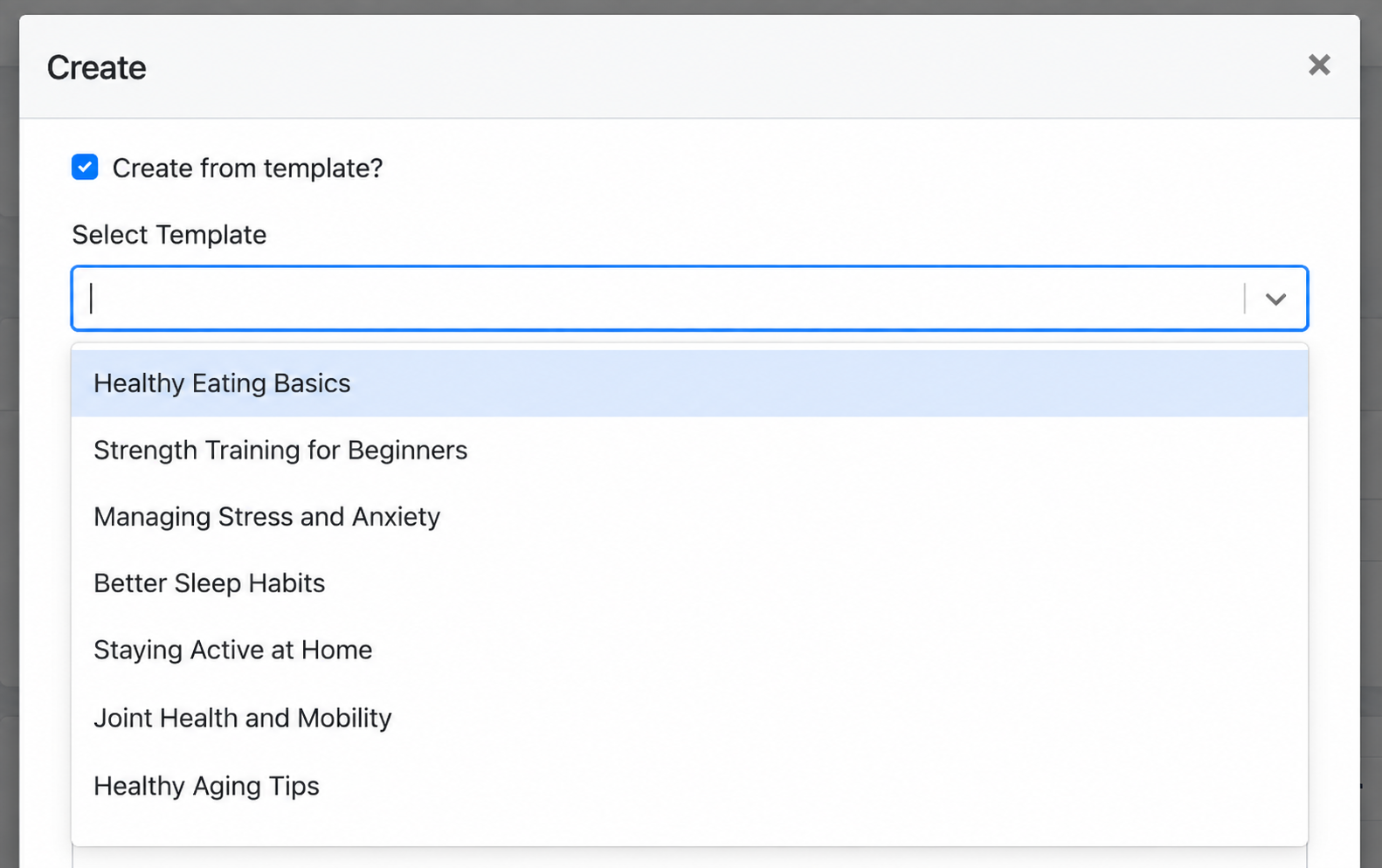
Creating from a Template
Enable Create from template to create the Knowledge article using existing Knowledge content provided through the system.
After selecting a template, Admin can review and configure the article information before saving it.
- the end -