
Reporting
Overview
The Reporting feature provides Admin with an overview of sales performance and Member Area activity.
Reporting is divided into two sections:
| Section | Description |
|---|---|
| Sales | Provides an overview of products sold and the revenue generated from those sales. |
| Statistics | Provides statistics on Member Area logins and interactions with selected Member Area content. |
1. Sales
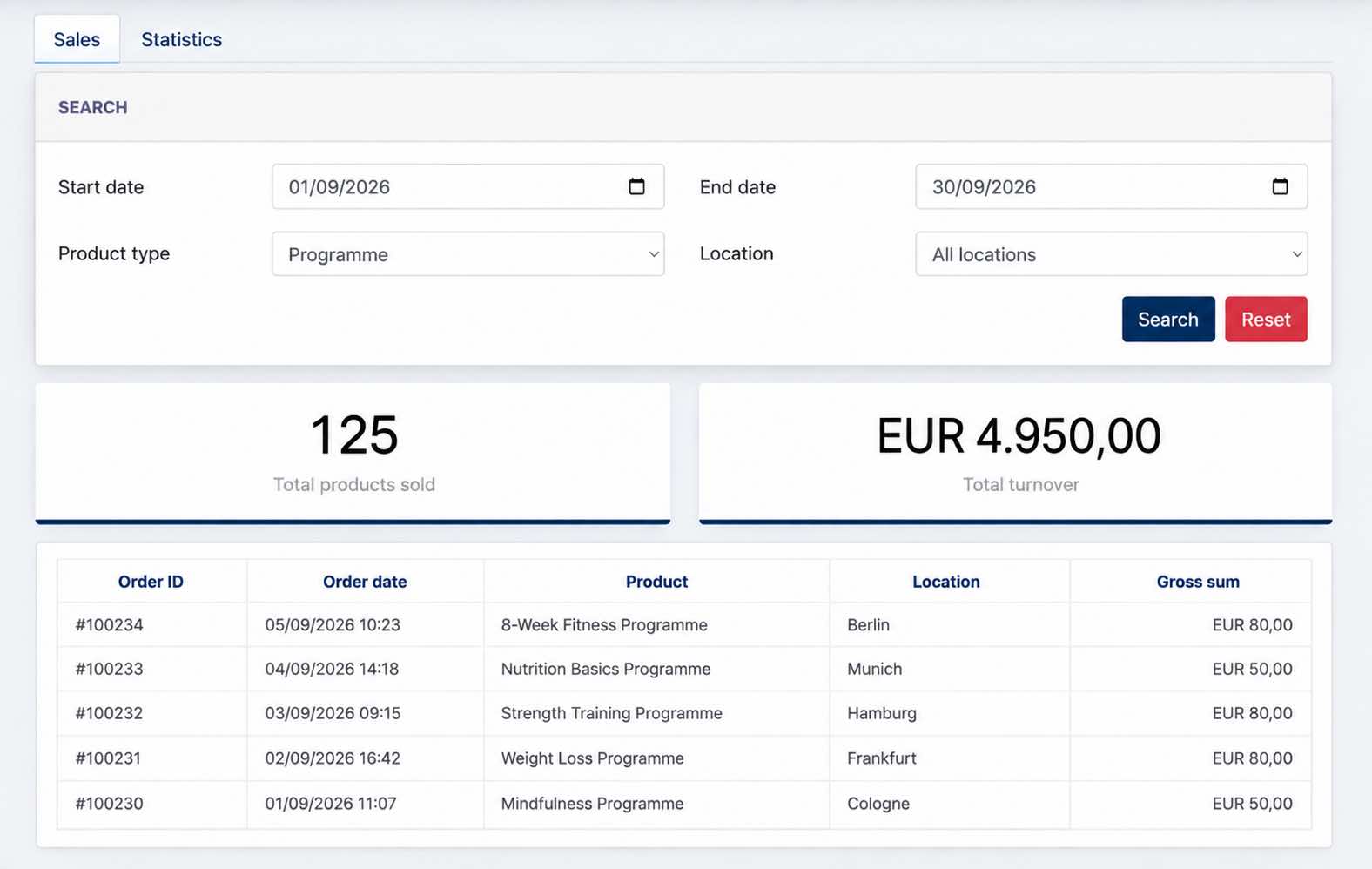
The Sales tab provides Admin with an overview of which products have been sold, how many products were sold, and the total turnover generated within the selected period.
Admin can filter the sales data by date range, product type, and location.
The report provides two levels of information:
- Sales Summary – Shows the total number of products sold and the total turnover for the selected criteria.
- Sales Records – Provides the individual sales records, showing the order, product, location, and gross sum for each sale.
This allows Admin to review both the overall sales performance and the individual transactions contributing to the total.
2. Statistics
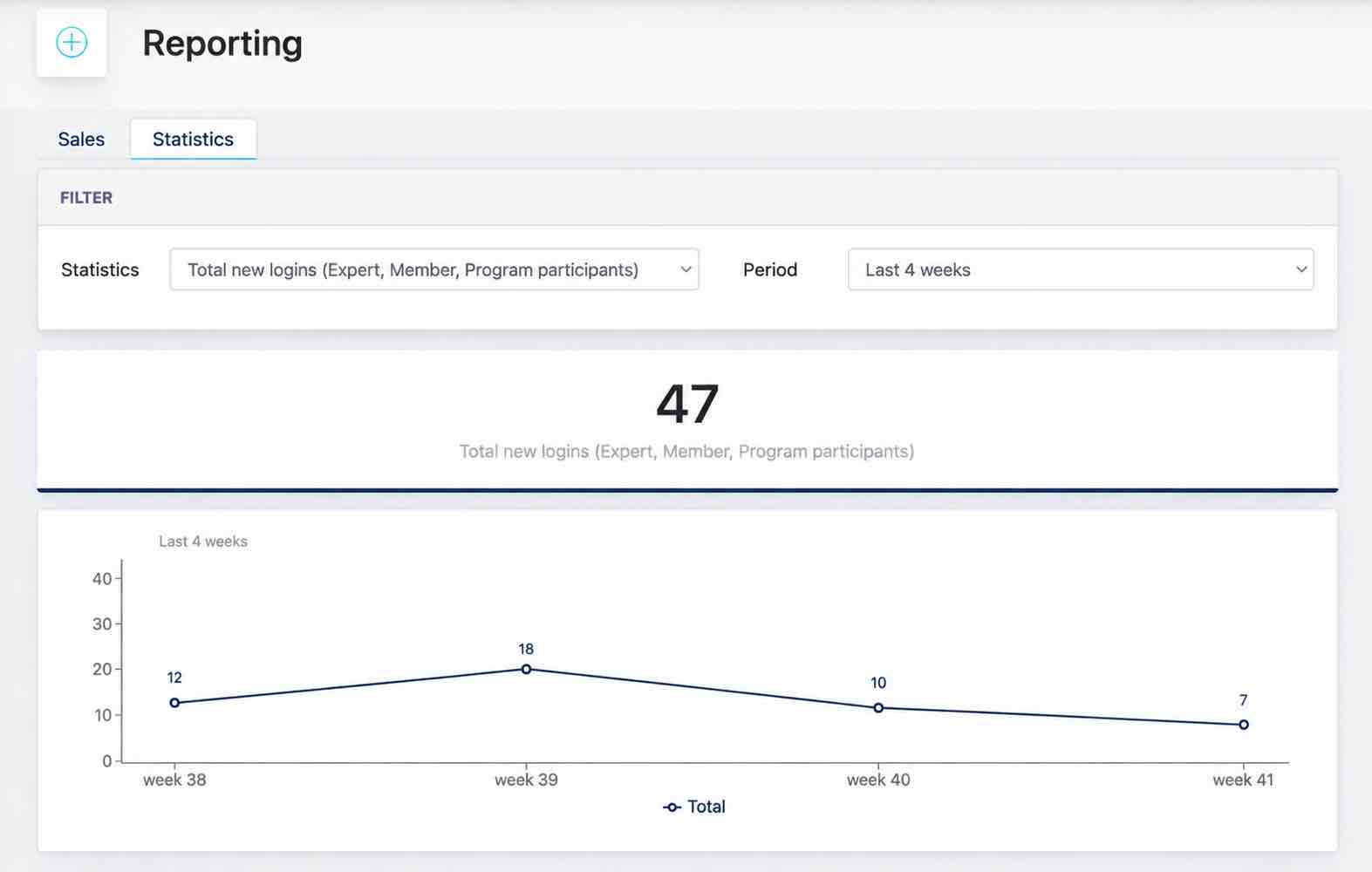
The Statistics tab provides an overview of Member Area usage and engagement. Admin can select the type of activity to analyse and the reporting period.
| Statistic | Description |
|---|---|
| Total new logins (Expert, Member, Program participants) | Shows the number of Experts, Members, and Program Participants who logged in to the Member Area for the first time during the selected period. |
| Total new trial member logins | Shows the number of Trial Members who accessed the Member Area for the first time through their invitation Magic Link during the selected period. |
| Total clicks on tips of the week link | Shows the number of Members who clicked a Tips of the Week link for the first time during the selected period. |
| Total clicks on weekly program content link | Shows the number of Programme participants who clicked a weekly Programme content link for the first time during the selected period. |
The statistics can be viewed for Last 4 weeks, Current month, Previous month, Last 12 months, or Previous year.
- the end -